[P10 Pro Ultra]
|
|
1964
12
| |
|
|
|
| |
| |
| |
| |
|
2026-5-6 11:33:43 Translate
Email: support@mova-tech.com
US Hotline: +1 (888) 308-6159
(Mon. to Sun. 9:00–18:00 EDT)
US Official Website: https://us.mova-tech.com
2026-5-6 14:00
 US
Translate US
Translate
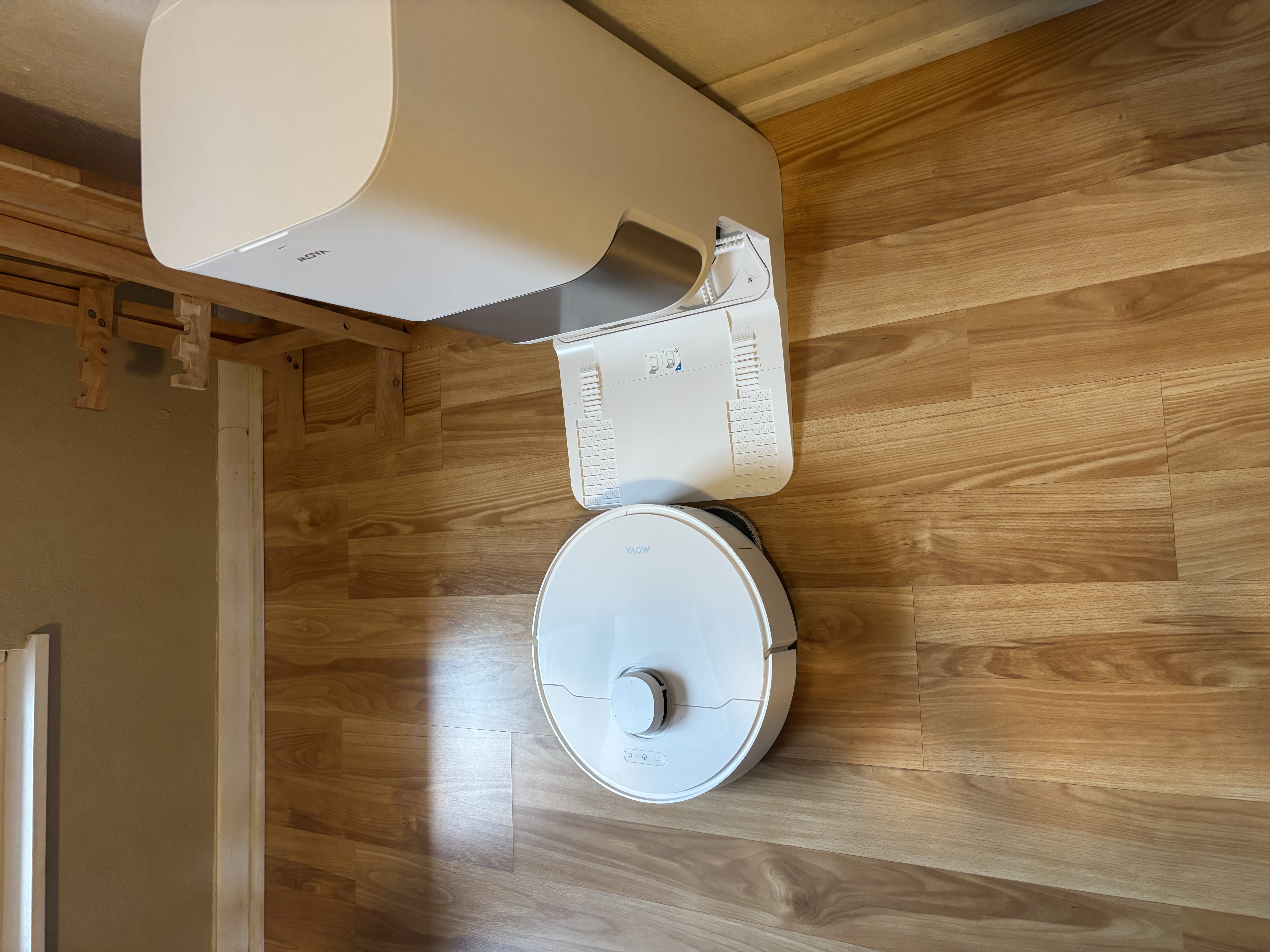
If the robot still cannot return to the charging dock on its own, please contact our customer support and provide us with relevant photos or videos showing the issue.
2026-5-6 14:00
US
Translate
place the robot 1–2 meters in front of the charging dock, then briefly press the Home / Return to Dock button on the robot.
2026-5-6 13:59
US
Translate
Dear valued user, we sincerely apologize for the inconvenience this has caused you, and we fully understand how frustrating this must be. Please try testing the auto-return function:
2026-5-6 13:59
US
Translate
|
|
| |
| |
|
Hello, we have received your feedback. Kindly check your private message, we’ve sent you relevant information there.
2026-6-3 17:23
US
Translate
|
|

© 2026 MOVA Forum All Rights Reserved | Support by Discuz! X5.0 Font by MiSans


 1964
1964