OU714194

[Lidax Ultra 2000 AWD] Maintenance Point pin places fine but will not save, LiDAX Ultra 2000 AWD

Last edited by OU714194 on 2026-8-31 04:11

I can position a Maintenance Point but I cannot get it to save on my LiDAX Ultra 2000 AWD. Firmware 4.3.6_0439, MOVAhome app, US region, Android.

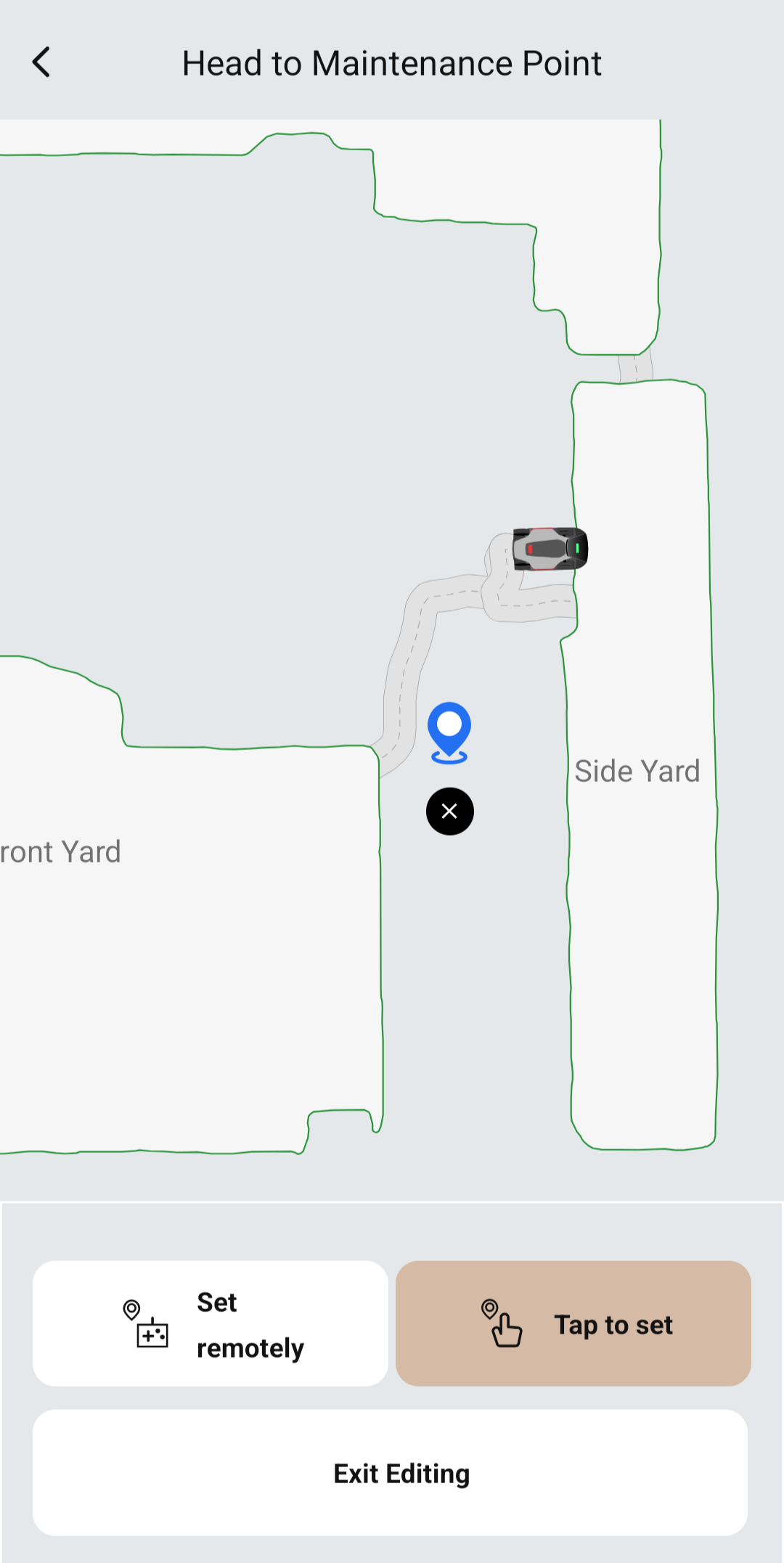
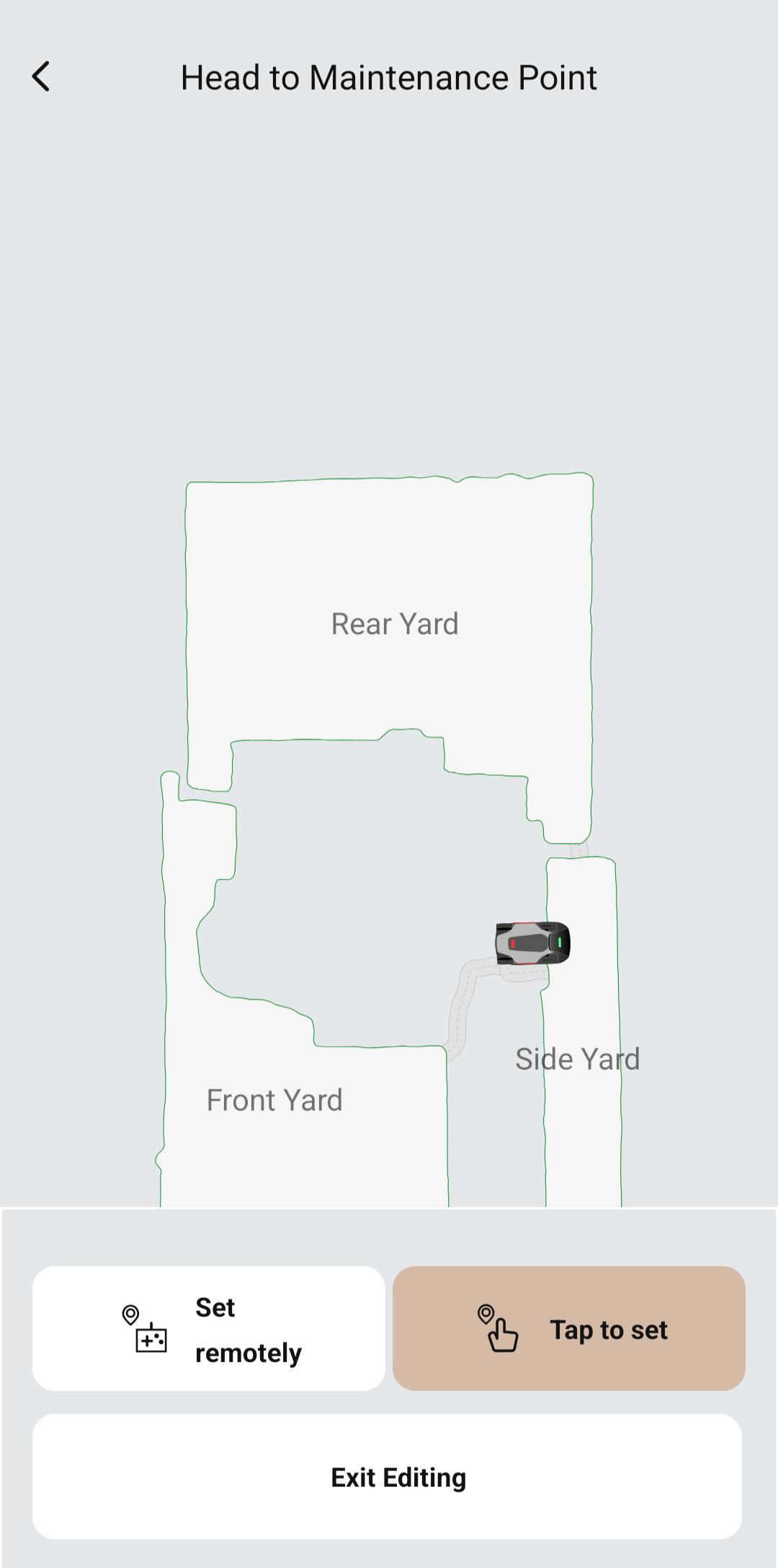
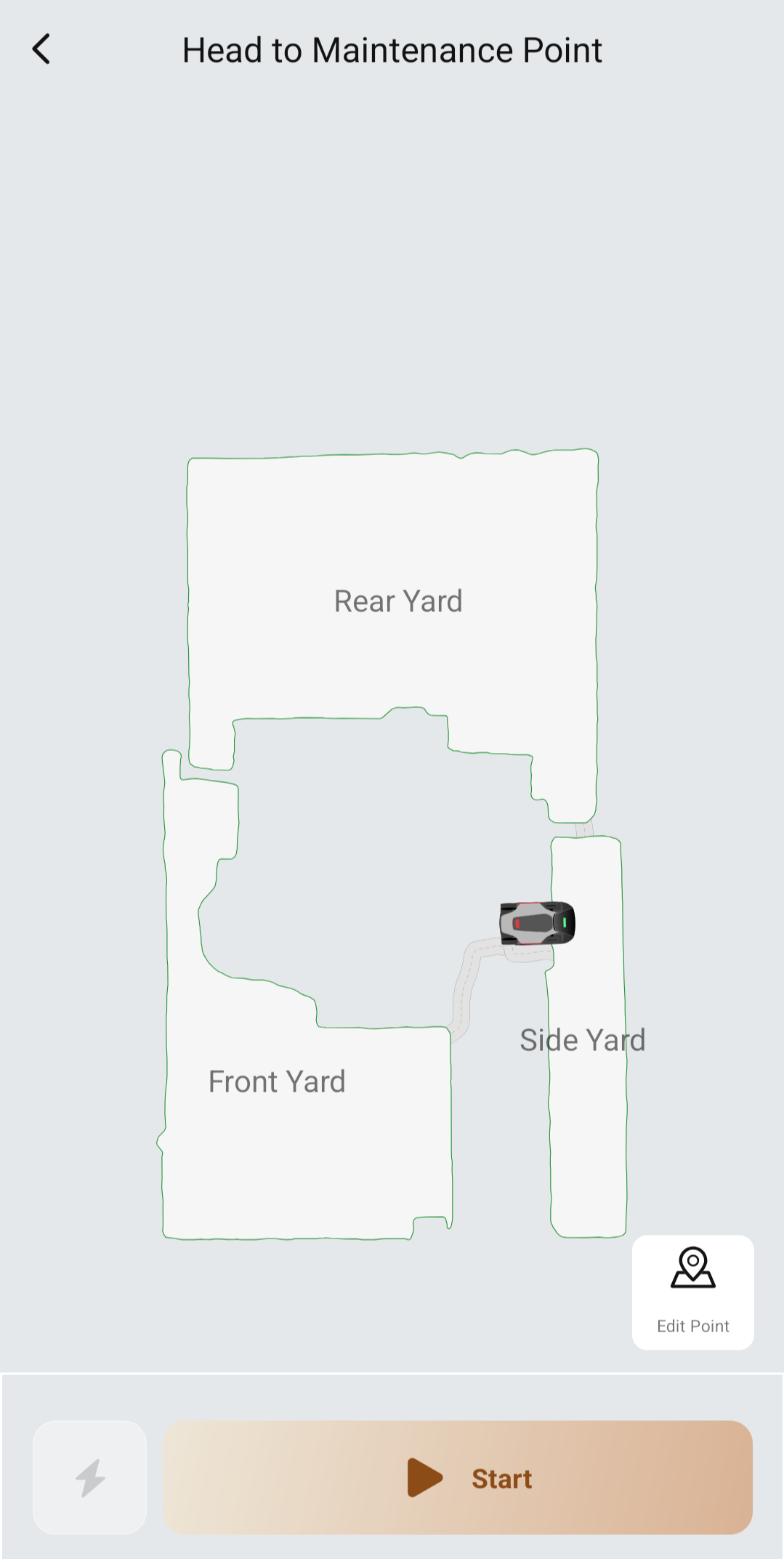
Device Page > Set > Head to Maintenance Point > Edit Point. The screen offers Set remotely and Tap to set.

Positioning works. Pressing Tap to set drops a blue pin at a default spot on the map, and I can drag it to where I want it. There is a black X beside it to remove it. Screenshot attached. So the map is accepting the point.

The problem is that there is nothing to save it with. No Save, no Done, no checkmark, and no confirmation message anywhere on the screen. The only buttons are Set remotely, Tap to set, and Exit Editing. Set remotely behaves the same way: I drove the mower to the spot I wanted and again there was no way to commit it.

Either way, when I back out and reopen Head to Maintenance Point and press Start, it tells me to set a maintenance point on the map first. The pin is gone.

What I have already ruled out:

I tried both a normal tap and a press and hold on the Tap to set button itself. Same behavior both times.

I tried dragging the pin well inside a large mowing zone rather than leaving it on a pathway, in case the location was being rejected.

I tried zooming in first, and panning the map so the bottom panel was not covering the pin.

I force stopped the app and reopened it.

The pin positions correctly every time and is lost every time.

My questions:

What commits the pin once it has been dragged into place? If there is a save action on this screen I am not seeing it.

Is Exit Editing meant to save the point or discard it? The wording does not say, and it is the only way off the screen other than the back arrow. Very confusing and not intuitive.

Is this a known issue on the Ultra 2000 AWD or on this firmware version?
You need to log in to reply. Login | Register

2 Comment

Once you have set the point, just click elsewhere on the map and it should save! You can then exit the window. Exiting the window before clicking elsewhere on the map does not mean it will save and will likely even erase the point you set.

@MOVA Support - it would be good to have a save button on this screen which would be much more clear than just tapping elsewhere on the screen.
2026-8-31 07:43:15 US Translate

Thank you for your feedback. After placing the maintenance‑point pin, tap another blank area on the map to save it. We will also submit suggestions to our App technical team to add a dedicated save button on this page, which will be much clearer than tapping elsewhere on the map.
2026-8-31 11:47:40 US Translate

UID:OU714194
  • 5Posts
  • 0Friends

© 2026 MOVA Forum All Rights Reserved | Support by Discuz! X5.0 Font by MiSans

Quick Reply Back to Top Return to List