|
We understand how troublesome it is to encounter multiple device‑related issues. Even after sensor cleaning and several factory resets, the problems remain.
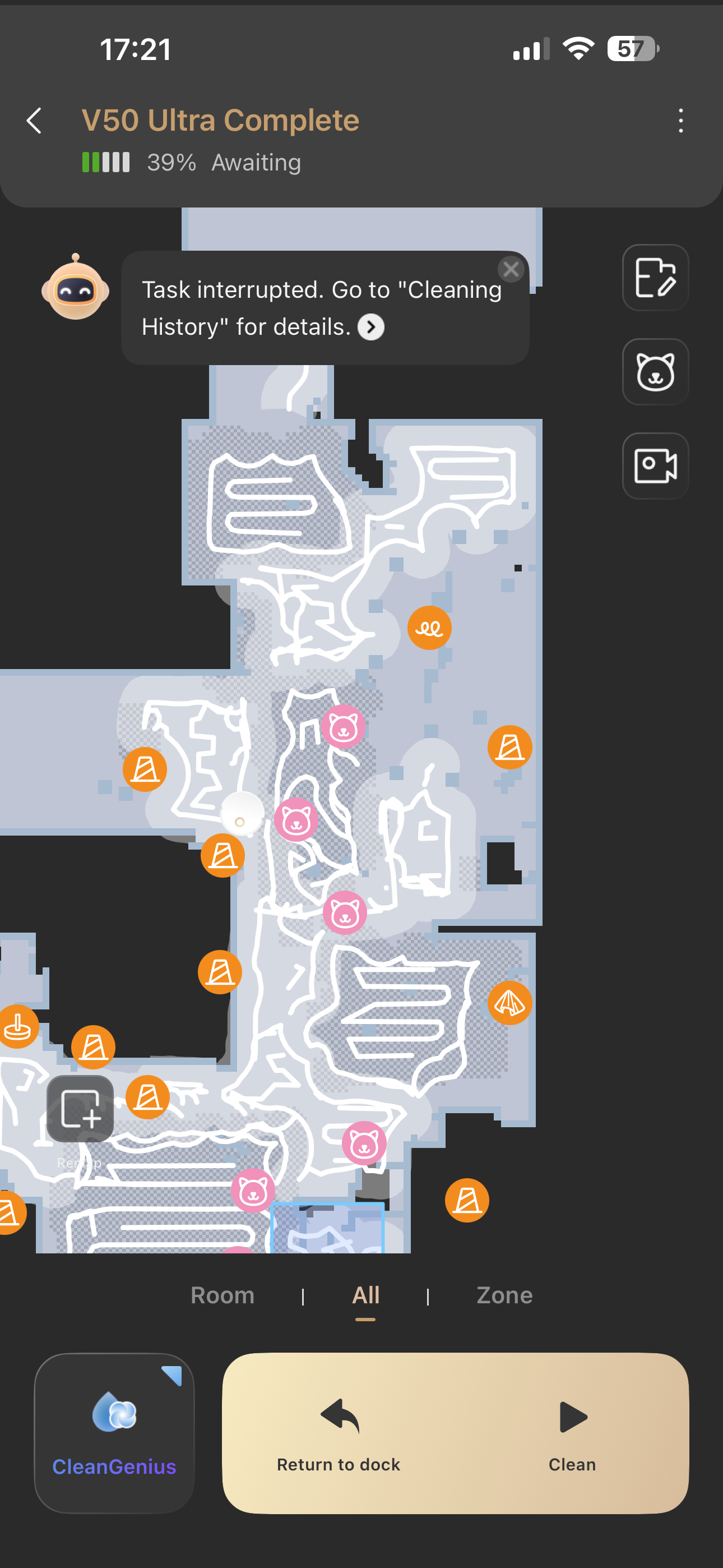
**Erratic navigation path**
Is the messy path occurring during the first‑time mapping process, or during regular cleaning runs?
‑ First‑time mapping: While mapping, the robot explores and learns your home layout. It may take winding routes to scan more terrain. Paths will behave normally after the map is saved.
‑ For erratic paths in daily cleaning, please check these points:
1. Before cleaning: Pick up loose items on the floor such as power strips, toys and slippers. Frequent collisions will cause abnormal cleaning routes.
2. While cleaning: Check whether drive wheels are tangled with debris, dusty or greasy. Clean them to avoid abnormal movement.
3. While cleaning: After repeated collisions, the robot will briefly follow edges and then return to the bow‑tie cleaning pattern.
4. If poor path‑planning happens frequently: Update firmware to the latest version, reset the map and remap your home.
5. This model is equipped with obstacle‑avoidance sensors. You have already cleaned them, please double‑check whether any foreign matter remains on sensor lenses.
**Phantom non‑existent rooms in map**
Reflective surfaces like glass and mirrors can interfere with robot perception. If phantom areas only appear near mirrors while other rooms map correctly: go to Edit Map → Room Partition → Split. Separate the false area and hide the redundant phantom part.
If this does not help, please send real‑site photos of the phantom‑room area via private message for our analysis.
**Auto‑empty not working**
Do not set suction power to the lowest level. Set it to maximum for testing. Also check whether the dust bag is full or air duct is blocked.
1. Check dust‑bag status and replace it if full.
2. Clear blockages inside robot dust bin and auto‑emptying port.
Re‑enable auto‑empty function and run a test cleaning.
**Cleaning‑solution consumption**
The cleaning solution is highly concentrated. Only 1‑2 ml is used each time the mop is washed.
Shake the dirty‑water tank; check for foam to verify whether solution is dispensed during mop‑washing.
Take out the double‑layer cleaning‑solution cartridge. Wipe contact points gently with dry cloth if dirty, then reinstall and push it fully into position.
Around 1.33 ml solution is consumed per mop‑wash. Consumption is low and hard to notice visually.
With twice‑daily mop washing, one cartridge normally lasts 4‑5 months. | 

 US
US


 300
300