HB690725

Mova Z60 Ultra Complete Setting guide, how to get the most out of your new robot

Last edited by HB690725 on 2026-2-25 10:56

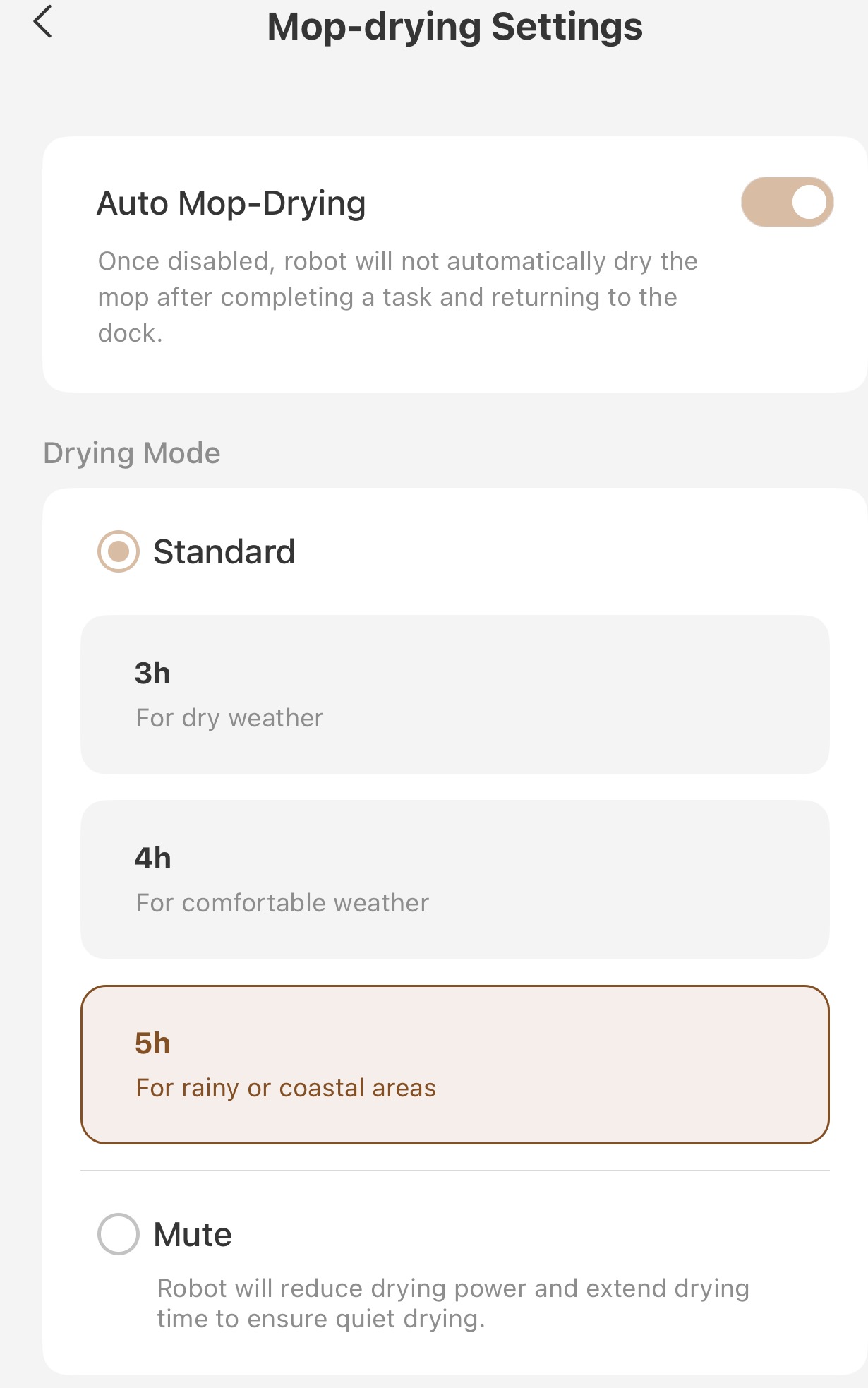
Hi All! I'm back again with another post on the Z60 Ultra complete, this time going over all the amazing settings the app has to really maximize your new robot. I wont be going over all the settings, but wanted to highlight some of the settings and features I love most. I've attached pictures of both some of the settings within the app as well as highlighting the difference extending side brushes can be. I did get this unit as part of Mova's Get and Create Program.

In a house with 2 dogs that shed like Crazy and a long haired wife, clumps of hair and just generally dirty floors is a constant problem. When I first got the Z60 Ultra Complete, I set out to see what settings and features it had that would make my life easier. Below is a list of settings that I like most, what they do and how they will help you maximize your Z60's cleaning performance.

Lets start off with the base station. There are a couple of settings where if you live in a house with a lot of hair, kids, dogs or all of the above, really help the Z60 preform better.
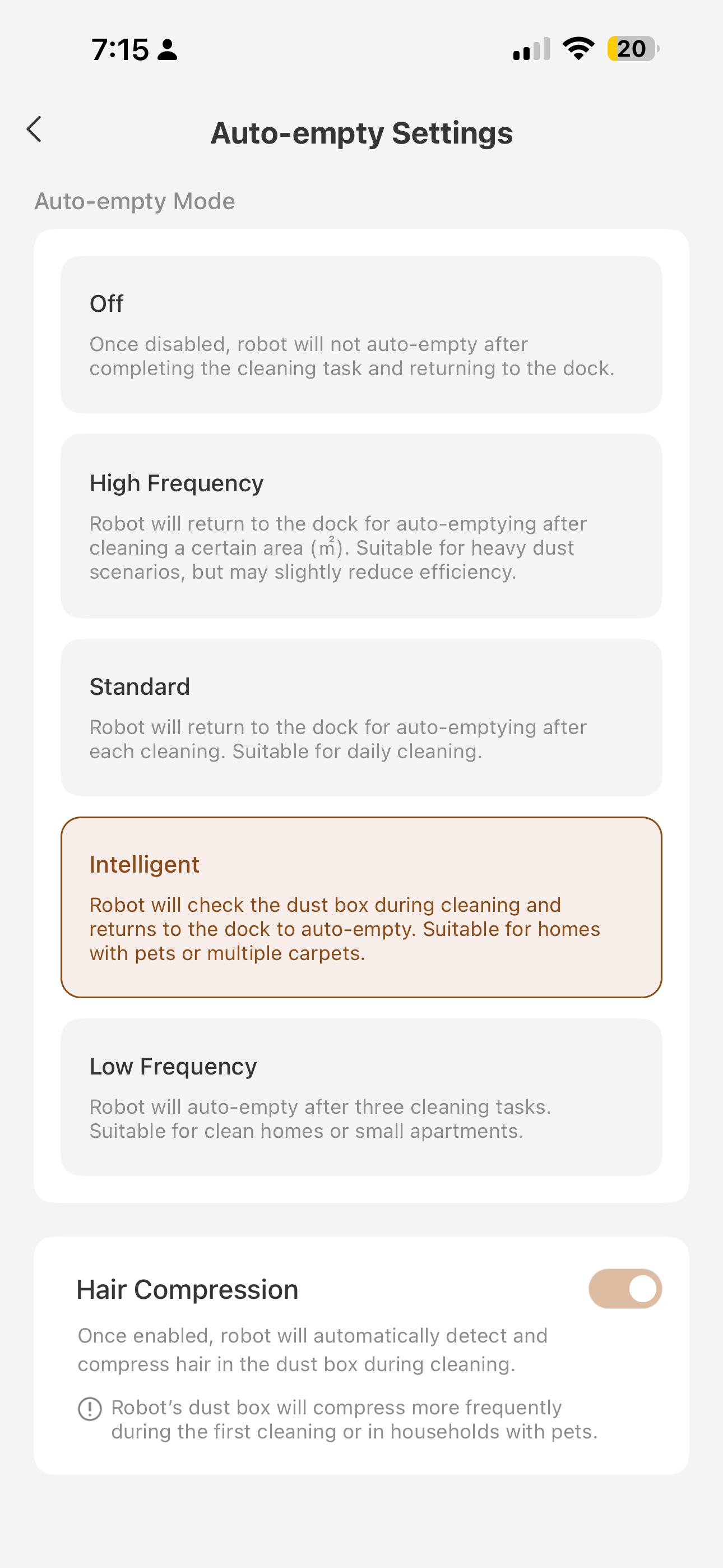
1. Auto Empty settings: This one is big if you have a household with pets or long haired humans. To make space for the roller mop, the Z60 has a smaller dustbin then say the V50 with it's spinning pads. This means if you have a lot of hair, the onboard dust bin gets filled faster and may clog. To avoid this, I set mine to "Intelligent" auto empty so it senses when it is full and returns to empty, and I turn "hair compression" On. This has made it so no clumps of hair have been left on the floor or having a full dustbin after emptying even when we had 4 dogs in the house (3 being Golden Retrievers).
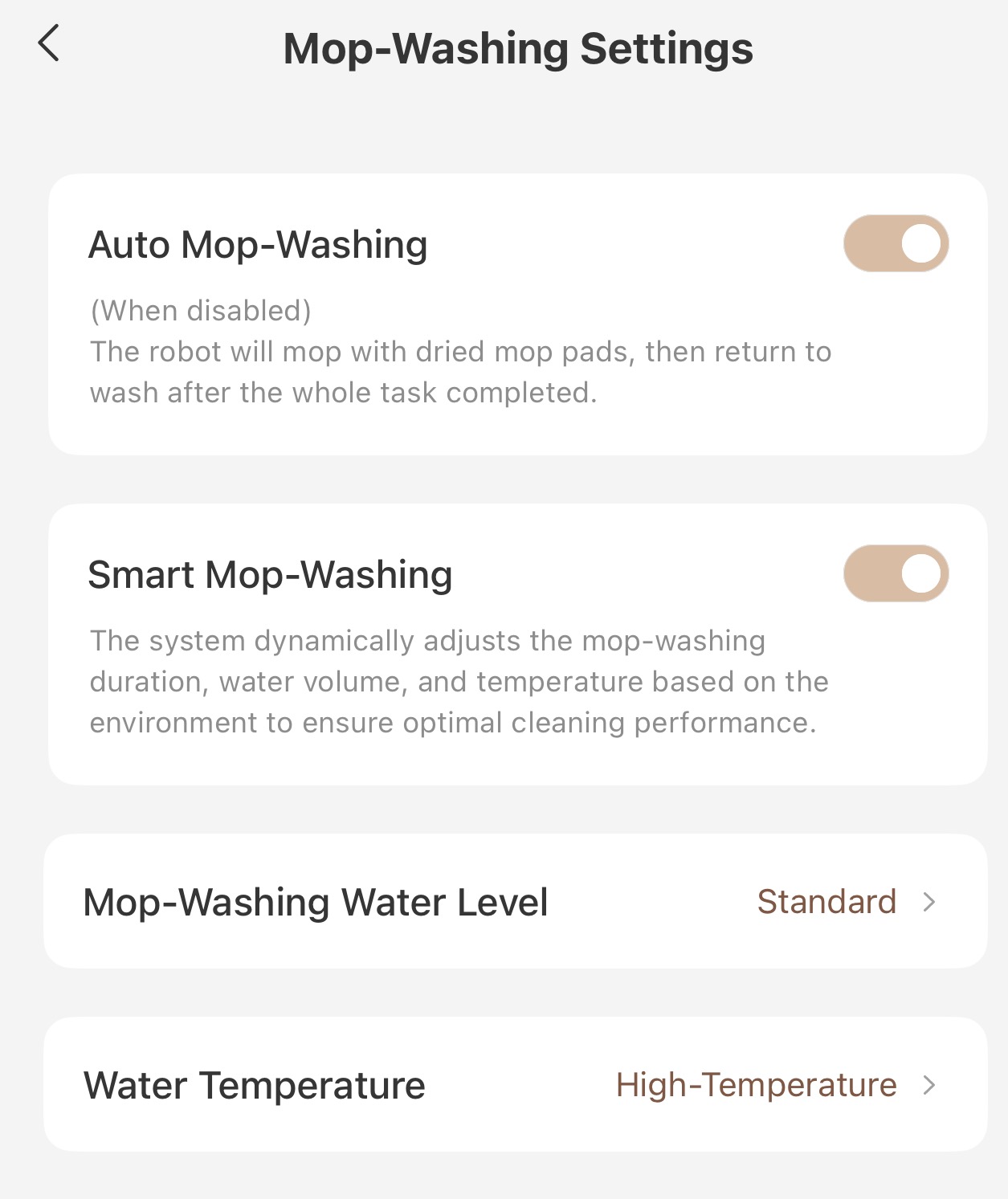
2. Mop Washing Settings: Once again, with a both humans and dogs making messes, I've made sure both "auto mop washing" and "smart mop washing" are turned on. This takes most the guesswork out of the equation. Then I always make sure that water temperature is set to "high" to make sure the mops are as clean as possible.
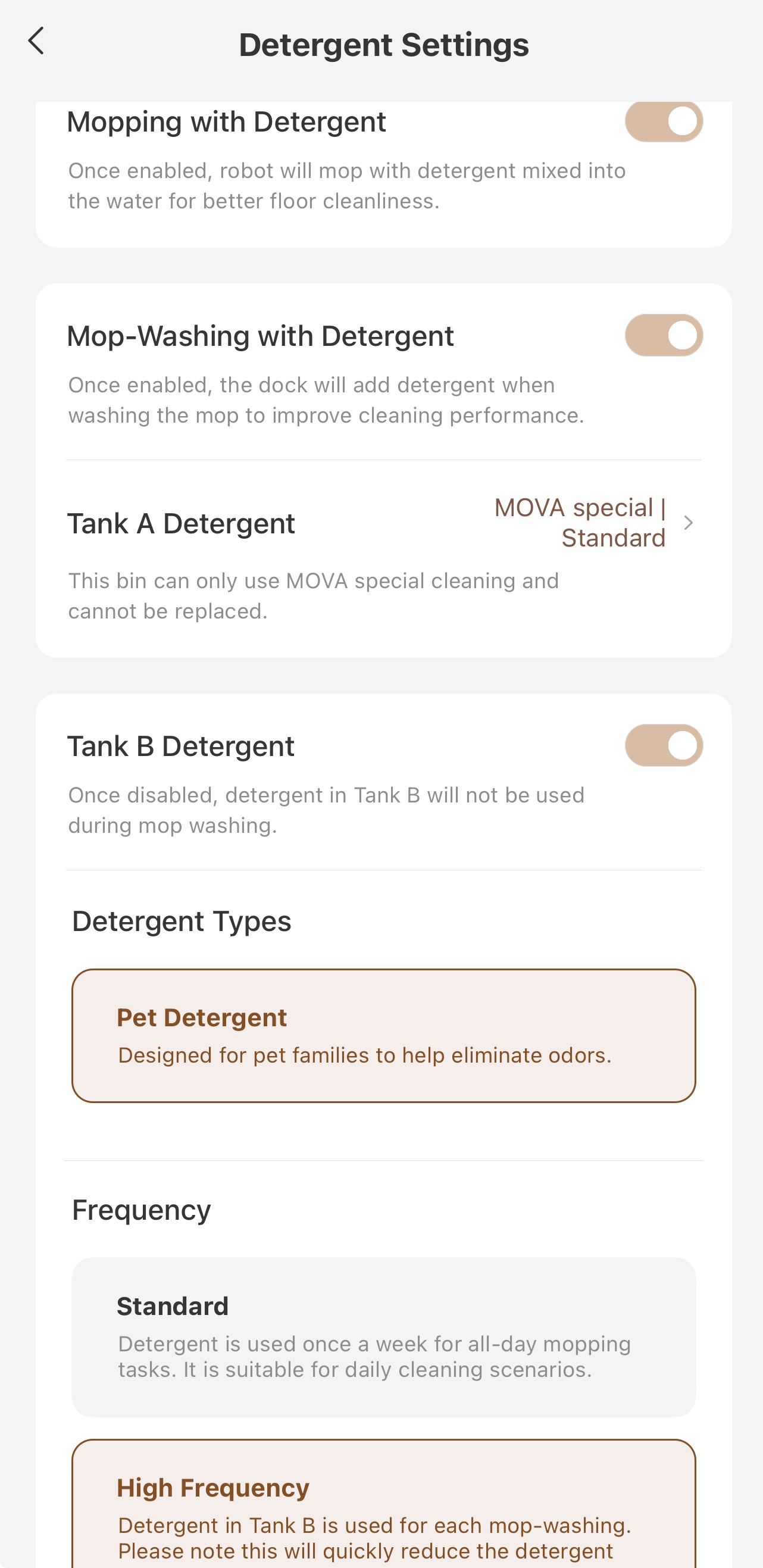
3. Detergent settings: This is a big one for me as there are a lot of dogs in the house at any given time. The Z60 Ultra Complete comes with a duo solution tank. This means it has a general floor cleaner as well as a pet solution. My recommendation would be to make sure you have mopping with detergent and mop washing with detergent turned on, as well as tank B (the pet solution's tank)  turned on and set to high frequency. This has made it so both the floors and the mop roller don't stink like dog.

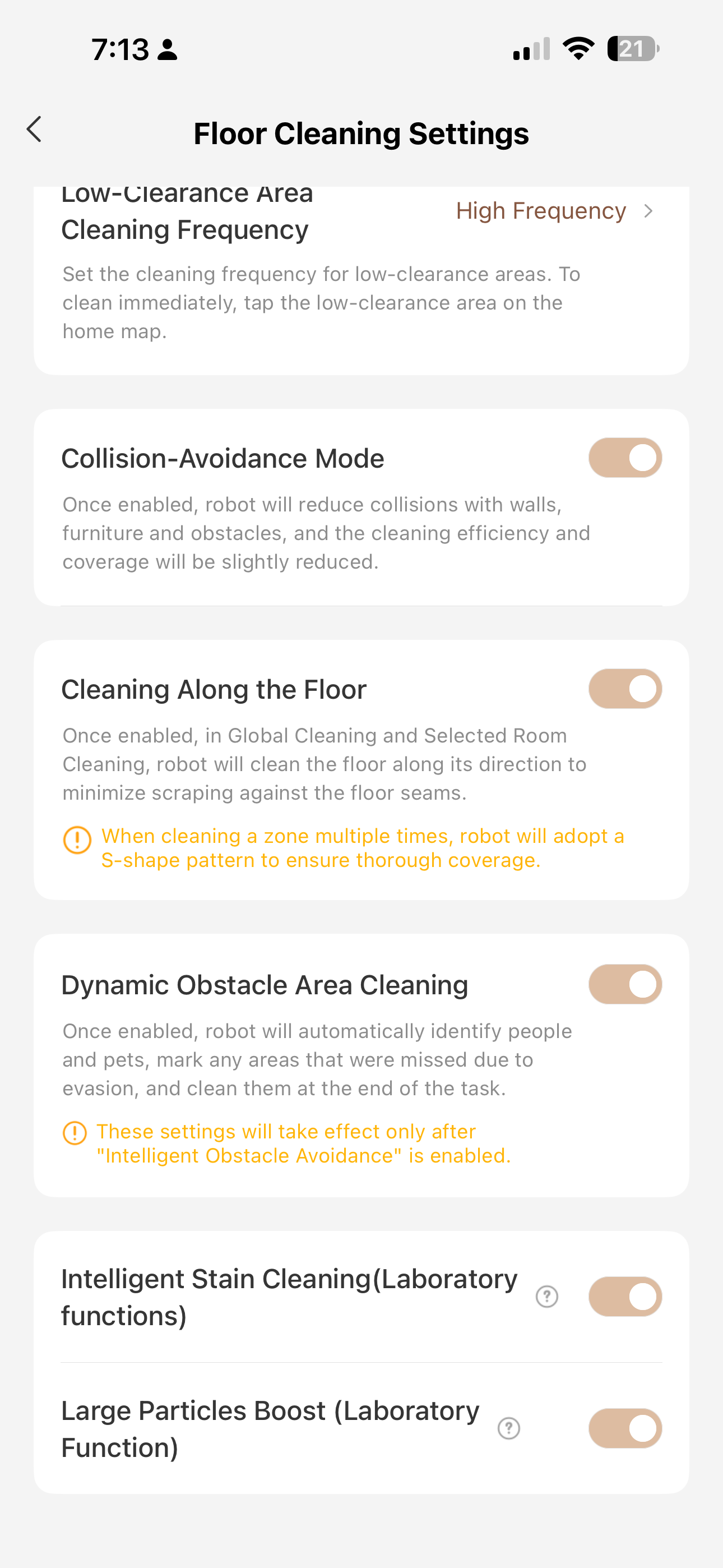
Next I want to cover some of the floor cleaning settings. As anyone with a shedding dog knows, if there is a space that hair can get to, it will. With that in mind I setup my Z60 to get in as many places as possible.
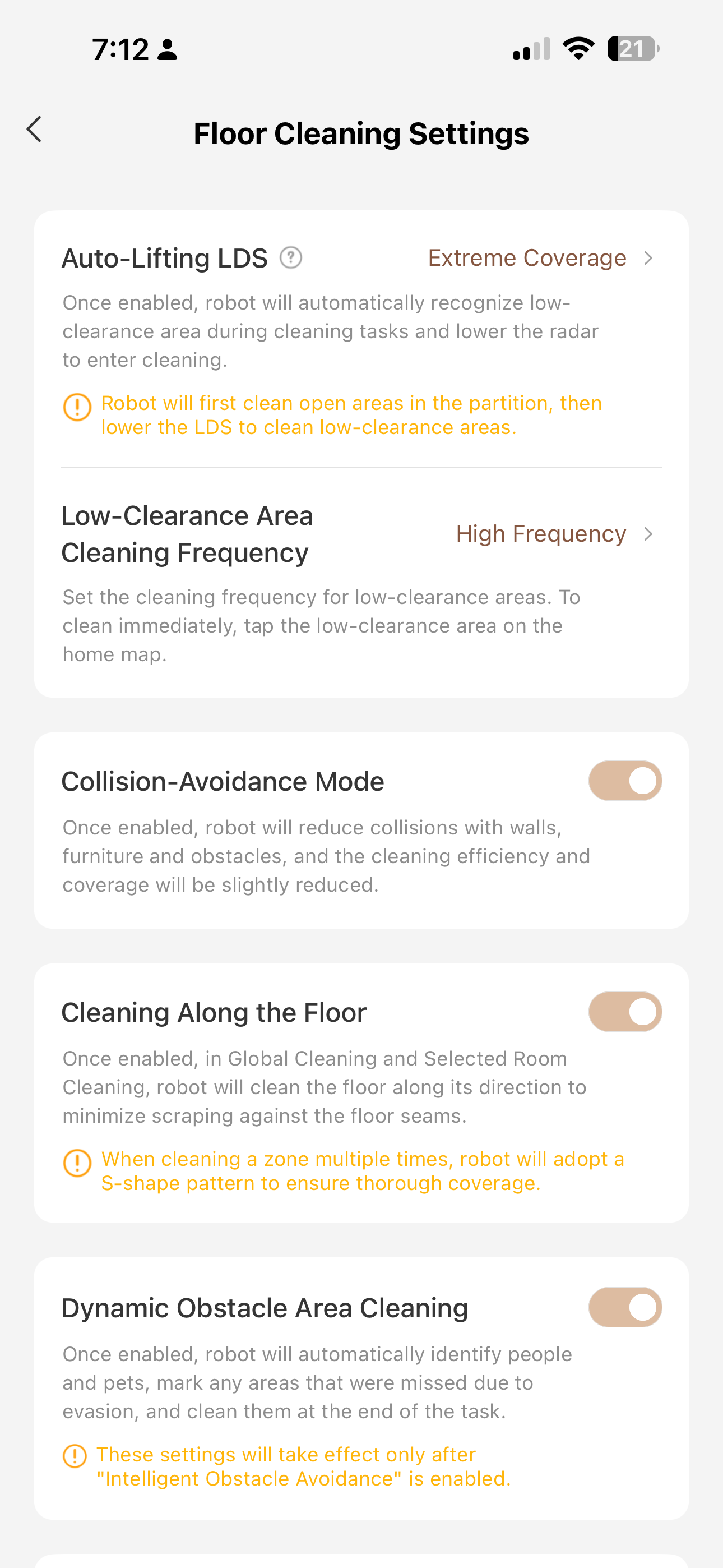
1. I set both the Auto lifting LDS/Low Clearance area cleaning frequency to Extreme coverage/High Frequency. This makes it so the robot will go under things at an increased rate to make sure no hair or dirt builds up.
2. Dynamic Obstacle Area Cleaning: This is a feature where if the robot detects an object or a pet, it will take a picture, send it to me, avoid the area and then come back to clean it once it's finished the room. My dogs don't seem to be afraid of the robot so this has been a life saver. I know where the dogs are which is nice and it makes sure it goes back and gets the area later which is amazing.

The last 2 sections I wanted to talk about I am going to put in one section and that's the corner cleaning and carpet cleaning settings. I don't have carpet, just rugs so the rug settings might not be the best if you have carpeted rooms or high pile carpet.

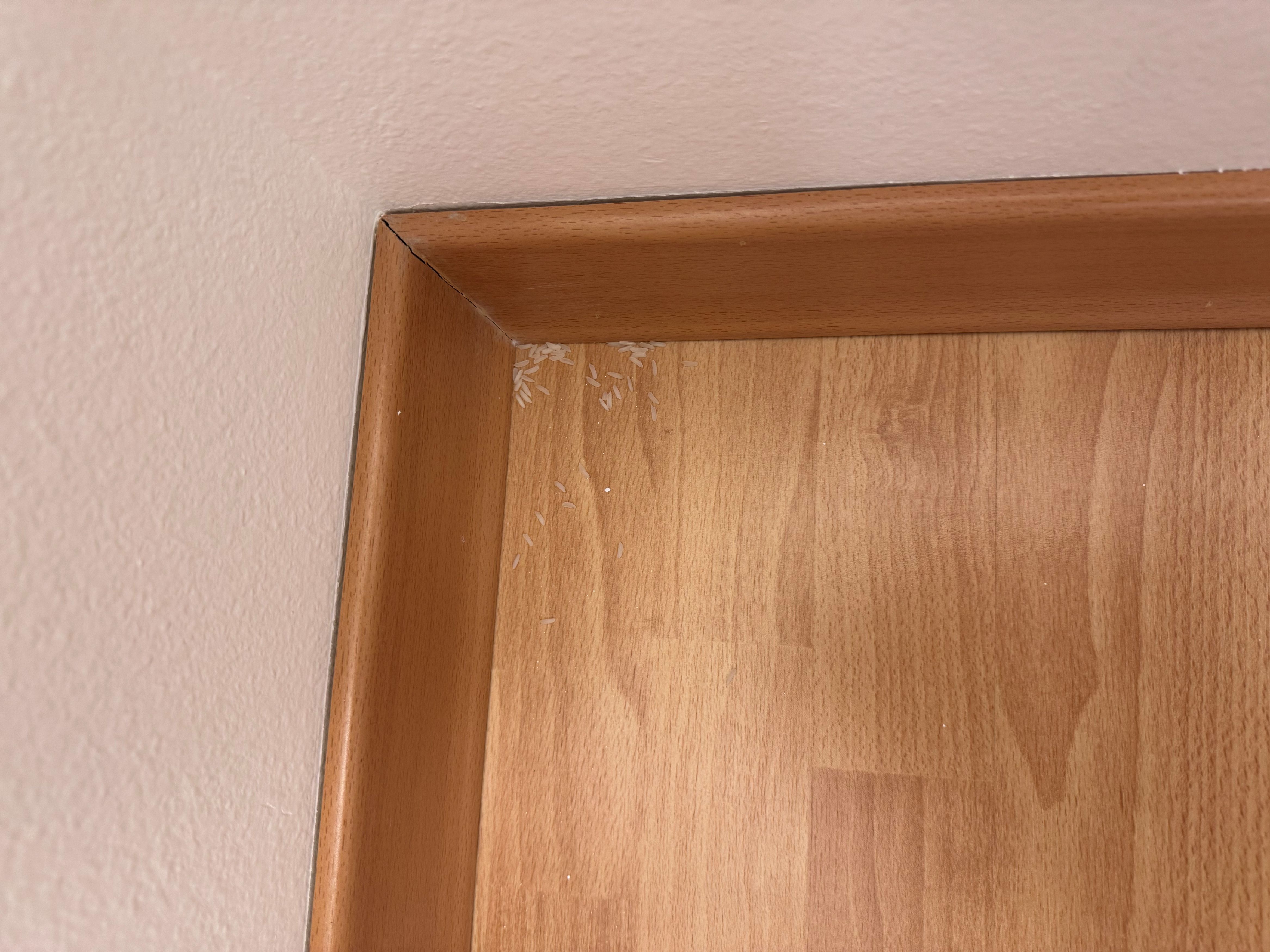
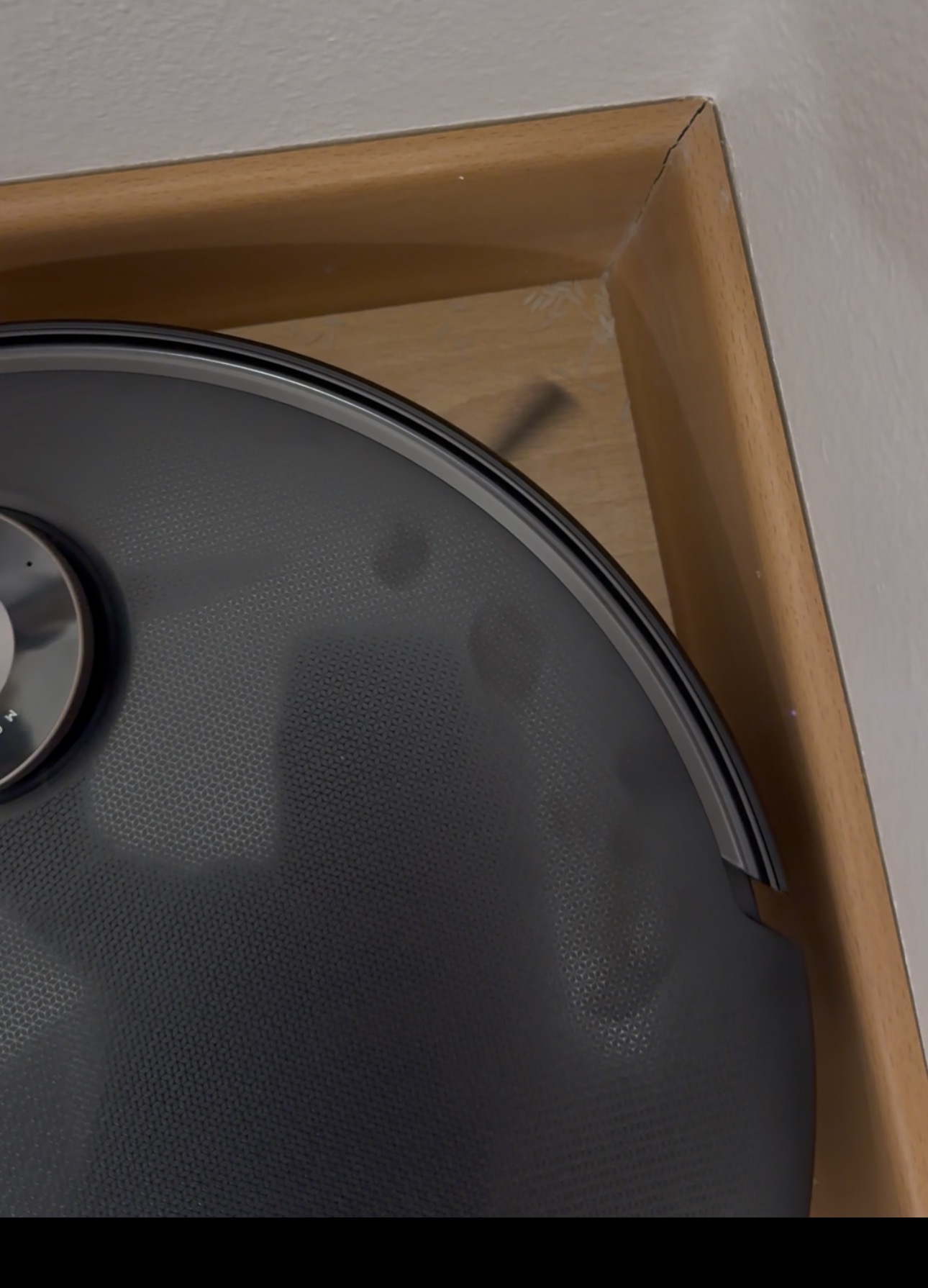
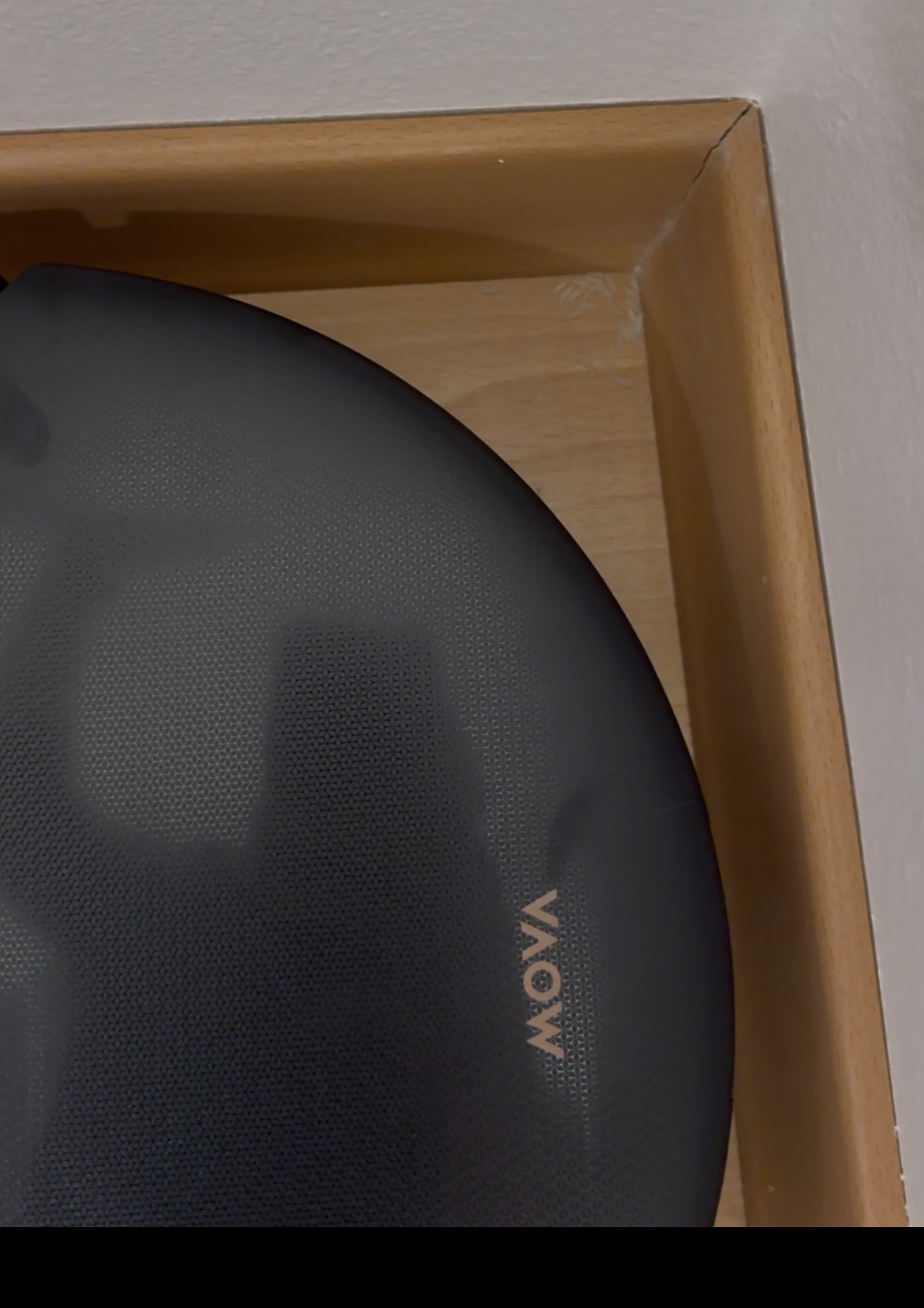
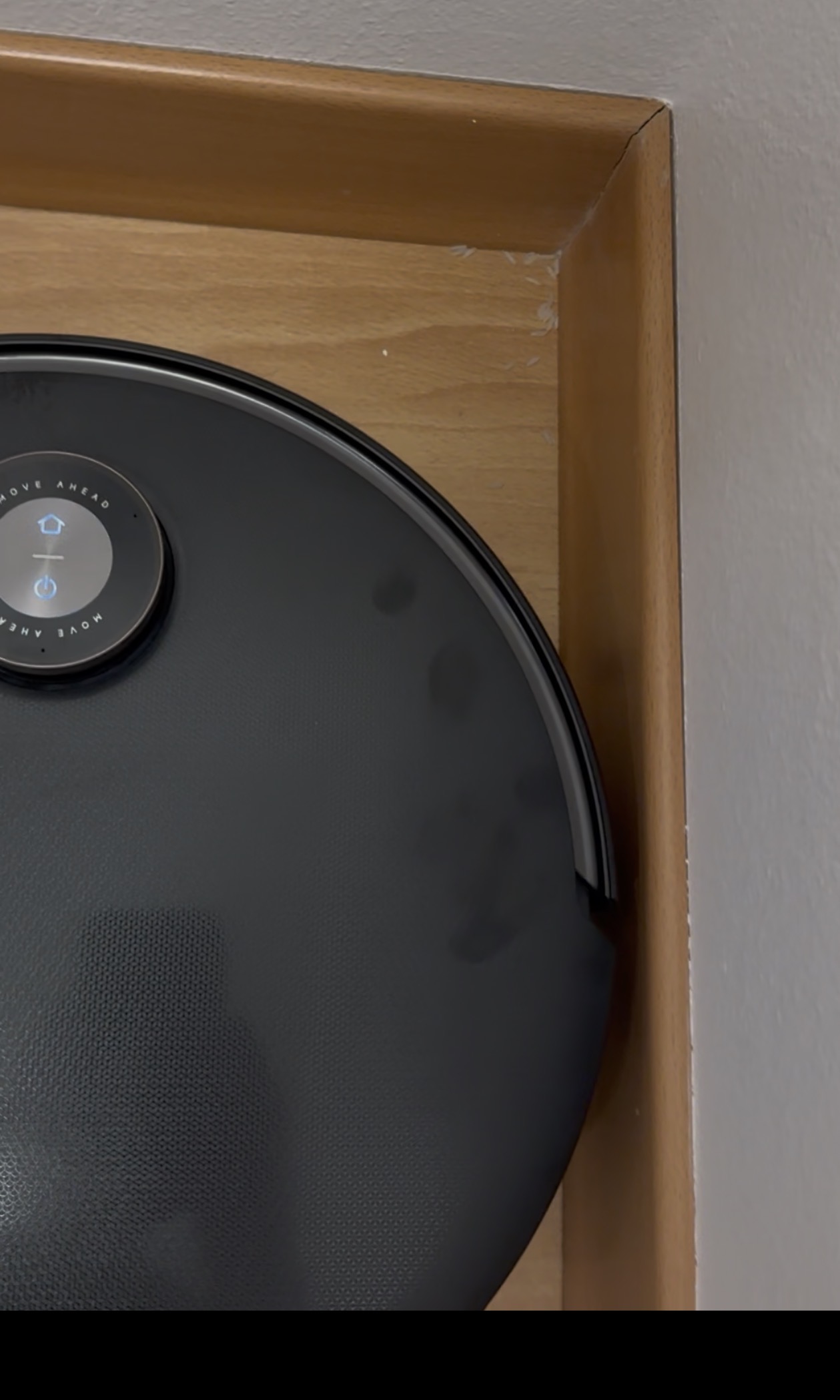
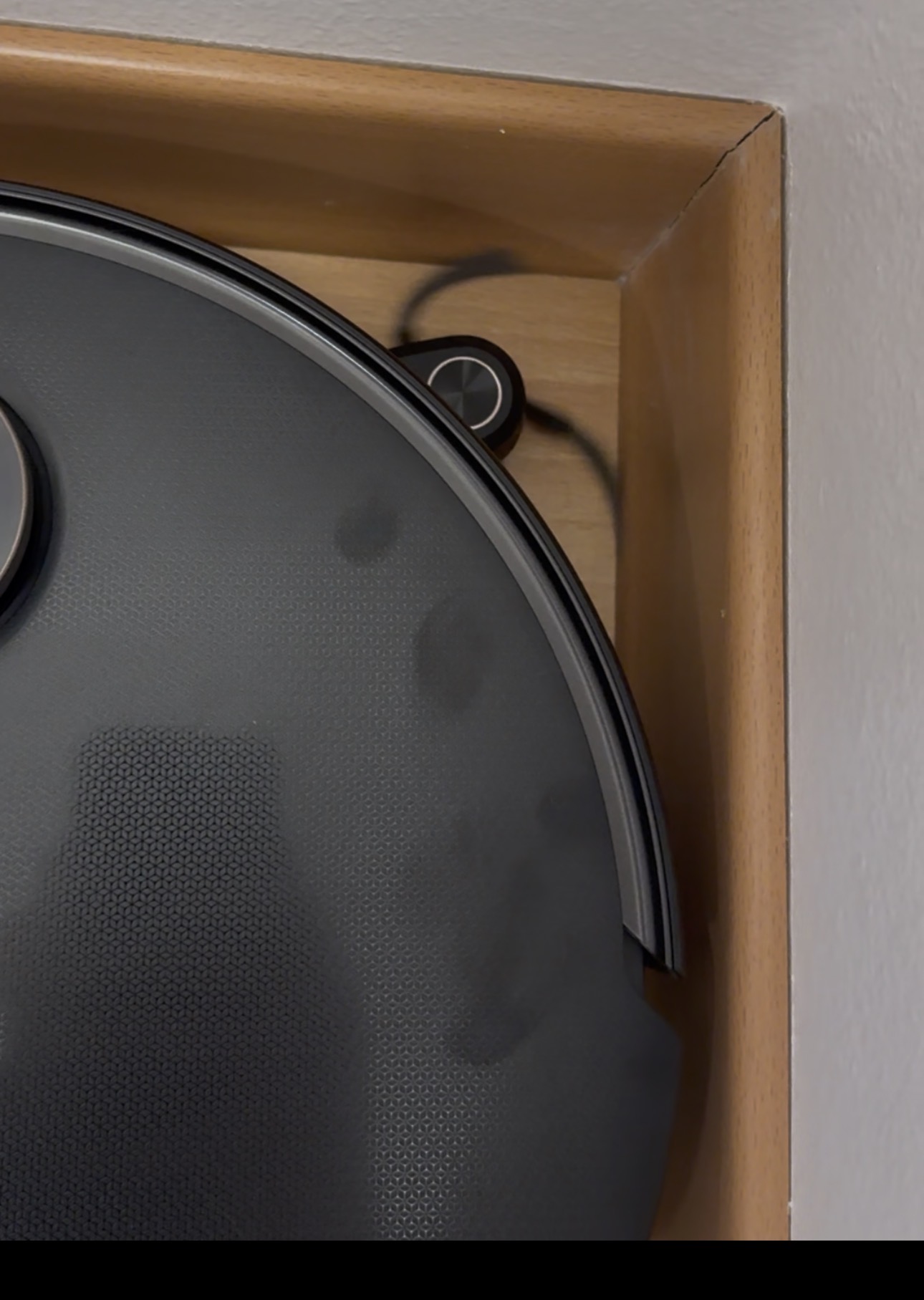
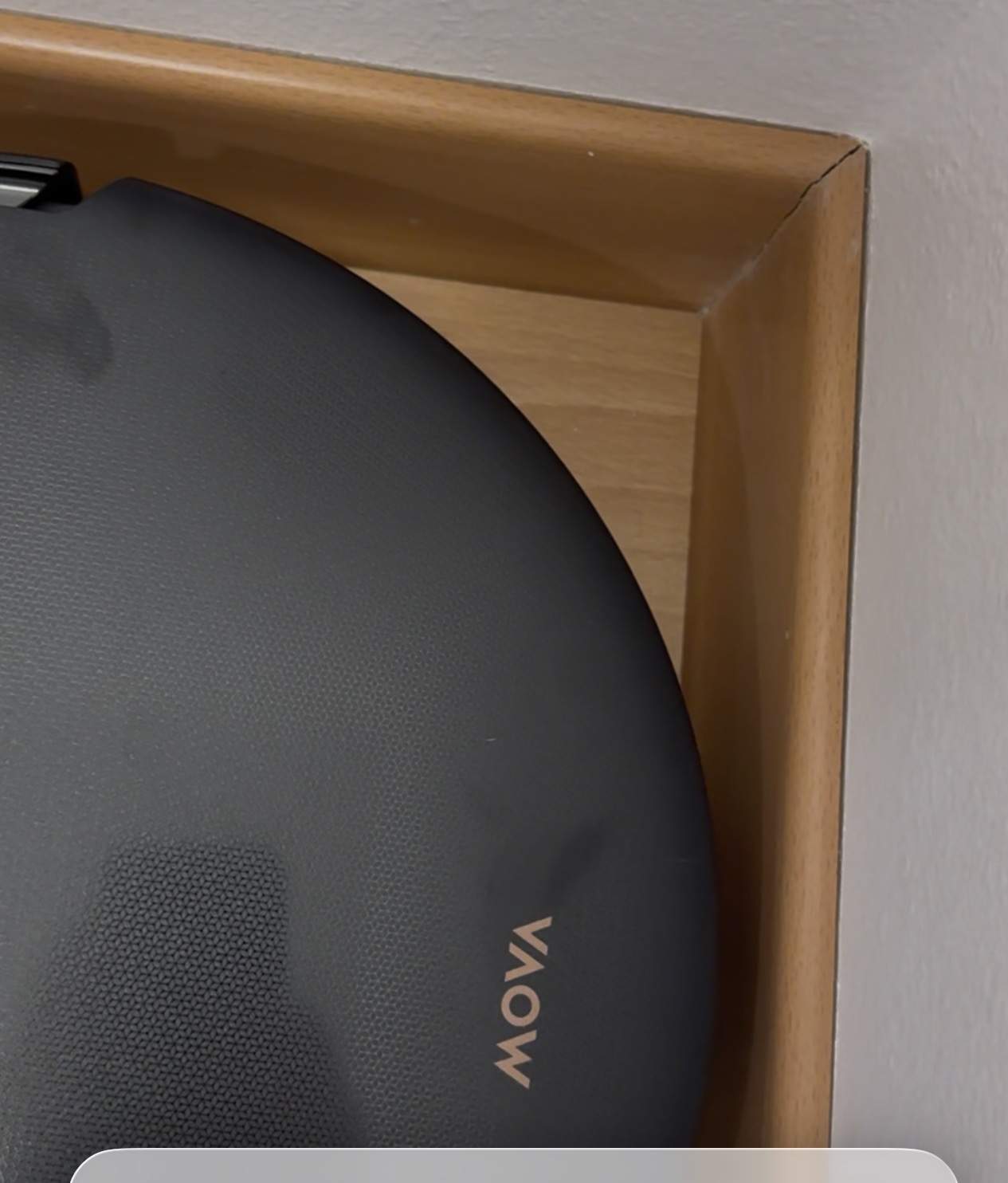
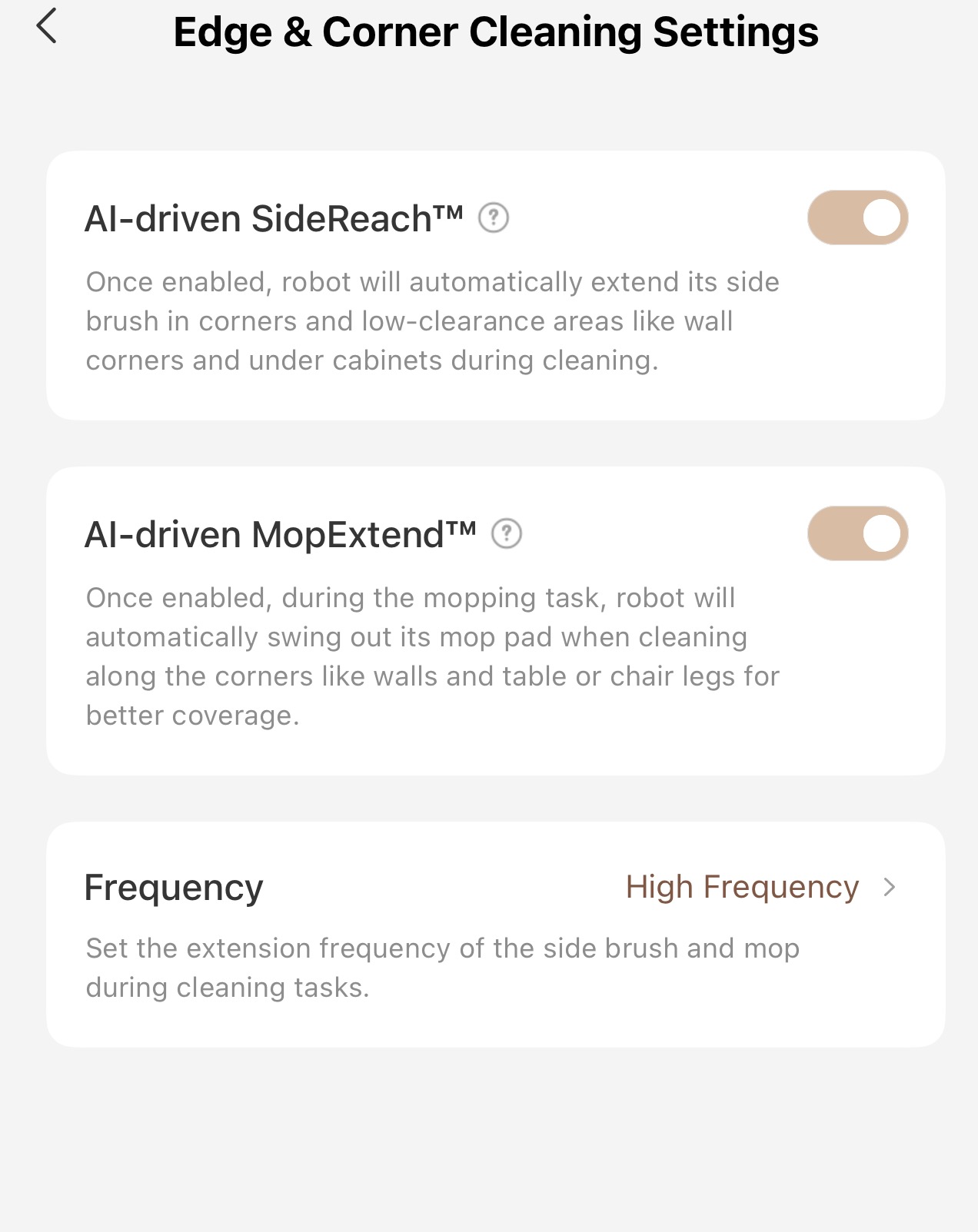
1. For the edge and corner cleaning, it's pretty simple, make sure both Ai driven side reach and AI driven mop extend are both active. Without them, your corners wont be cleaned and will get very dirty. Also make sure frequency is set to high so they extend when needed. Some of the photo's I attached really highlight this. I put some rice in a corner and ran the robot twice. Once with the extending side brush on and once with it off and the results are night and day. With the side brush extension it got all the rice out of the corner. Without it, it missed almost half the rice! The first 3 pictures is the run without the extending side brush (before, during and after) and the next 3 are with the extending side brush active (before, during and after)
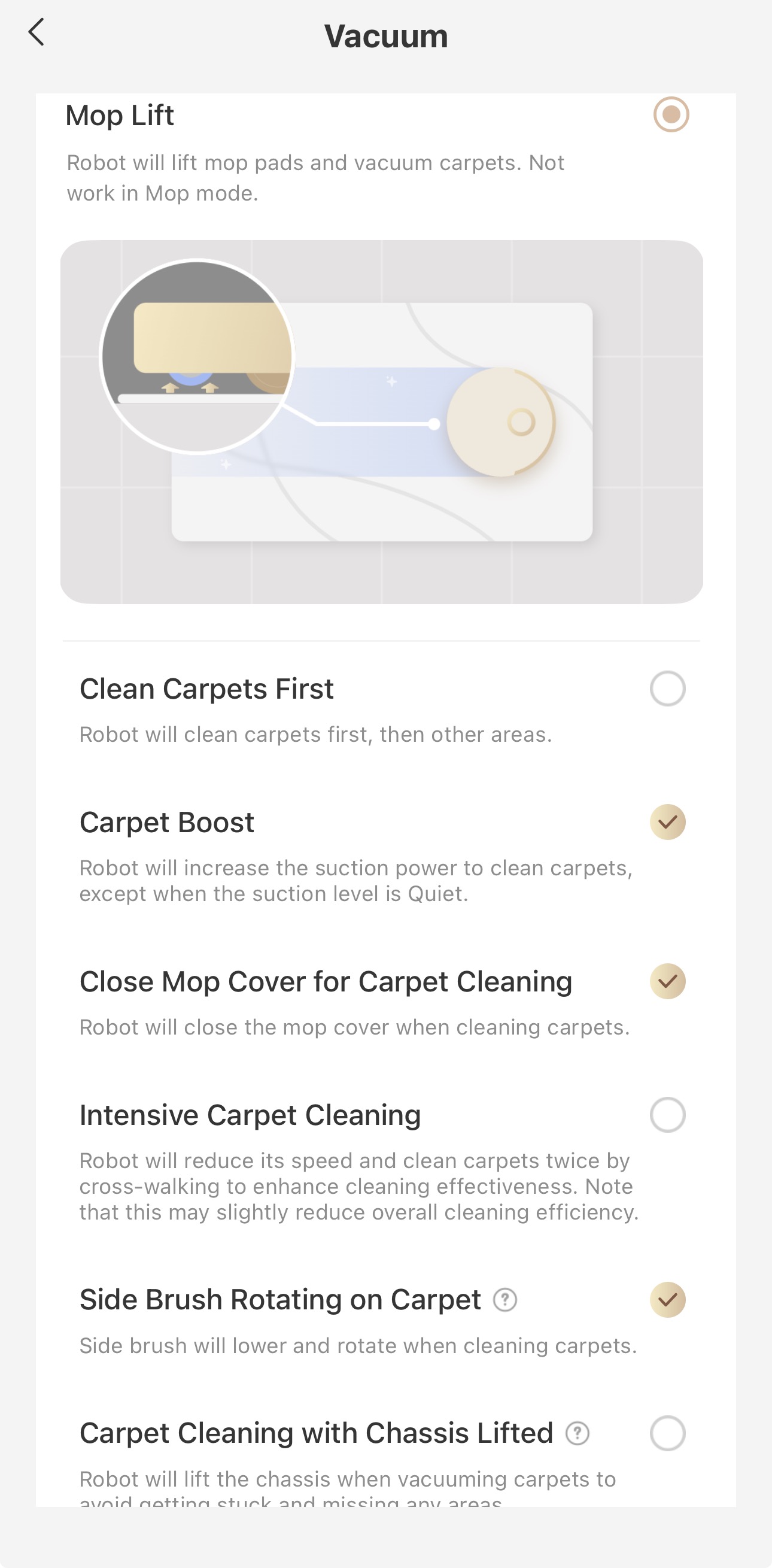
2. For carpet settings, I have it to vacuum carpets, boost on carpets, cover the mop when on carpets and have the side brush spinning on carpets. The mop cover is great as it prevents the mop from ever touching your carpet and the side brush spinning seems to help it collect more debris. Keep in mind it does have a "carpet cleaning with chassis lifted" option but I wouldn't enable it as it severely reduces the vacuuming performance.

The last setting I want to touch on is how you run the robot. There are many cleaning options, but if at all possible I would always do a vacuum then mop. It does take longer and the robot might have to recharge in between, but doing that will greatly cut down on the maintenance needed and extend the life of your consumables. I went from having to clean hair from the base station every three or so days as it would collect hair when cleaning the mop, to maybe every other week which is huge.

If you've stayed around this long, I thank you for reading and I hope this helps out a little bit. Once again these are not all the settings, just some I really like. If you have any questions I'll do my best to answer them. I hope you all have a wonderful day!

No comments yet,

Grab the first review

You need to log in to reply. Login | Register
UID:HB690725 US
  • 14Posts
  • 1Friends
Privacy Policy|Terms of Use|Archiver|Mobile|DarkRoom|Software License and Service Agreement

© 2026 MOVA Forum All Rights Reserved | Support by Discuz! X5.0 Font by MiSans

Quick Reply Back to Top Return to List