KS723316

Obstacle Avoidance

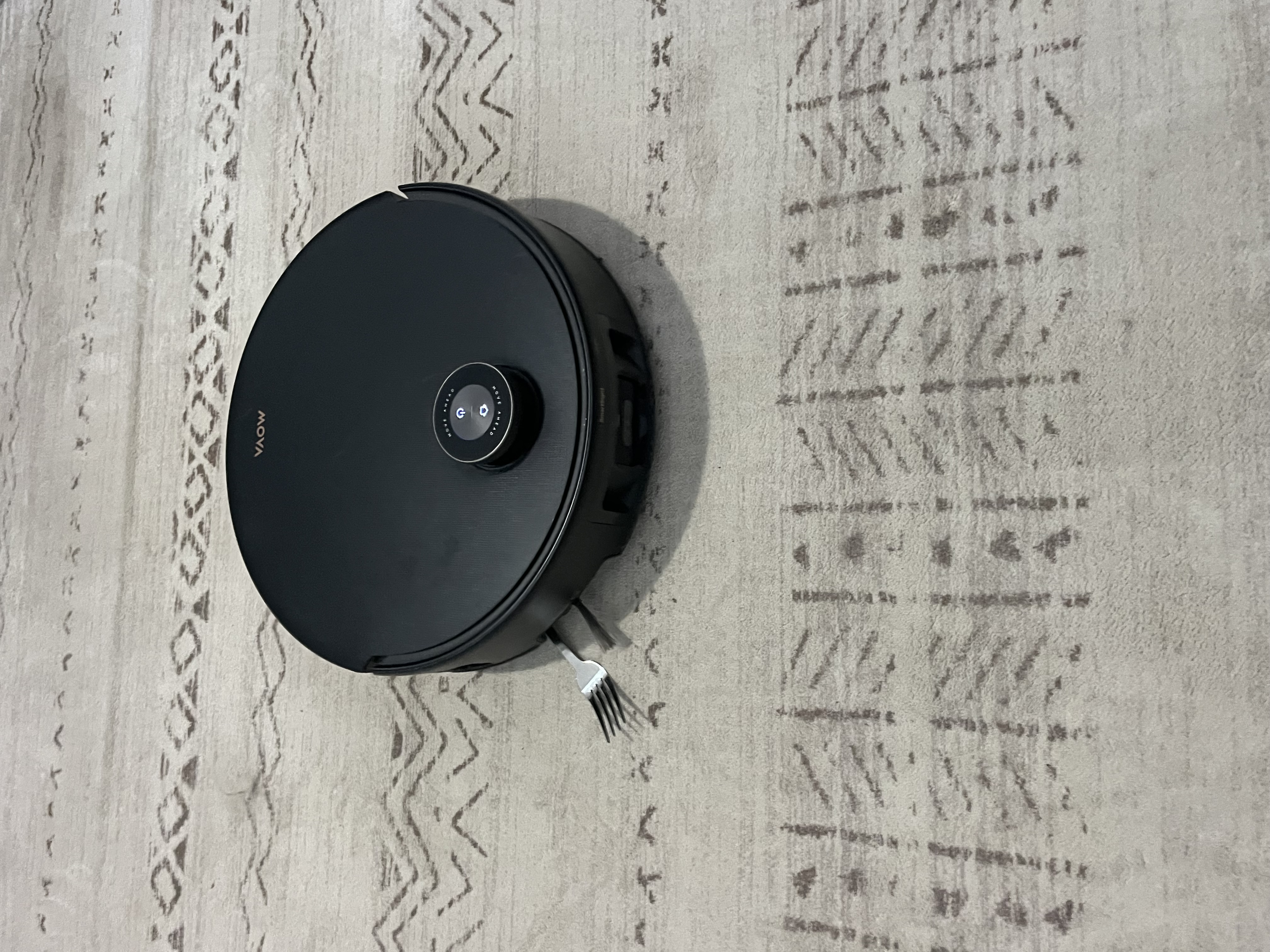
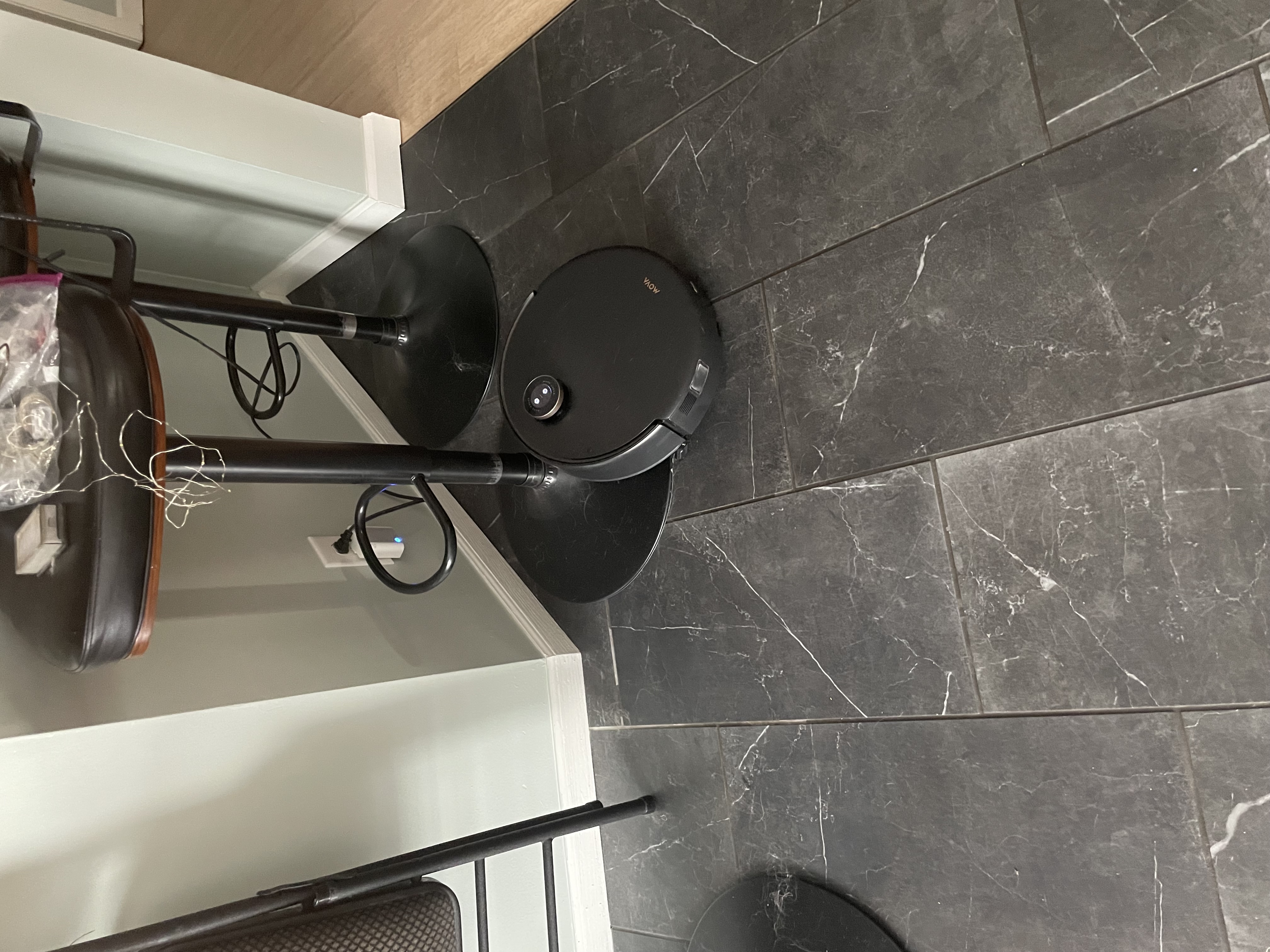
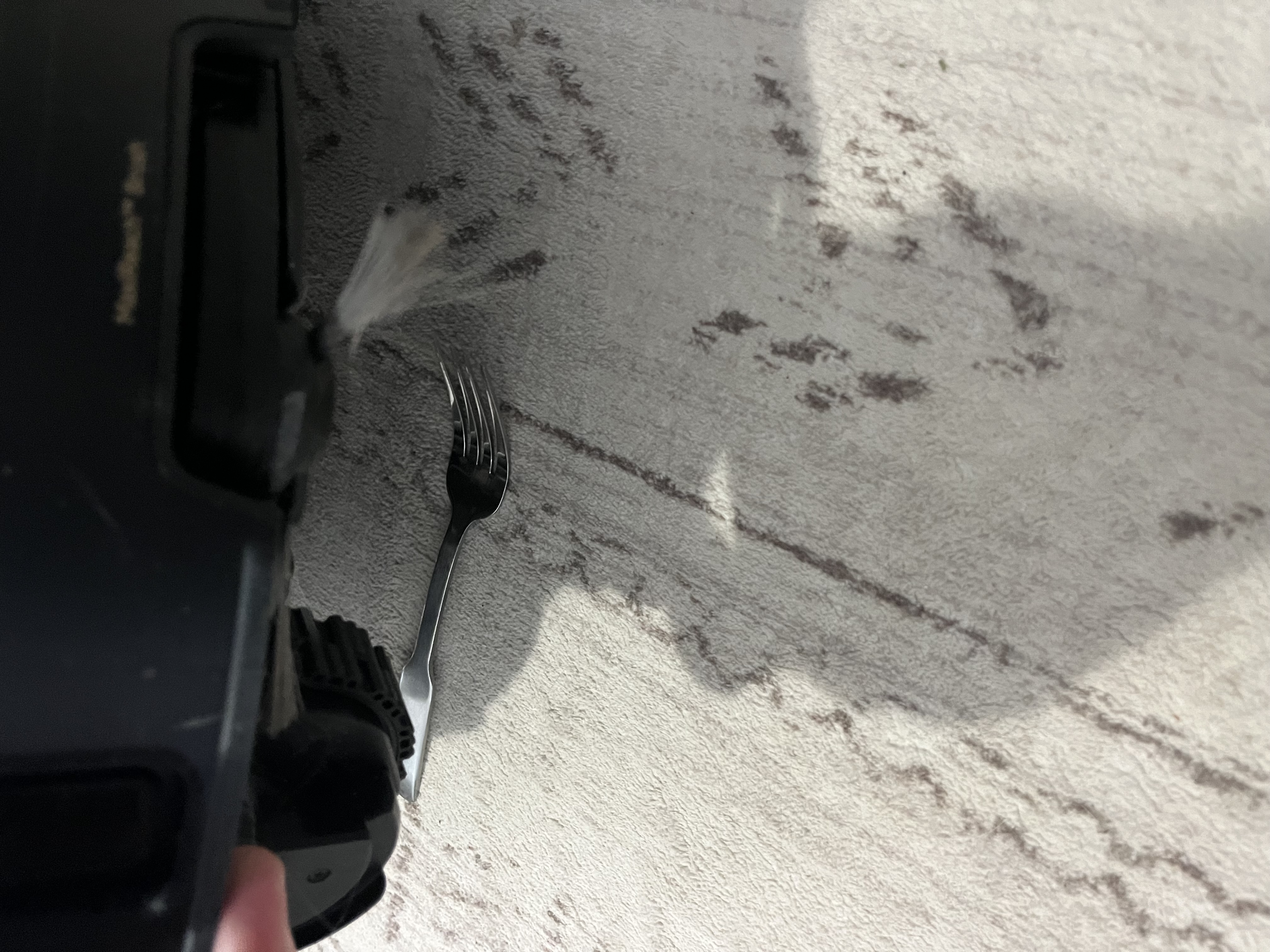
The Z60 is programmed to recognize over 200 obstacles in a household environment.  Common items like shoes, heavy cords, or furniture. However, I have noticed it missing a few things I would think it should at least see as a potential problems. First, a barstool. Pictured is my Z60 treating my barstool as a threshold. Have not figured that one out yet. Every other time it has simply gone around the three stools. Another one was a fork my kids dropped. So, I left it there to see what would happen. The Z60 just ran over it like it was not there. I had to stop the unit and remove it from underneath. A third failure was with the dog.  The Z60 lifted up like doing a threshold crossing and drove right up my Golden’s hind leg. I did not get a picture because I rushed to the sound of the dog yelping as the vacuum brush was pulling her hair. I removed the unit and took it back to the dock. I was rather unhappy with this event. More programming should be done.
You need to log in to reply. Login | Register

1 Comment

Hello,

Thank you very much for taking the time to provide such detailed feedback. We sincerely apologize for the issues you have encountered with obstacle recognition. In particular, we completely understand how upsetting it must have been when the incident involved your pet.

Regarding the situations you mentioned:

Barstool: Based on the pictures, this issue may be caused by the black color of the base. The robot’s obstacle‑avoidance sensors use infrared detection, and black surfaces absorb infrared light. This may lead to collisions or cause the robot to misidentify the object as a cliff or a threshold. For areas with black furniture, we recommend setting up a restricted zone.

Fork: A fork is a thin metallic object with reflective properties, which makes it difficult for the robot to detect accurately.

Interaction with your pet: We are truly sorry about this. Pets can make unpredictable movements, and if the robot approaches from an angle where the sensors cannot clearly identify the shape, it may be misclassified as a crossable obstacle.


Thank you again for bringing these situations to our attention. We will forward your valuable feedback to our engineering team to help further improve the obstacle‑recognition algorithm.
In the meantime, we recommend the following steps to improve detection accuracy:

Clean the front and side sensors of the robot to ensure they remain in optimal working condition.

Try turning off the “Smart Obstacle Recognition” feature and observe whether navigation becomes more stable.

Please try to avoid having pets stay directly in the robot’s cleaning path during operation.

We hope the above suggestions are helpful to you.
2026-3-17 15:36:09 US Translate

UID:KS723316
  • 9Posts
  • 0Friends
Privacy Policy|Terms of Use|Archiver|Mobile|DarkRoom|Software License and Service Agreement

© 2026 MOVA Forum All Rights Reserved | Support by Discuz! X5.0 Font by MiSans

Quick Reply Back to Top Return to List