Good morning. Please troubleshoot by following the steps below:
Take out the automatic detergent container and confirm there is sufficient detergent inside.
Check if the device firmware is the latest version; update it if not.
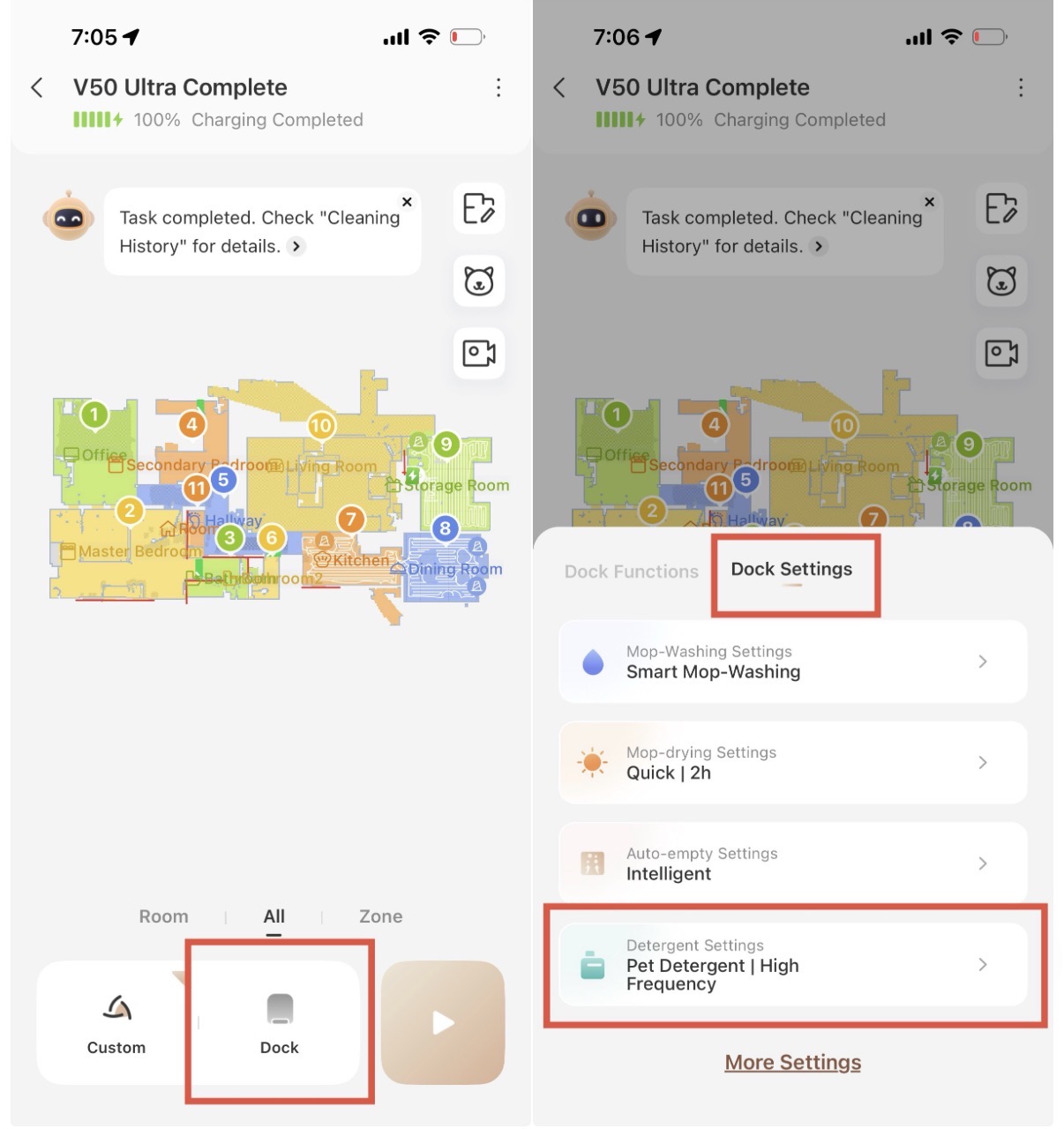
Confirm that the "Automatic Detergent Dispensing" function is enabled in the supporting app. When this function is turned on, the base station will automatically dispense detergent while cleaning the mop. If the automatic detergent container is empty, the app will pop up a prompt saying "Please add detergent".
If the automatic liquid supply function is enabled but the device keeps indicating low liquid level, please check as follows:
Fill the automatic detergent container completely with detergent;
Gently press the detergent reservoir to ensure it is properly installed and firmly clipped in place.
If the issue persists after completing all the above steps, feel free to contact our customer service:
Email:
support@mova-tech.com



 825
825

 US
US






