Smokinone

[P10 Pro Ultra] P10 pro ultra

How do I remove carpet sections that are in my map? How do I stop the vacuuming and mopping in the carpet areas that are recognized in the map?
Is there any instruction on how to use the app particularly changing map settings
Translate
You need to log in to reply. Login | Register

6 Comment

屏幕截图 2026-08-03 114040.png
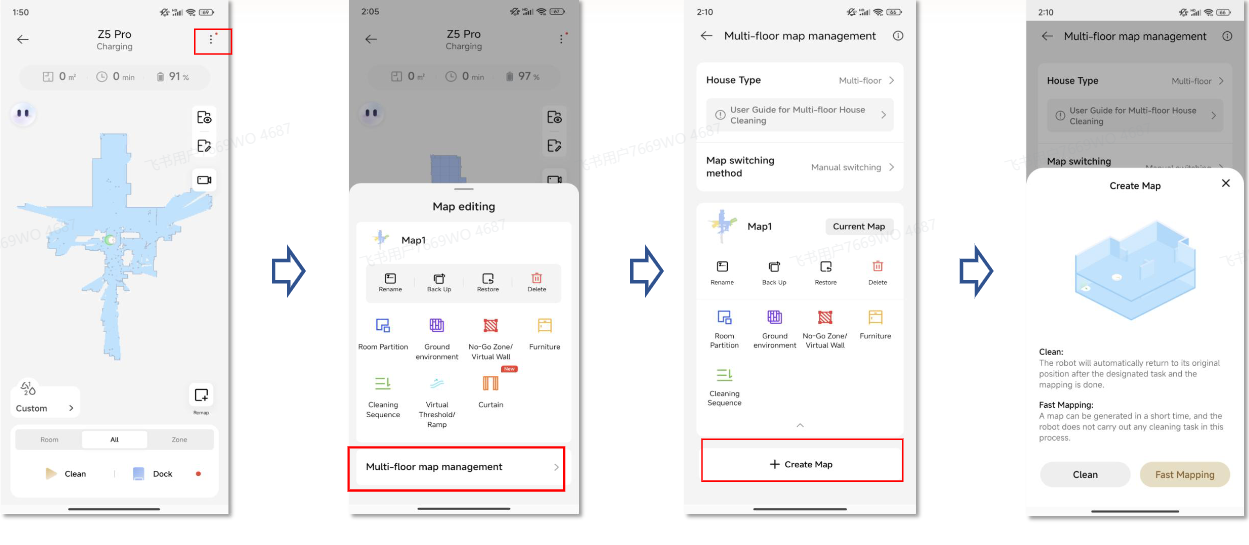
Hello, you can click the carpet marker on the map and select delete. For your second question, please refer to the picture below to complete settings in map management.
2026-8-3 11:39:52 US Translate

I can get the carpet box to show up, and it wants to circle or box and expand or shrink, but then nothing happens. I click on the box in the redraw box, no changes. I still show the carpet area for what I'm trying to remove in the map. The vac also is also mopping the areas that are marked carpet when I run a clean (AI). I have a setting that goes to the carpet areas first, but it's mopping them instead of recognizing it's carpet and just vacuuming, and it's also marked carpet in the map.
 
2026-8-3 21:49 US Translate
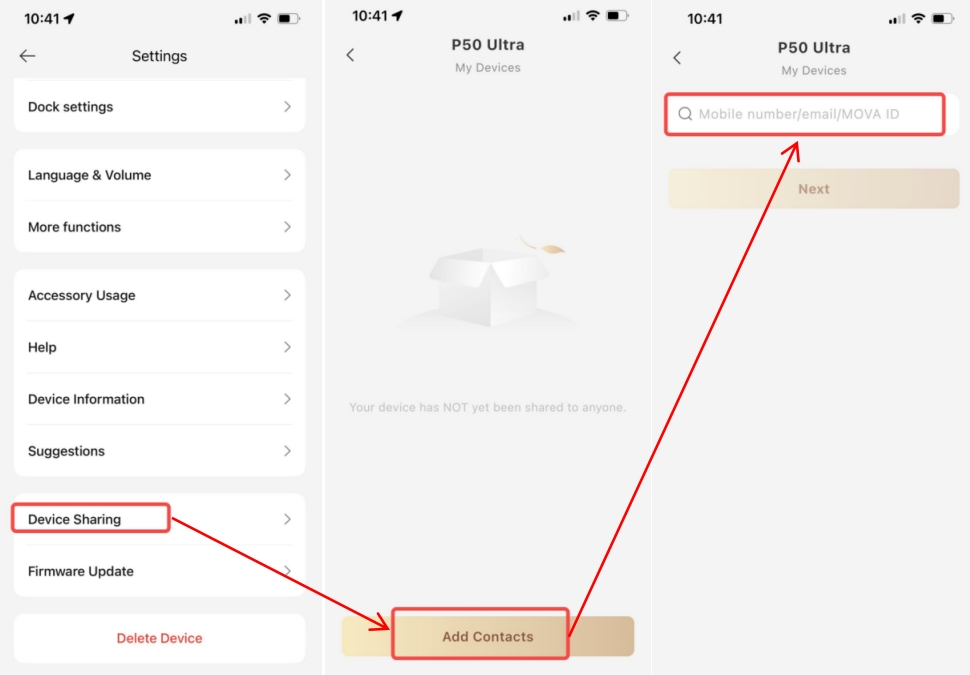
共享设备.jpg
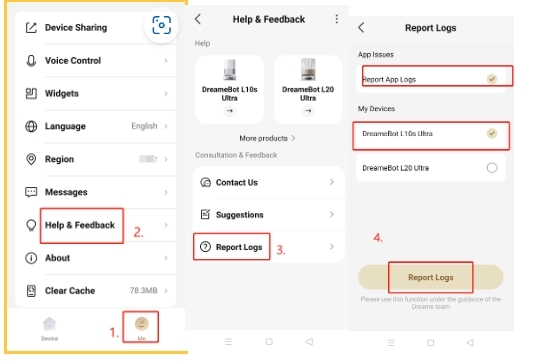
上传问题日志.jpeg
Hello! Please try clearing the APP cache and check for unstable network, then attempt to delete the carpet zone again. Also check the app store for available updates and upgrade to the latest version.
If the problem persists – you still cannot remove carpet areas and the robot continues mopping those zones, kindly send us all information below via private message:
Model:
SN Code:
Current firmware version:
Current plugin version:
Problem log uploaded:
Device shared to account: QR033438
Exact time of faults:
Detailed fault description:
Fault video:
Troubleshooting steps you have tried:
Your request:
Reminder: After submitting information, please keep the robot in standby mode (not running). This helps our team obtain logs for analysis. Thank you for your cooperation!
2026-8-4 10:57:47 US Translate

Thank you for the reply. What would be the procedure to remove carpet from room in the app once I get the "box" around the area to remove or even add specifically? Thank you.
 
2026-8-4 22:36 US Translate
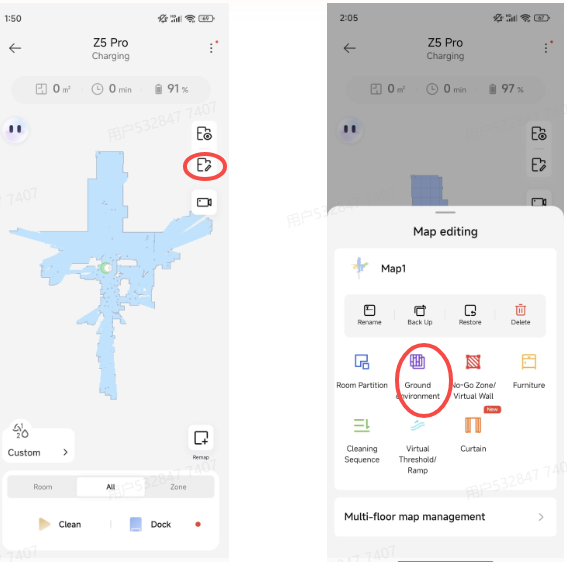
p 10 pi如何删除地毯的.png
Hi,there ~Thank you for your feedback. For your device, please go to Map Edit on the right‑hand side, enter Floor Environment and select the room. You can add carpet zones normally here. You can also delete carpet marks from this same menu.
2026-8-5 12:06:10 US Translate

Is there an add or delete "button" once you have the area "boxed" in or set to size? This is my problem, I box and select size and it seems to ad, but I can't delete
 
2026-8-5 23:52 US Translate
UID:CJ281488 US
  • 4Posts
  • 0Friends

© 2026 MOVA Forum All Rights Reserved | Support by Discuz! X5.0 Font by MiSans

Quick Reply Back to Top Return to List