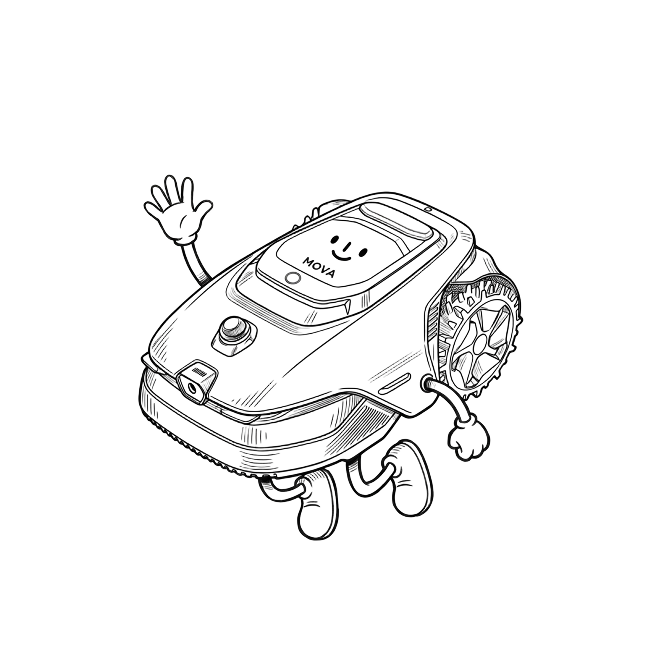
TrixietheTurfmaster

[Lidax Ultra 2000] Winterization Questions

Hello Mova and Fellow Lidax Ultra Owners!

Still in love with Trixie the Turfmaster 7 months in!! The issues I've encountered are my own...mostly mapping due to the tiny light font on a light gray background and my inexperience with joysticks/phone apps, etc....but I'm still learning and getting better...she's been a beast on my imperfect yard, has shown my wildlife SHE is the yard "alpha in charge" now and has been an absolute godsend for me!

I'm in southwest Ohio, and this will be my first winter with a robot lawnmower......I see the winter section in the manual but it's unclear for me.
My questions are:
1. I saved the original packaging thinking I would use it for winter storage - is this the best way?  
2. My home's garage is not heated - is it the opinion of Mova Lidax owners that the original packaging would be sufficient insulation for winter storage?
3. Should I remove the battery from the unit and store it separately?
4. Is there anything I should be "setting" and/or doing in the app before I disconnect everything and store?
5. Once stored for winter - does the app/unit remember all maps/zones?  Or do I need to start from the beginning as first purchased and reconnect the app/wifi/bluetooth and remap everything?

Last - when will Mova come out with an attachment or unit for snow blowing/plowing??  You have a superior product - PLEASE expand to snow as currently Yarbo is the only alternative which is priced WAY out of the "common persons" range as well as still using hard wired ethernet+RTK -- plus way too big for the "common persons" lawns/driveways, etc......Mova definitely has the superior product regarding lawnmowers, etc - I'm sure Mova can quadruple their profits and customer loyalty with a "snowbot"  

Thanks in advance for your help!
  
You need to log in to reply. Login | Register

4 Comment

Hello, please find below the information regarding winter‑time storage for your unit:

The long‑term storage temperature range for the robot and docking station is ‑10~35°C. To extend battery life, power off the robot and disconnect it from power when not in use, and store it indoors in a dry, cool place at 0‑25°C.

When the temperature drops below 0°C, charging and operation will be disabled. Normal function will resume only after the temperature rises back to a suitable level.

If the ambient temperature falls below 0°C in winter, please move both the robot and docking station to a warm indoor location. Wait until the battery temperature rises above 0°C before charging or operating the unit.

Preventive recommendation: Be sure to bring the robot and docking station indoors for winter storage.

Regarding the snow‑removal‑related products you mentioned, there is no relevant information for the time being. This is however a great idea. Please feel free to contact us if you have any further questions.
2026-10-3 11:37:41 US Translate

Thank you - could you please answer questions 3, 4, and 5?
 
2026-10-4 23:32 US Translate
Regarding your question 3: There is no need to take out the battery for separate storage. If you will not use the robot for more than one week, we recommend powering it off to protect the battery. For long‑term storage, fully charge the robot first and then power it off for storage. Please recharge it every six months to prevent battery damage caused by deep discharge.

Regarding your question 4: No special settings are required in the App.

Regarding your question 5: The robot and App will keep all your map data after winter storage. You just need to reconnect Wi‑Fi and Bluetooth when you resume use normally. There is no need to re-map your lawn.
2026-10-5 11:11:49 US Translate

Thank you so much!!!! Very much appreciate your prompt replies!
 
2026-10-6 05:03 US Translate
UID:HC012659 US
  • 17Posts
  • 0Friends

© 2026 MOVA Forum All Rights Reserved | Support by Discuz! X5.0 Font by MiSans

Quick Reply Back to Top Return to List