|
Hello,
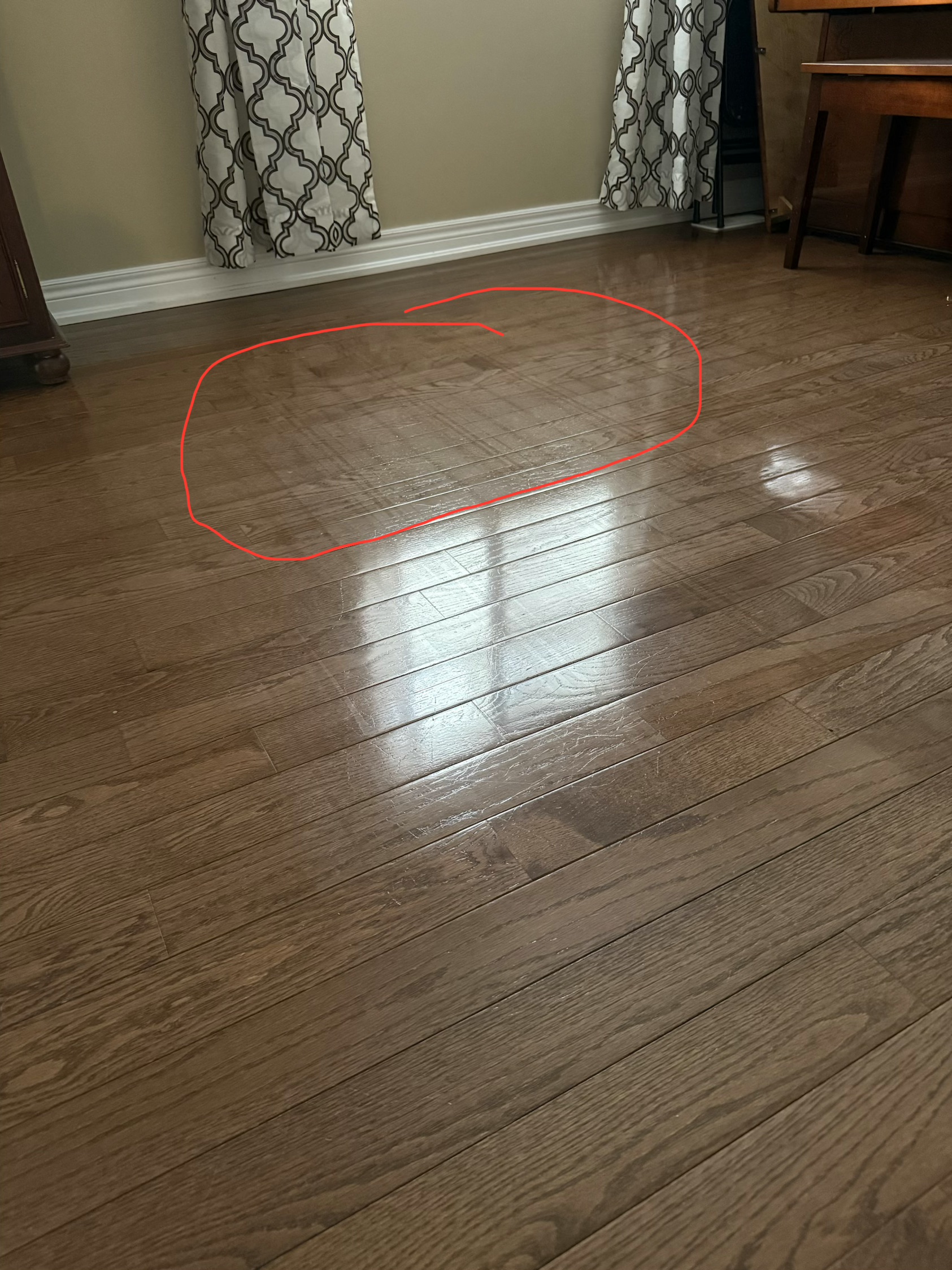
We apologize for any inconvenience caused. The appearance of water marks on the floor is often related to the floor material, indoor lighting, and environmental humidity. To help your device achieve an optimal cleaning state, we suggest you try the following advanced operations:
Adjust the water level flexibly: The device supports 32 levels of fine water adjustment. If you feel the water marks on the floor are too noticeable, you can manually lower the mop's humidity through the App according to your floor material, finding the balance point that best suits your floor.
Activate "Clean Genius" deep cleaning: In this mode, select "Deep Clean," and the robot will narrow the zigzag spacing during cleaning, improving cleaning precision through a more intensive path coverage.
Try "#" shape cleaning: In custom mode, you can choose "Mopping x2" or "x3." The robot will cross-clean in a hashtag pattern, which is very effective in eliminating stubborn haze and wheel marks.
Optimize mop washing frequency: You can also increase the frequency of the robot returning to the base station to wash the mop, ensuring the mop surface remains fresh each time. Please ensure to replace the mop regularly for the best results.
We hope these suggestions significantly enhance your cleaning experience. We are committed to continually optimizing our algorithms, and we appreciate your support. | 

 US
US


 1505
1505