The App Deep Dive. Great on Defaults, Better Once You Dig In
Full disclosure: I received this Z60 through MOVA's Get & Create program at no cost in exchange for honest feedback. Everything here is my real experience. #sponsored
I've been running the Z60 Ultra Roller Complete daily for two weeks now on my middle floor. 640 sqft of LVP, a kitchen, a living room with a large area rug, and a Shiba Inu named Delilah who gets safely sequestered in my room during the 3am cleaning runs. In my intro post I mentioned I've owned around nine robots across various brands, even a MOVA, over six years. That context matters here, because after spending some time going through every settings screen on this thing, I can say the MOVAhome app for the Z60 is genuinely one of the better ones I've used. And most of its best features are completely invisible until you go looking.
The app experience
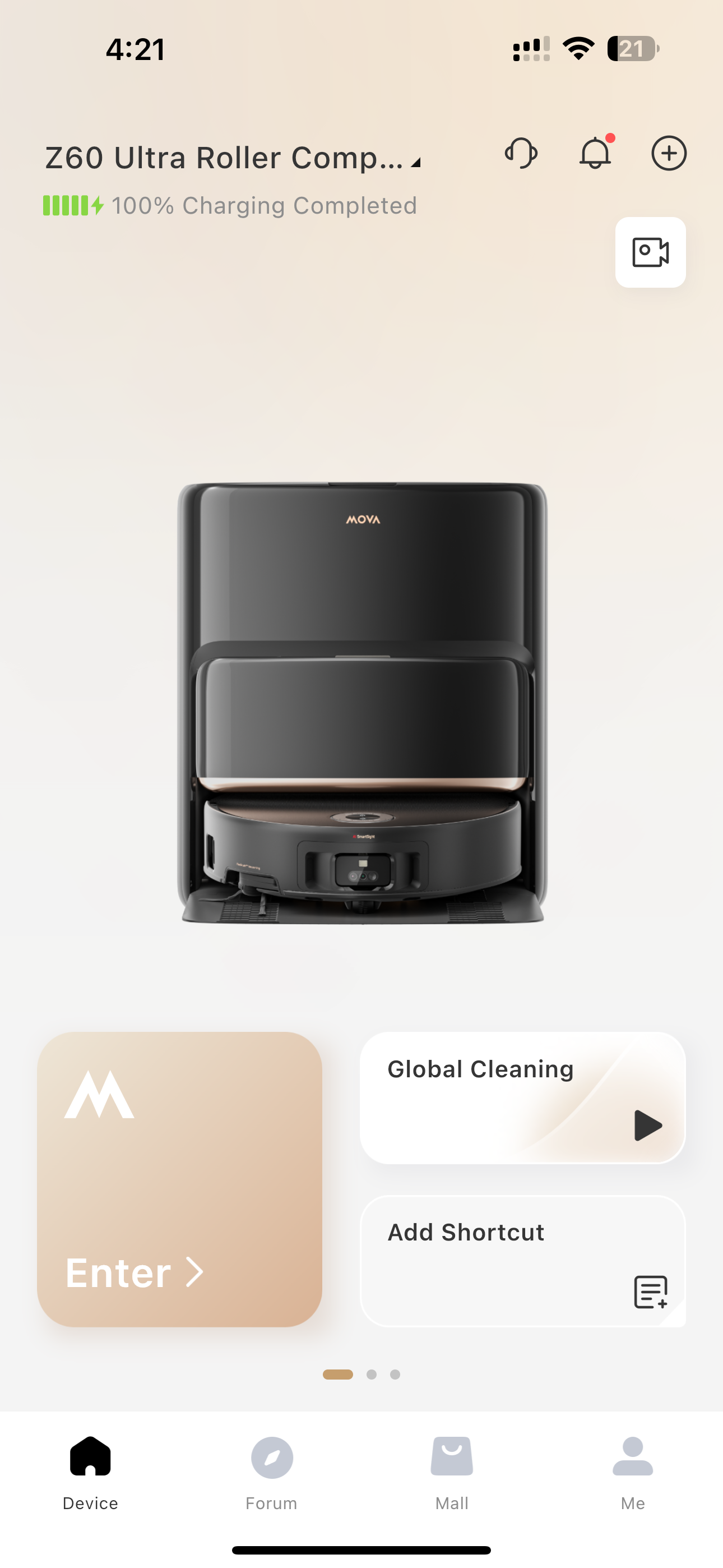
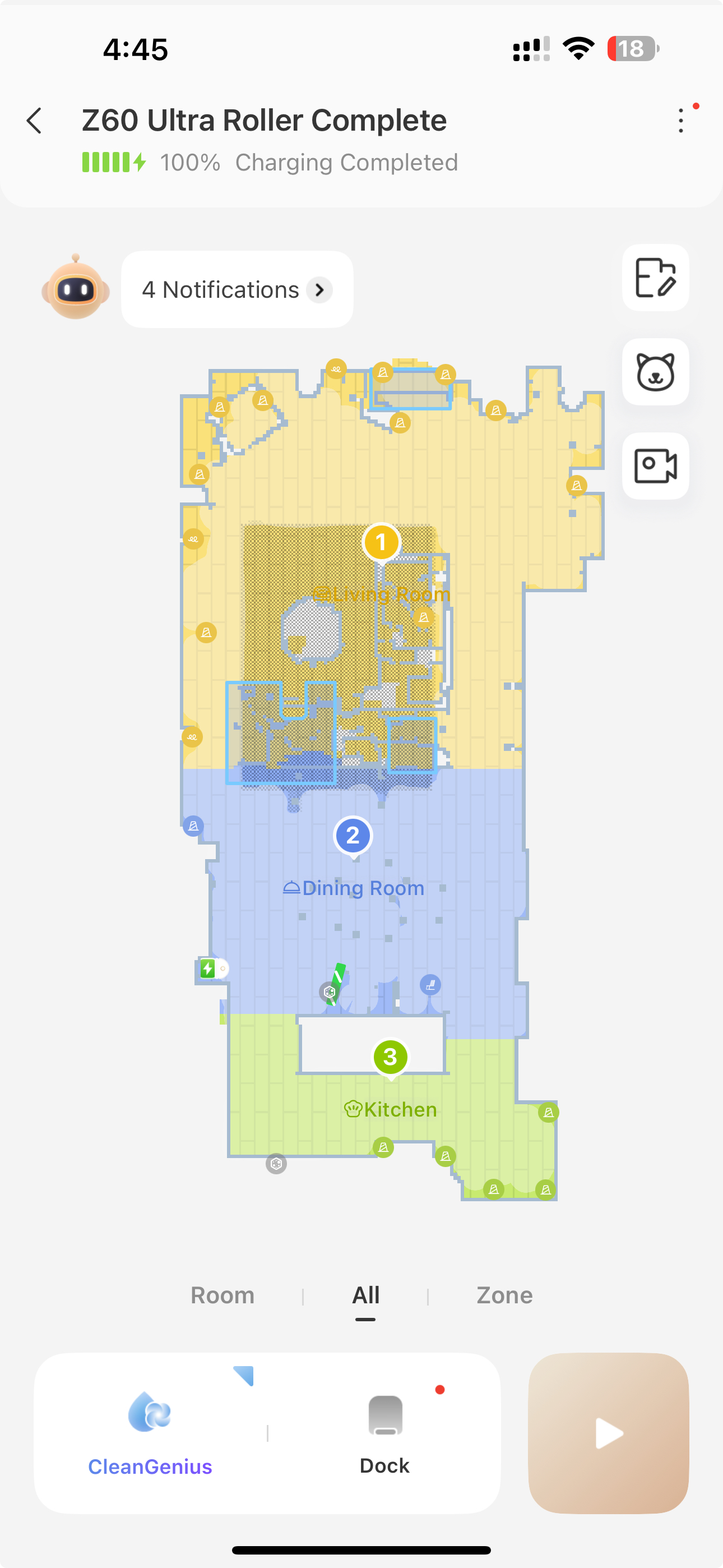
Open MOVAhome and your first view isn't a map. It's a clean device card showing your robot, current charge status, and a one-tap Global Cleaning button. The most common action (just run it) is right there without needing to go anywhere. Tap Enter and you're into the full map view. You do need to run a quick mapping pass first, but once the Z60 built my map it auto-identified all three rooms and labeled them correctly without me having to draw or rename anything. CleanGenius lives right on the main map screen, no hunting for it, and there's a dedicated pet icon in the sidebar leading into a surprisingly robust pet feature set. The Room/Zone/All toggle at the bottom sounds minor until you realize how often you just want to clean the kitchen without doing the entire floor.
The settings menu is an iceberg
Here's the thing nobody tells you: the defaults are fine, but the settings menu is where the Z60 actually becomes your robot. There are two tiers of settings. A first card covering cleaning behavior and a second covering smart/AI features. I'm going to walk through what I found worth changing.
Carpet Cleaning Settings is where I started, since I have a large rug in the living room. The default is Vacuum mode with Mop Lift, which is correct. The Z60 detects carpet, lifts the roller mop, and deploys the AutoShield to block moisture. I enabled Clean Carpets First so the robot hits the rug while the mop is still dry, and Close Mop Cover was already checked. I left Carpet Boost off because the robot runs at 3am and I don't need it waking me up, and Intensive Carpet Cleaning is overkill for my setup. One thing I did try and then turned back off: Side Brush Rotating on Carpet. On paper it sounds useful. Lower the side brush to sweep debris from corners. But in practice it was pulling little fluffy fiber tufts out of my rug. Turned it off, problem solved. Worth knowing before you enable it. I believe it's just because this robot sits lower to the ground than most. You can enable chassis lift for rugs, but I actually prefer keeping it low since the suction is noticeably better when it's right on the surface.
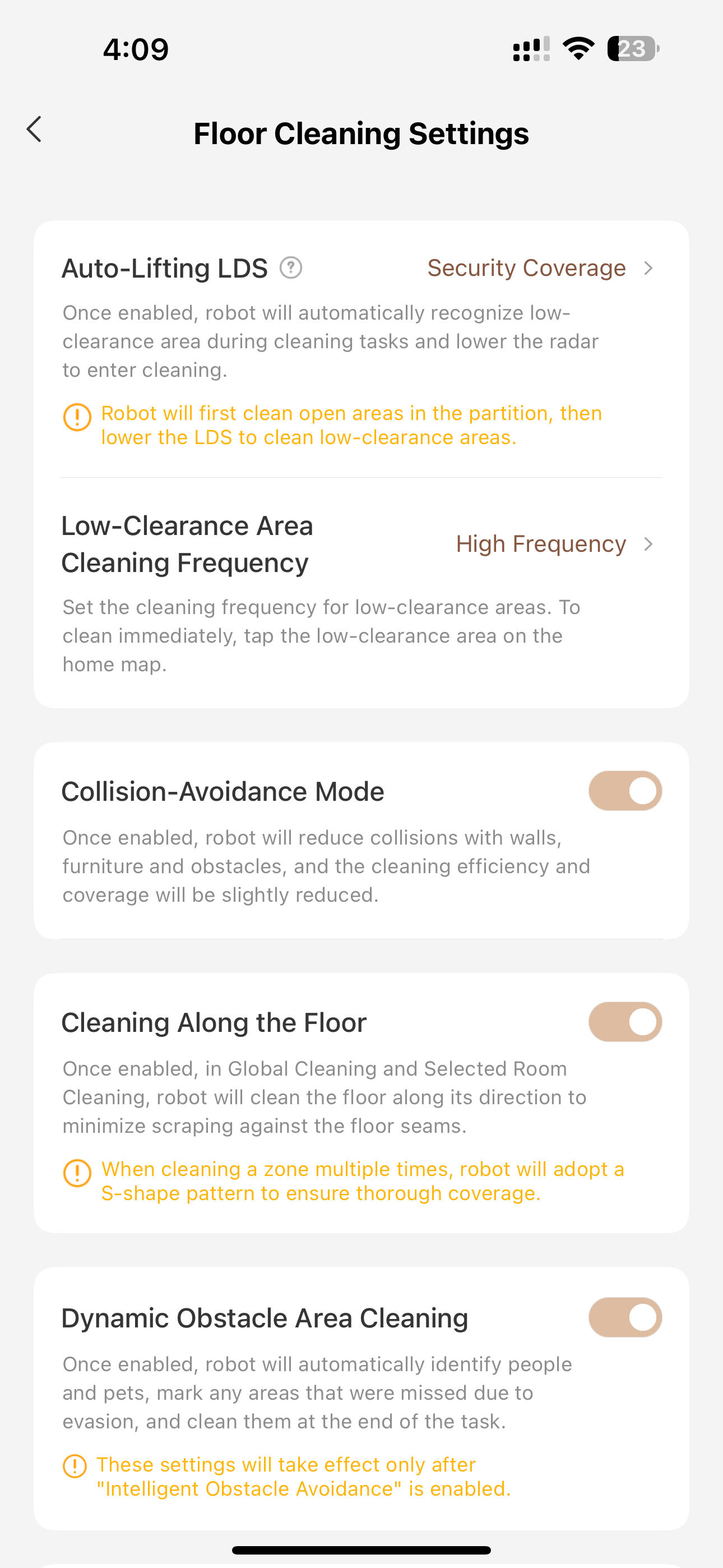
Floor Cleaning Settings is where a lot of the Z60's AI muscle lives and where most people probably never go. Collision-Avoidance Mode, Cleaning Along the Floor (which aligns the cleaning path with your floor direction to minimize scratches), and Dynamic Obstacle Area Cleaning are all on for me. That last one makes the robot go back and re-clean any spots it had to detour around due to obstacles, including people and pets. Important note: Dynamic Obstacle Area Cleaning requires Intelligent Obstacle Avoidance to be enabled separately, and there's an orange warning in the app telling you this. Good example of settings that are interconnected but not obviously so. Also in this section: two features labeled "Laboratory Functions." Intelligent Stain Cleaning and Large Particles Boost. I have both on. I actually appreciate that MOVA calls these out explicitly as experimental rather than quietly shipping half baked features with no disclaimer.
Edge & Corner Cleaning Settings has two toggles that matter a lot: AI-driven SideReach and AI-driven MopExtend. Both are on for me at High Frequency. SideReach dynamically extends the side brush into corners and against walls. MopExtend does the same with the roller mop. The already-wide roller extends further to get actual wall-contact coverage. I've watched this happen in real time and it works really well. Pro tip: place your furniture on the map before running. The more edges the robot knows about, the more opportunities it has to actually trigger the extend features. Without furniture added, it's mostly extending along walls.
Obstacle Crossing Settings gives you two modes for the StepMaster 2.0 legs: Hurdle-Style, where the legs cross sequentially, and Synchronized Dual-Leg, where both cross simultaneously. I'm on Synchronized. It's one clean motion over thresholds rather than a two-step shuffle. The app has animated diagrams explaining both options, which is genuinely useful for understanding what the hardware is actually doing. Hurdle-style is specifically recommended for sliding door track scenarios where the shape requires sequential clearance.
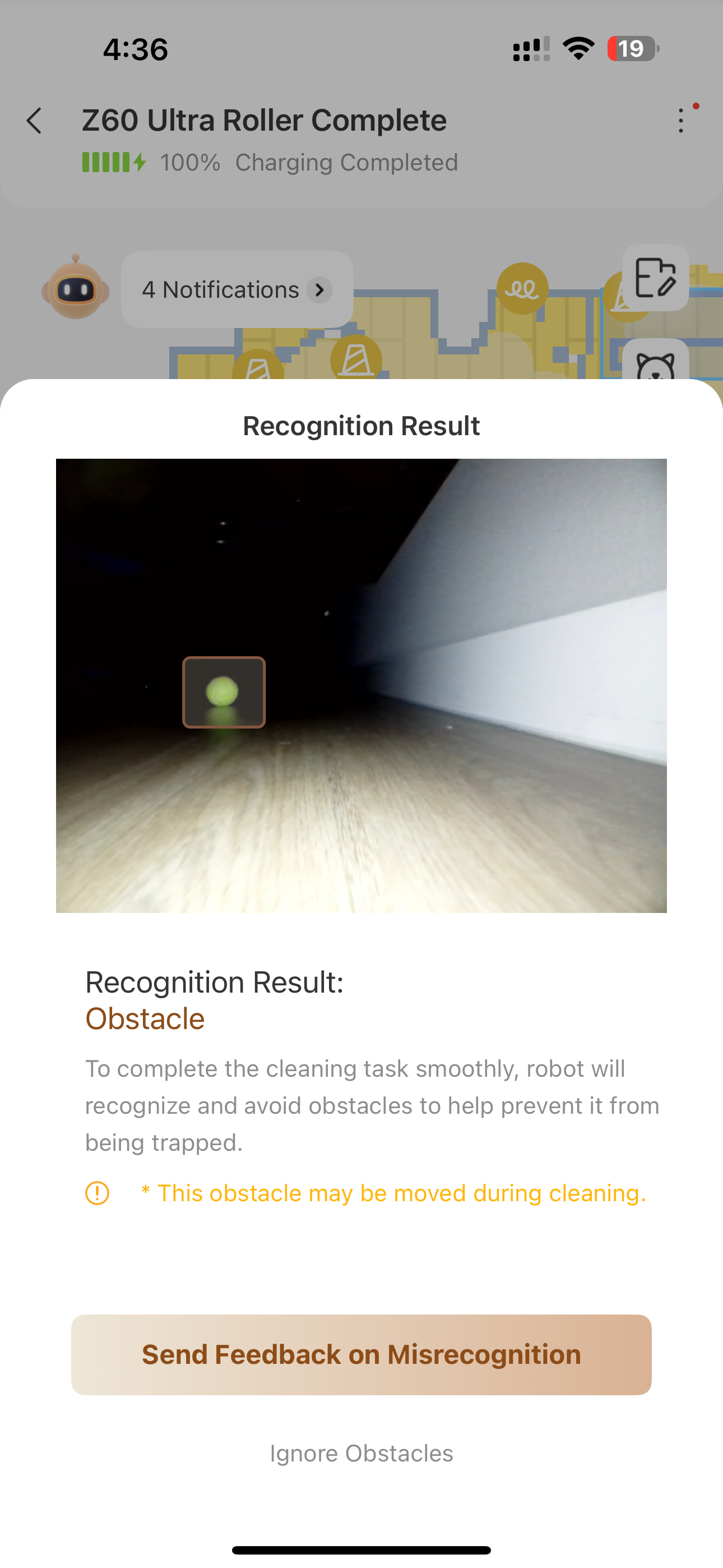
Intelligent Obstacle Avoidance is the master toggle for the camera-based AI avoidance system. I turned on Pictures (lets you see what the robot flagged as an obstacle) and Fill Light (auto enables an onboard LED in low-light conditions). The fill light doing its job at 3am in a dark room is one of those small details that adds up.
The dock is just as important as the robot!
Dock Settings deserves its own section because the Z60's dock is doing a lot. For mop washing I have Auto and Smart Mop-Washing both on. The system dynamically adjusts wash duration and water volume based on how dirty the mop gets, with High-Temperature wash enabled. Mop drying is set to Standard at 4h, labeled "for comfortable weather." I'm in the PNW where the ambient humidity is high, so I'm not on the shortest drying setting. 5h is available if you're in a coastal or particularly damp environment.
On my 640 sqft floor, the Z60 empties itself 3-4 times per cleaning. Whether that's a sensor or an algorithm estimating based on runtime and surface type, it's clearly adapting to actual conditions.
The dual detergent tank setup is worth understanding as well! Tank A handles general cleaning solution. Tank B is configurable and I have it set to Pet Detergent, MOVA's pet odor formula. Even though Delilah isn't in the rooms during runs, she's definitely been in them. Both tanks are refillable so technically you can use any cleaning solution you want, but I'd recommend sticking with MOVA's formulas. Third-party detergents can cause foaming issues in robot vacuums and that's a headache you don't want to deal with when the robot is running unattended at 3am. One thing that caught me off guard: you can enable detergent for both mop washing at the dock and mopping the actual floor. First robot I've owned that can do both.
Finally there's Washboard Base Auto-Clean, a manual trigger that runs a deep self-cleaning cycle on the dock's washboard surface. Takes about 90 seconds. Easy to forget exists, but worth running periodically. The app shows a nice 3D animation of the process so you actually understand what it's doing.
What actually surprised me
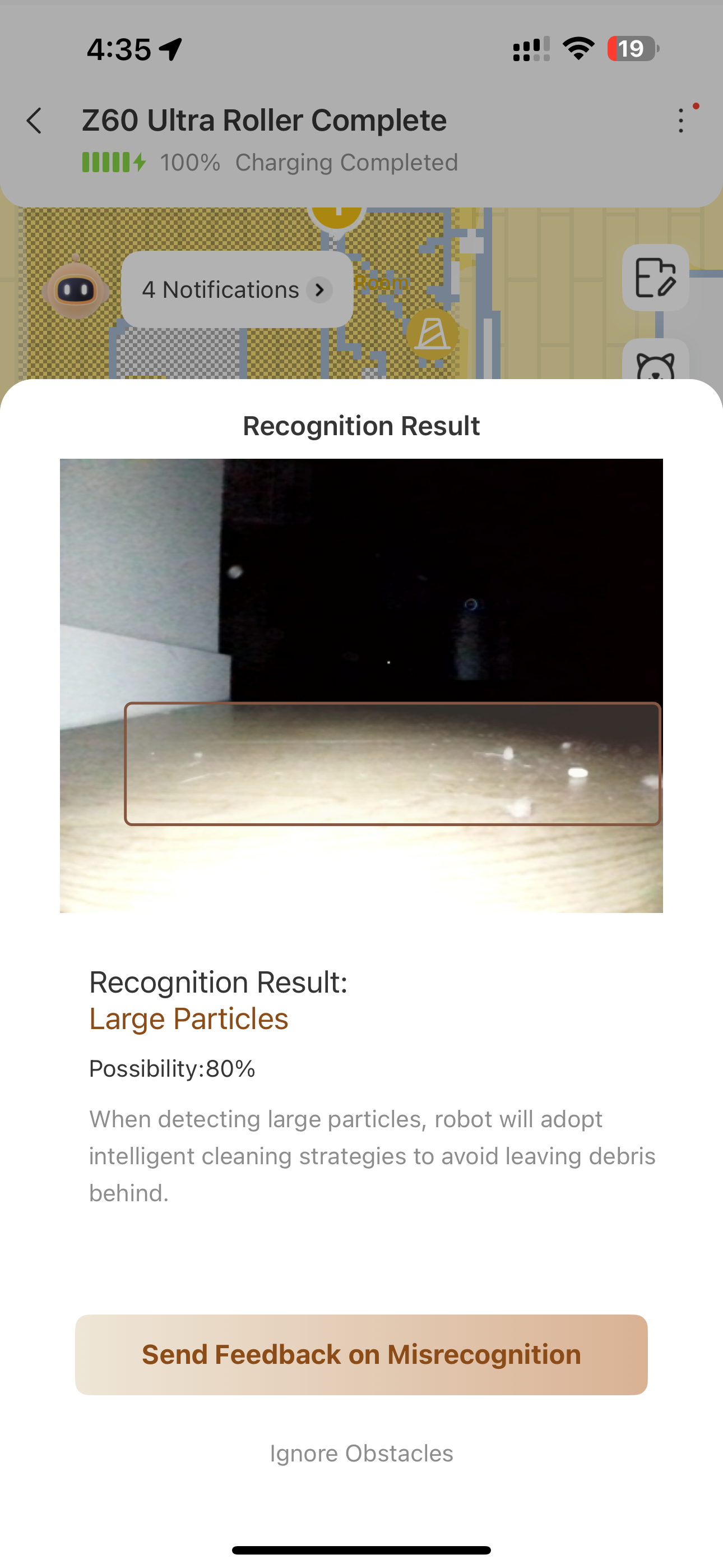
I expected good mapping. I expected room labeling. What I didn't expect was the Z60 actually detecting and marking large particles on the live map during a run. You can see flagged debris locations in real time. That level of environmental feedback through the app is beyond what I've seen on other robots I've used.
Compared to the P10 Pro Ultra app
It's the same MOVAhome app, just a different robot plugin, but the Z60's version is meaningfully more polished. More settings, better organized, better in-app explanations. The animated diagrams in Obstacle Crossing Settings alone are a good example of the app doing real work to explain hardware behavior rather than just labeling a toggle and leaving you to figure it out. The P10 side of the app feels slightly earlier-generation by comparison.
Out of the box, the Z60 is good. Once you've gone through every settings section, understood what's interconnected, enabled what fits your floor and household, and configured the dock correctly for your climate, it's noticeably better. The settings menu rewards curiosity, so I recommend spending some time in there!
Next up: actual cleaning performance. I've got stain tests, glow powder, and a blacklight ready to go.
-Cameron
|


 US
US


 2229
2229