In my last post, which showcased the Z60 Ultra’s feature-rich base station, I touched on the level of control and customizability that’s possible through Mova’s app. Turns out, this deep level of software integration really extends across the entire system! The app is honestly one of the most polished home appliance/automation interfaces I have ever interacted with - it’s intuitive, responsive, and gives you complete control over your cleaning tasks without feeling overwhelming. Out of the box, Mova’s default settings are well thought out, allowing you to jump straight into cleaning, and I didn’t feel the need to adjust anything initially. However, if you’re willing to take a bit of time and explore, there are a few extra settings that can help fine-tune the cleaning performance. I’ll be going over a couple of them in this post.
Setting 1: Side Brush Rotating on Carpet
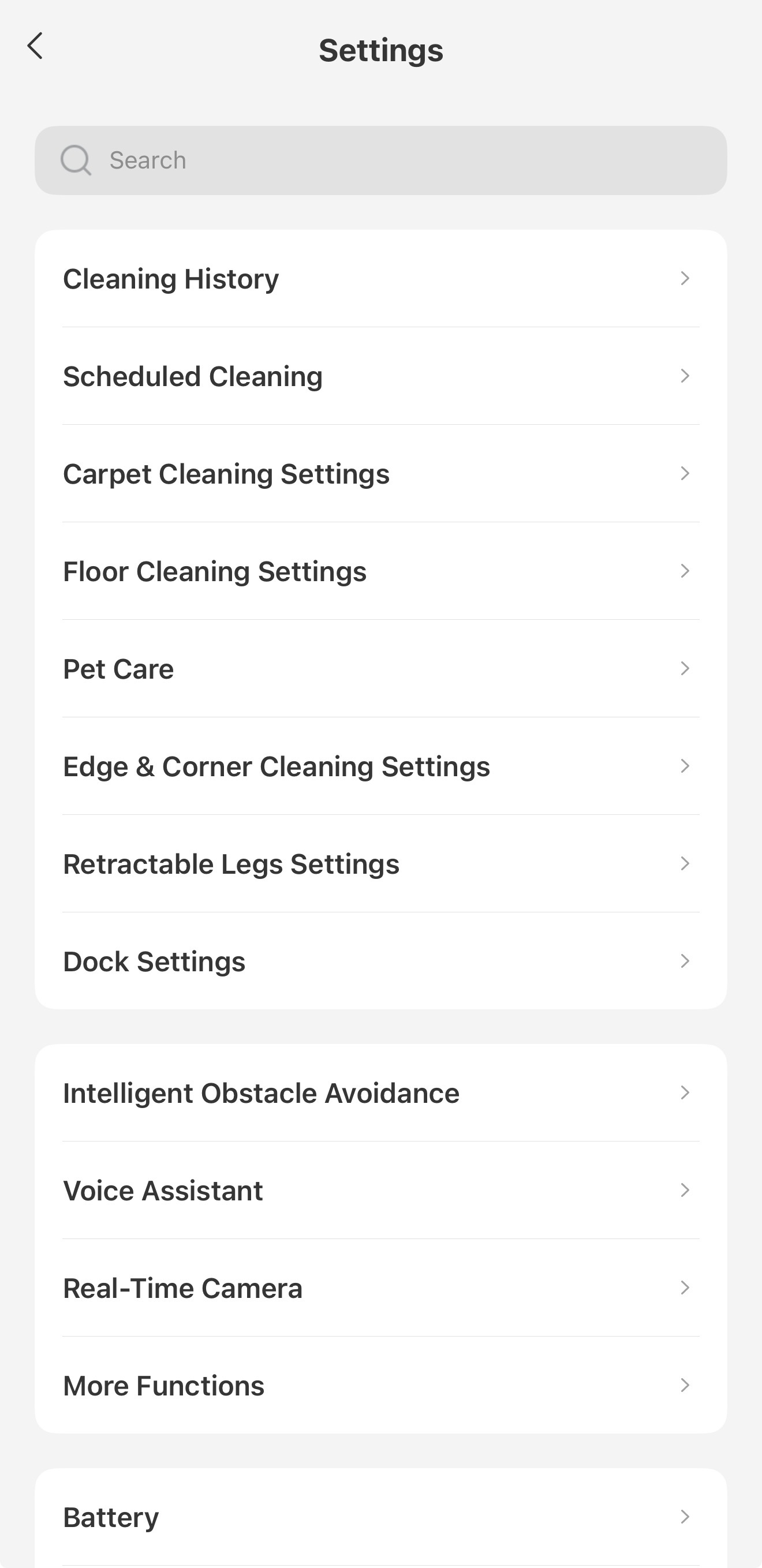
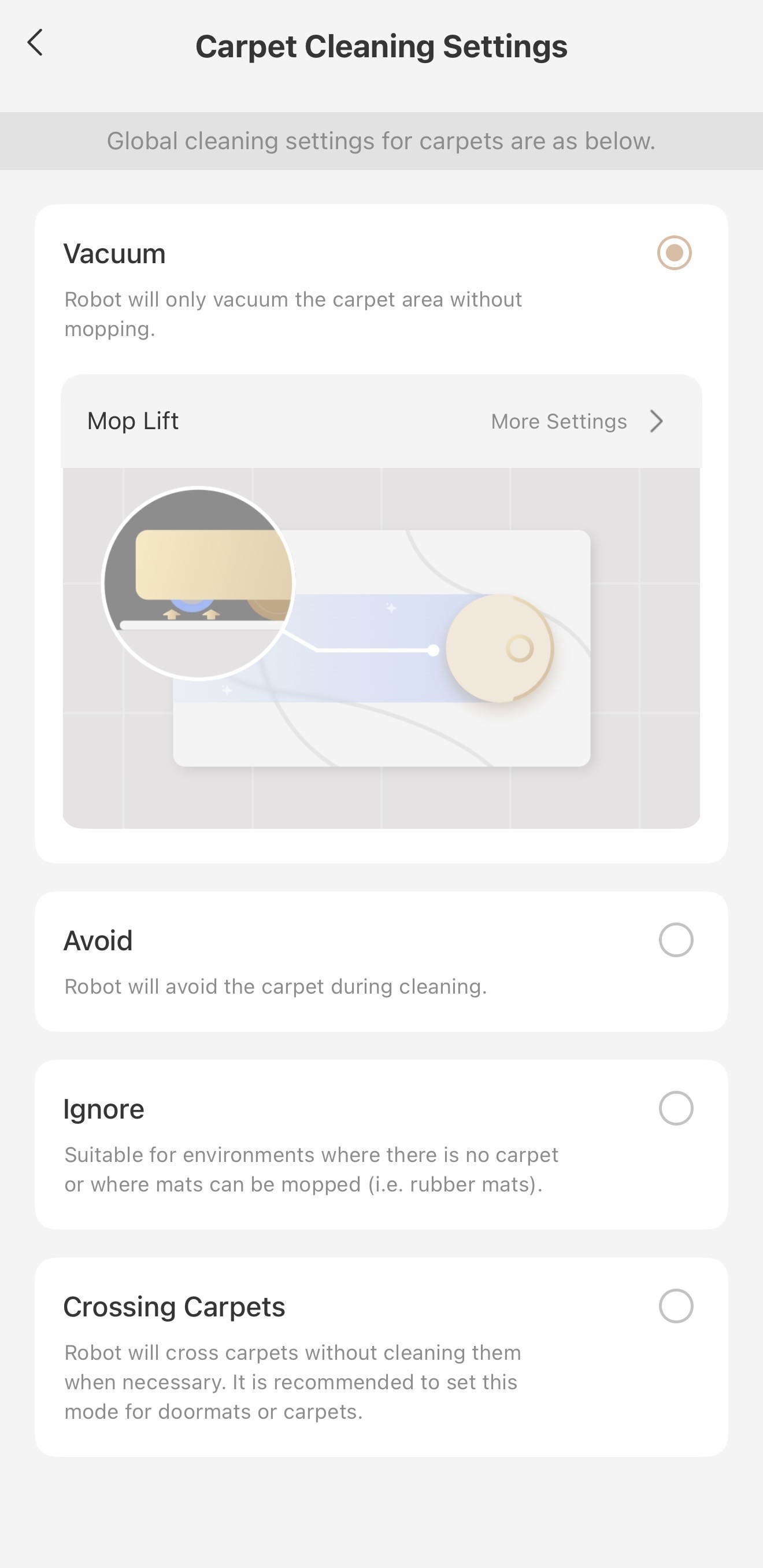
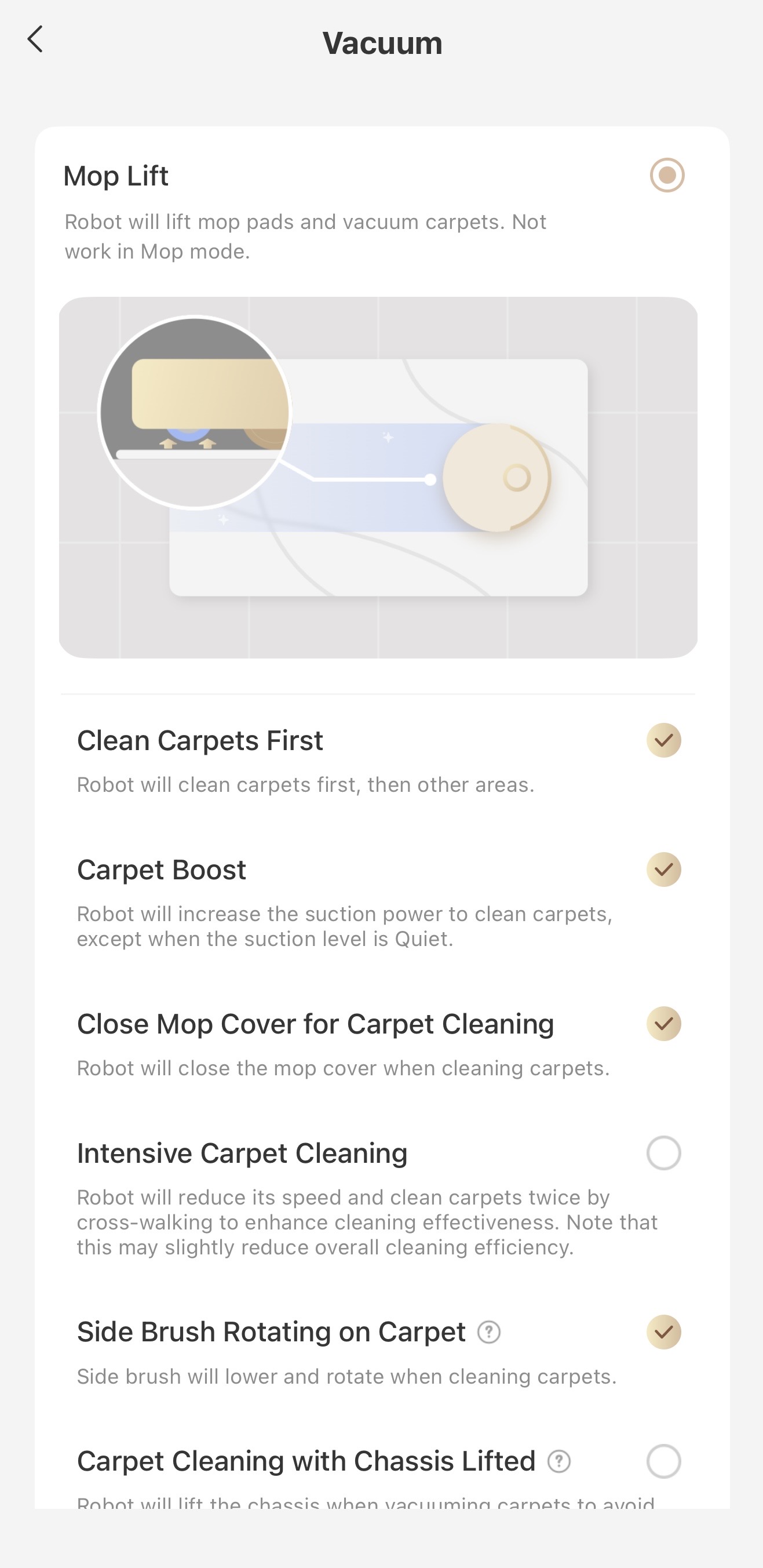
The Z60 has an extendable rotating side brush that improves cleaning performance by moving debris into the path of the main Trobowave DuoBrush vacuum head under the robot. However, by default, this side brush only runs on hard flooring, not carpets. I think this was done to prevent unnecessary snagging or wear and tear on the brush and the extendible arm on high pile carpets, where the brush really couldn’t spin well anyway. However, if you have low pile carpets and rugs like I do, having the side brush spinning can help ensure an even cleaner carpet surface. To enable this, navigate to the Carpet Cleaning Settings tab and, under the Vacuum setting, click on More Settings. There, you’ll see a setting labeled Side Brush Rotating on Carpet.
Setting 2: Intelligent Stain Cleaning
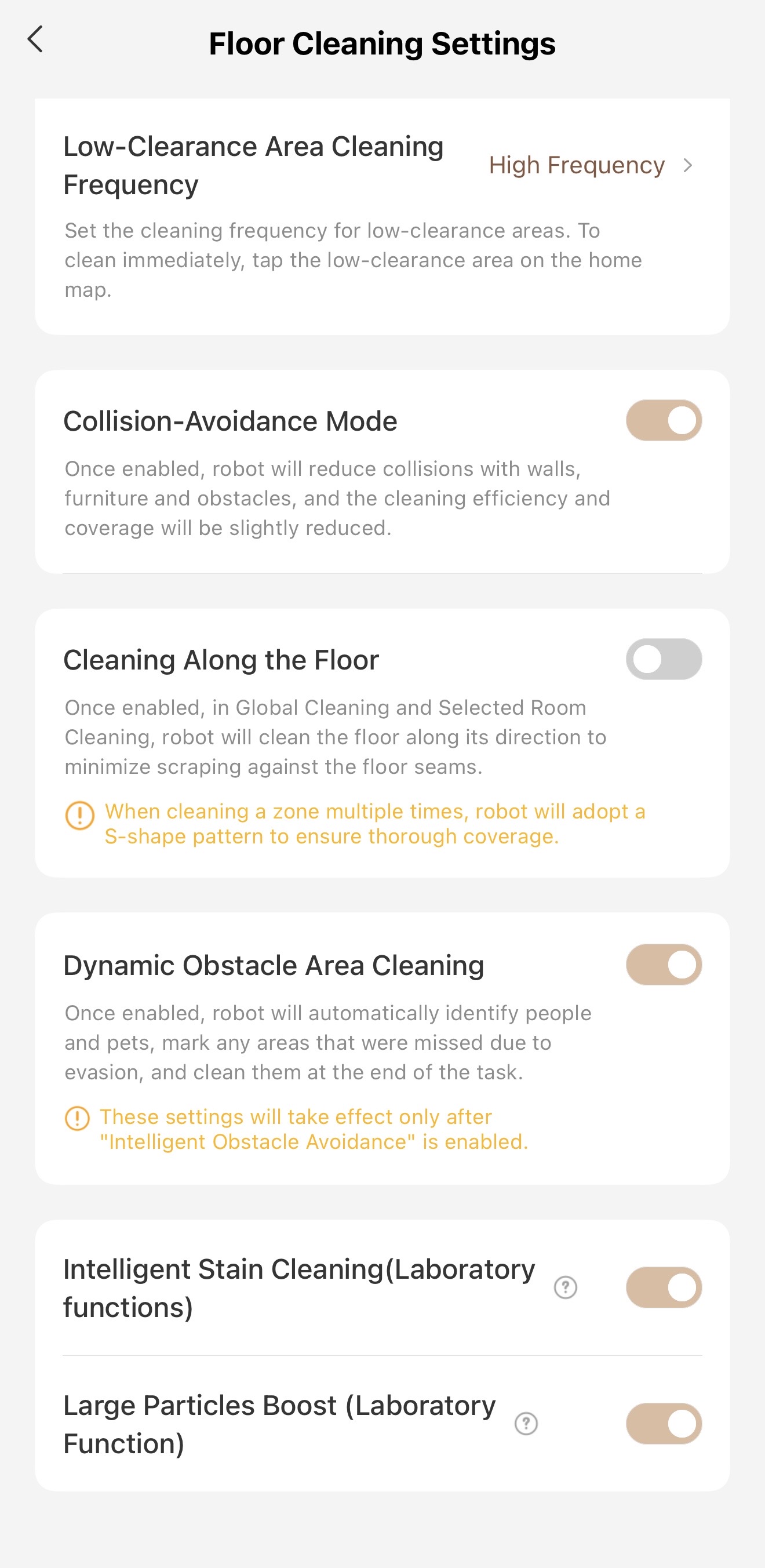
Under the Floor Cleaning Settings tab, at the very bottom, there are a pair of "Laboratory functions,” which I guess are beta functions that are still being ironed out or developed. However, I’ve been using both and haven’t noticed any issues. The first is the Intelligent Stain Cleaning setting, which is a boon when you’re dealing with a major spill or other mess. See, when most robot vacuums encounter a big spill, they will typically just pass through that area without fully cleaning it and potentially spread the mess across the entire floor! The Z60 Ultra is already less susceptible to that thanks to its self-cleaning mop roller, but this setting takes it to another level. First, when the Z60 detects a major spill, it will pause its routine cleaning and perform a specific deep cleaning task to handle that spill. After it’s done, it will return to the dock to clean its mop roller fully, then it will resume its original task. This is exactly the type of cleaning behavior I, and I think most people, would want from their robot vacuum, so I keep this enabled.
Setting 3: Large Particle Boost
Another "laboratory" function, the Large Particle Boost setting, allows the robot to intelligently boost the vacuum’s suction power when it detects large debris, like cereal or dry dog food. This can be useful if you’re running the vacuum in its Standard or Quiet mode, but still want to ensure your floors are clear of any debris. I’ve found that this works great in my experience. Earlier this week I dropped some cornflakes on my floor to test this out and deployed the Z60 on Standard vacuum mode to see how it would fare. When it came up to the minefield of cornflakes on my kitchen floor, it boosted its suction and was able to pick them up in a single pass. Very neat!
Setting 4: Charging Limit
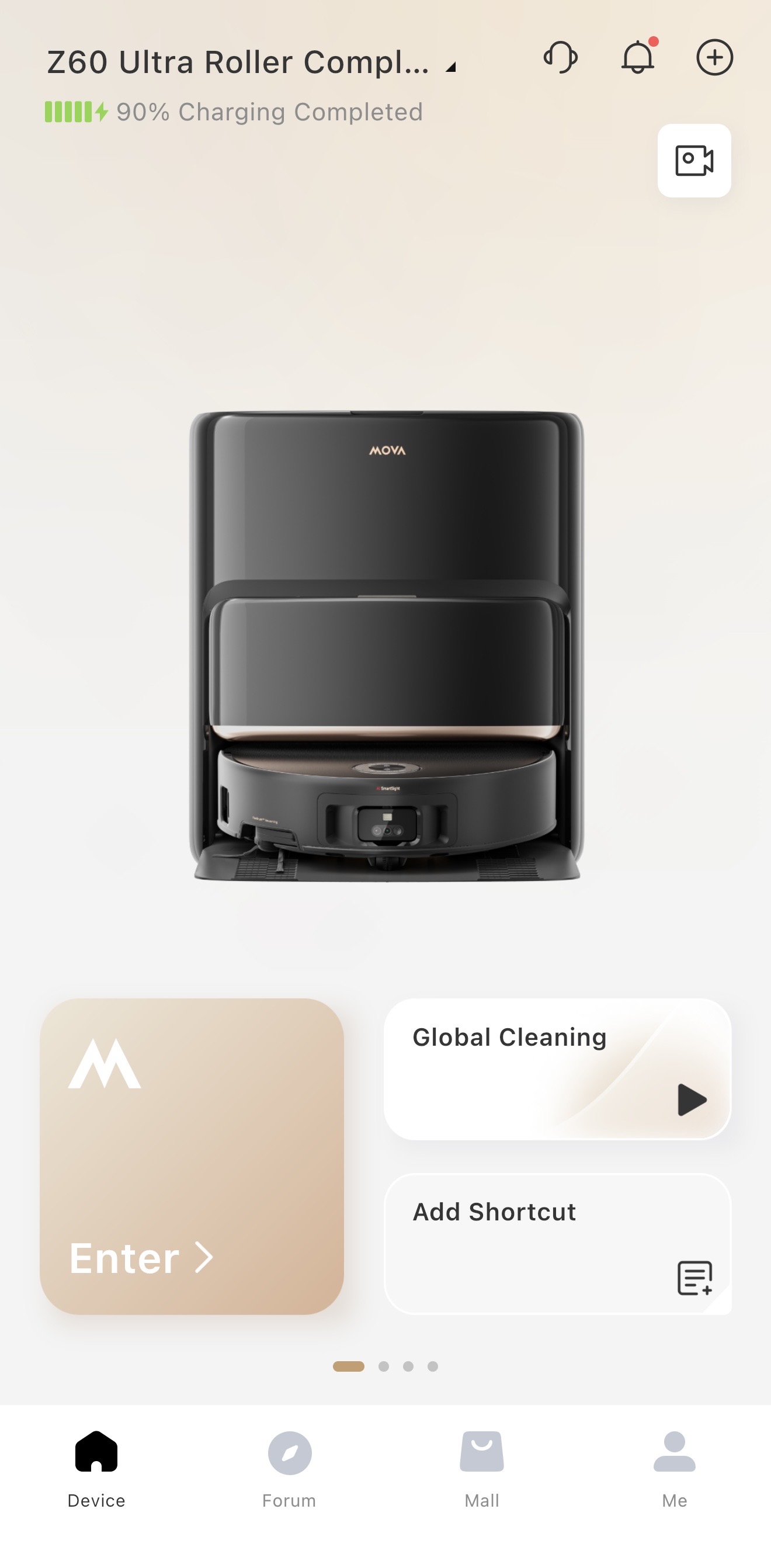
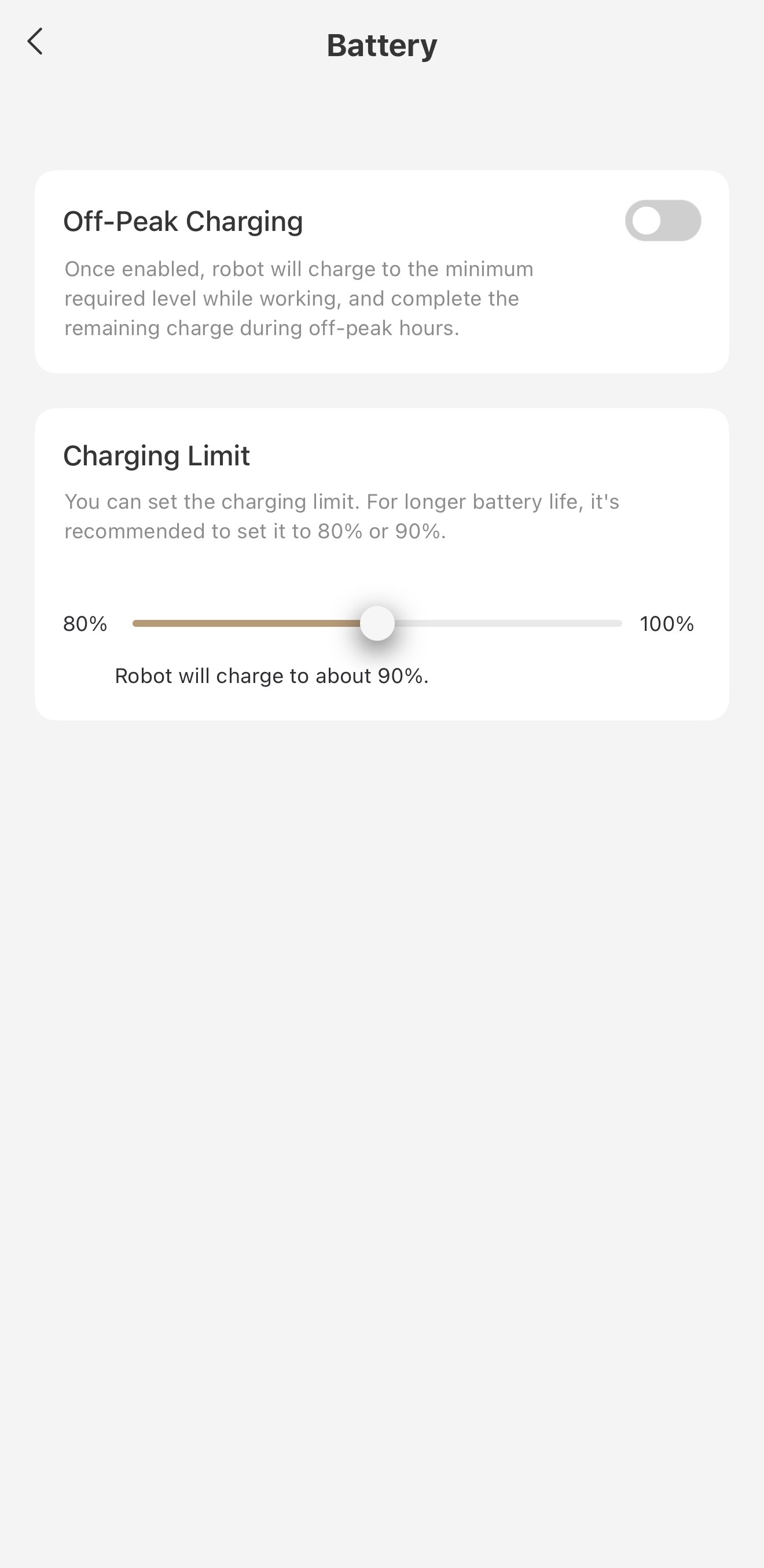
Whenever I get a new phone, one of the first things I do is go into the battery settings and limit the charging capacity to 90%. By capping how much the battery charges, even by just a little bit, you can significantly reduce long-term wear and maintain battery health for longer. Mova offers a similar feature for the Z60 Ultra under the Battery tab in the settings, and it’s the first time I’ve seen a robot vacuum offer this.
Of course, this is totally optional, but I think it’s a smart feature to enable. I have a relatively large 1st floor, and the Z60 Ultra can cover it when performing both mopping and vacuuming tasks with plenty of battery to spare, so limiting the charging capacity is a no brainer in my opinion. However, if for whatever reason you need the robot to make two passes of an entire floor (something you can specify in the cleaning task setup), then I’d leave this untouched.
|

 US
US


 1737
1737