VI695038

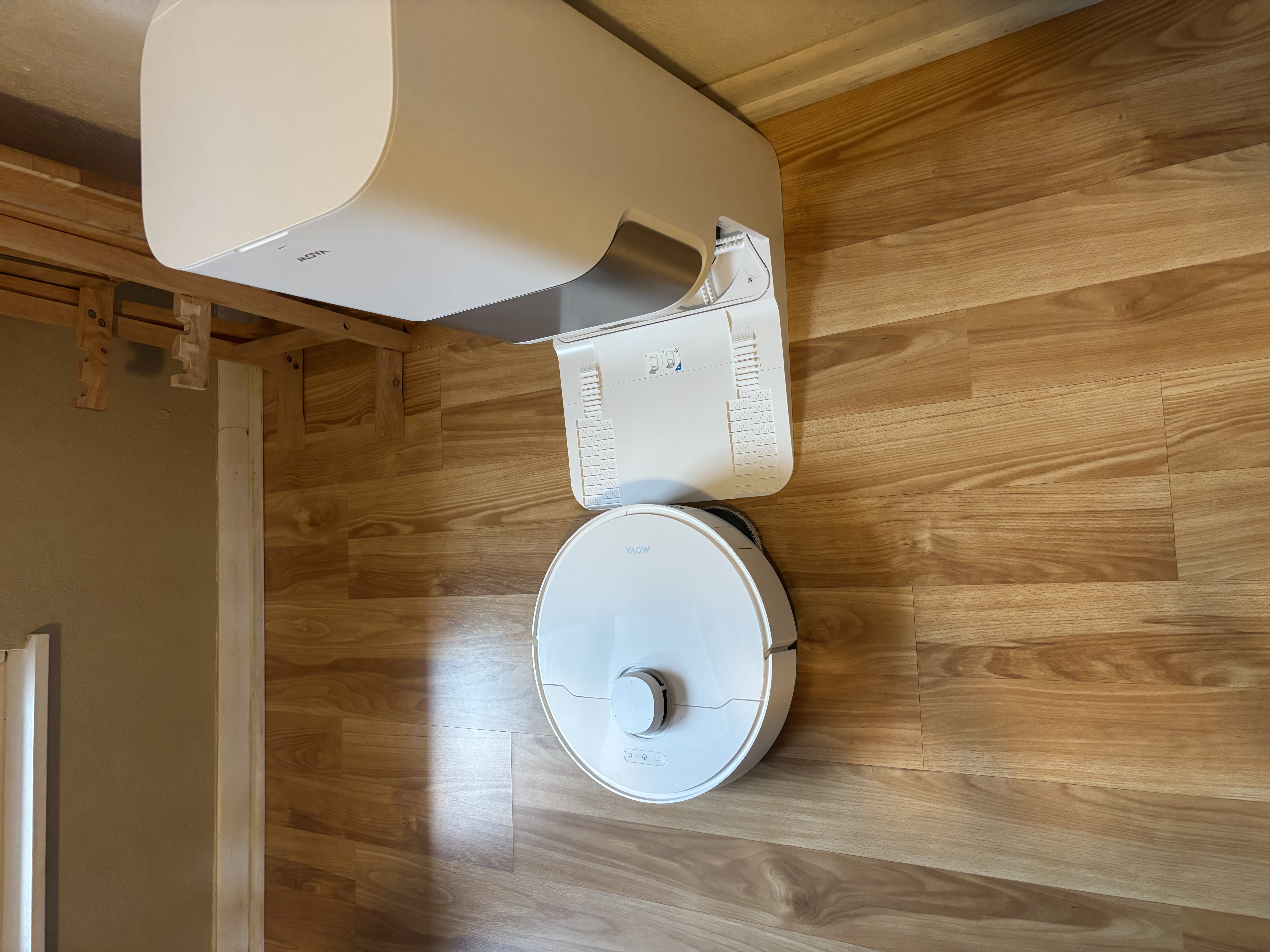
[P10 Pro Ultra] P10 pro ultra stopped in front of home base

I’ve caught my P10 pro ultra stopped in front of home base three times now. It looks like it’s set to back in but never does. As soon as a push it in, it chargers and/or continues its cleaning cycle.
Translate
You need to log in to reply. Login | Register

8 Comment

If you press the home button on the device itself, is it able to return without assistance from you?
2026-4-21 23:43:52 US Translate

Ive had that happen on different robot even different brands its either low battery or there was something causing it to get stuck or in the way of the dock possibly
2026-4-22 09:43:41 US Translate

Dear Customer,

We apologize that your device is not performing as expected.

1.Please check whether the plug is loose to ensure that the charging base is powered on.
2. Please put the robot 1-2 meters in front of the charging base, short press the recharge button, if it cannot be recharged normally.
Please connect with the support team for further help.
if it can be recharged, please confirm.
①The charging stand needs to be placed against the wall, it is recommended that the left and right sides are 5cm, and there should be no obstacles 1.5 meters in front.
②Away from signal interference, such as router TV, etc.
③There can be no mirror reflections on the opposite side, such as mirrors, windows, etc.
3. Please confirm that the robot is working from the charging stand, and whether the LDS laser sensor on the top of the robot rotates normally.
4. Please confirm whether the driving wheel of the robot is slipping, stuck or trapped during the working process.
5. If the above problems are eliminated, please try to restart the host and clean it again.
6. When you change the location of the base station, you need to place the robot on the base station, and then clean it from the base station.
7. If there is still a problem after restarting the robot, please try to reset the robot, change the charging stand to an open place, and try to clean it again.

Please try the following steps. If the issue persists, we recommend contacting the seller or our after-sales team for further assistance. Remember to provide your invoice, serial number, and troubleshooting results so we can better assist you.

Our official customer support contact is as follows:
Email: support@mova-tech.com
US Hotline: +1 (888) 308-6159
(Mon. to Sun. 9:00–18:00 EDT)
US Official Website: https://us.mova-tech.com

Wish you have a lovely day.
2026-4-22 15:11:56 US Translate

Im having the same problem. The robot trys to climb on to the dock but always pulls.to one side and wont properly mount. I have to guide it and push it on to the charging dock. I did not have this issue when I bought it in December but these past few months its been getting worse.i now have to assist it every time and I am getting tired of this, its a robot for goodness sake.
Email: support@mova-tech.com US Hotline: +1 (888) 308-6159 (Mon. to Sun. 9:00–18:00 EDT) US Official Website: https://us.mova-tech.com
 
2026-5-6 14:00 US Translate
If the robot still cannot return to the charging dock on its own, please contact our customer support and provide us with relevant photos or videos showing the issue.
 
2026-5-6 14:00 US Translate
place the robot 1–2 meters in front of the charging dock, then briefly press the Home / Return to Dock button on the robot.
 
2026-5-6 13:59 US Translate
Dear valued user, we sincerely apologize for the inconvenience this has caused you, and we fully understand how frustrating this must be. Please try testing the auto-return function:
 
2026-5-6 13:59 US Translate
UID:VI695038
  • 1Posts
  • 0Friends
Privacy Policy|Terms of Use|Archiver|Mobile|DarkRoom|Software License and Service Agreement

© 2026 MOVA Forum All Rights Reserved | Support by Discuz! X5.0 Font by MiSans

Quick Reply Back to Top Return to List