Last edited by Primas02 on 2026-6-13 07:22
This unit was purchased for personal use, and this review is not sponsored, approved or otherwise affiliated with MOVA.
For the last 60 days, I’ve been using the MOVA LiDAX Ultra 3000 AWD robotic mower as my primary lawn care equipment.
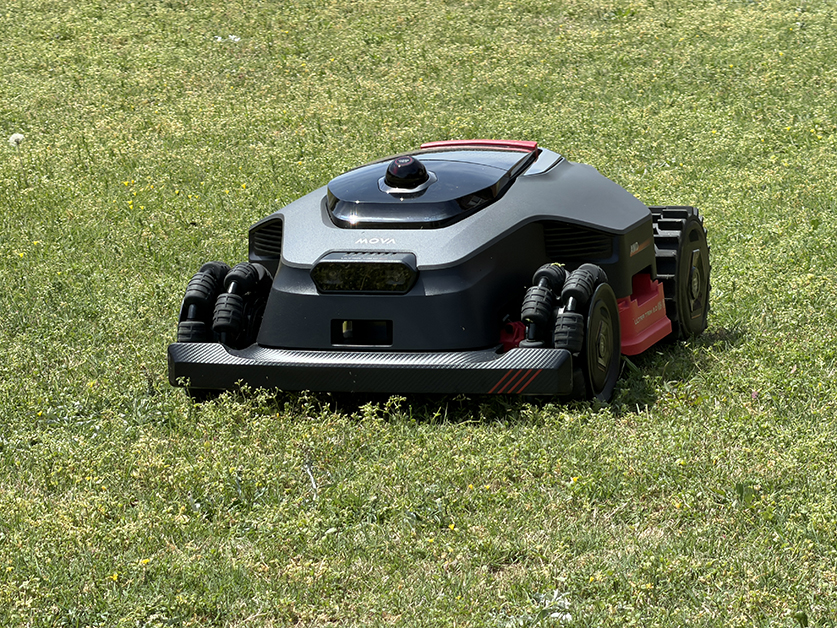
What sets the 3000 apart from its less expensive siblings, is its sleek, race-car-like polycarbonate body, dual six-blade floating discs, four off-road wheels including two front omni wheels, four-motor all-wheel drive, independent wheel suspension, 36-volt battery and 15.8-inch cutting deck.
The 3000 measures 29.13 inches long, 20.94 inches wide and 12.64 inches tall, and it weighs 52 pounds. It can handle slopes up to 38.6 degrees (an 80 percent grade) and clears vertical obstacles like roots and rocks up to 2.4 inches tall.
That’s a 50 percent increase in vertical obstacle clearance and nearly double the real-world slope capability of the 2000.
All-Wheel-Drive Capability & Slope Performance
The unit has two omni wheels in the front that feature a series of smaller rollers aligned along the rim. These specialized wheels allow the mower to maneuver to the left or right without dragging or skidding on most soil types.
This prevents turf tearing, allows better navigation around tight areas and obstacles, and reduces power consumption.
While this is great if your soil is dry and solid, it can be a hindrance in sandy or muddy conditions. In my area, we have primarily clay soil. Clay drains poorly and can remain waterlogged and soft for days after a heavy rain.
The 3000 rarely got stuck during testing. However, when it did encounter soft ground, it tried to spin itself free instead of just stopping, leaving ruts in the turf and caking the wheels in mud.
Fortunately, cleaning it was straightforward thanks to the app's "maintenance point" feature, which lets you summon the mower to a specific location on the map. Setting this point next to my water spigot made washing off the mud more convenient.
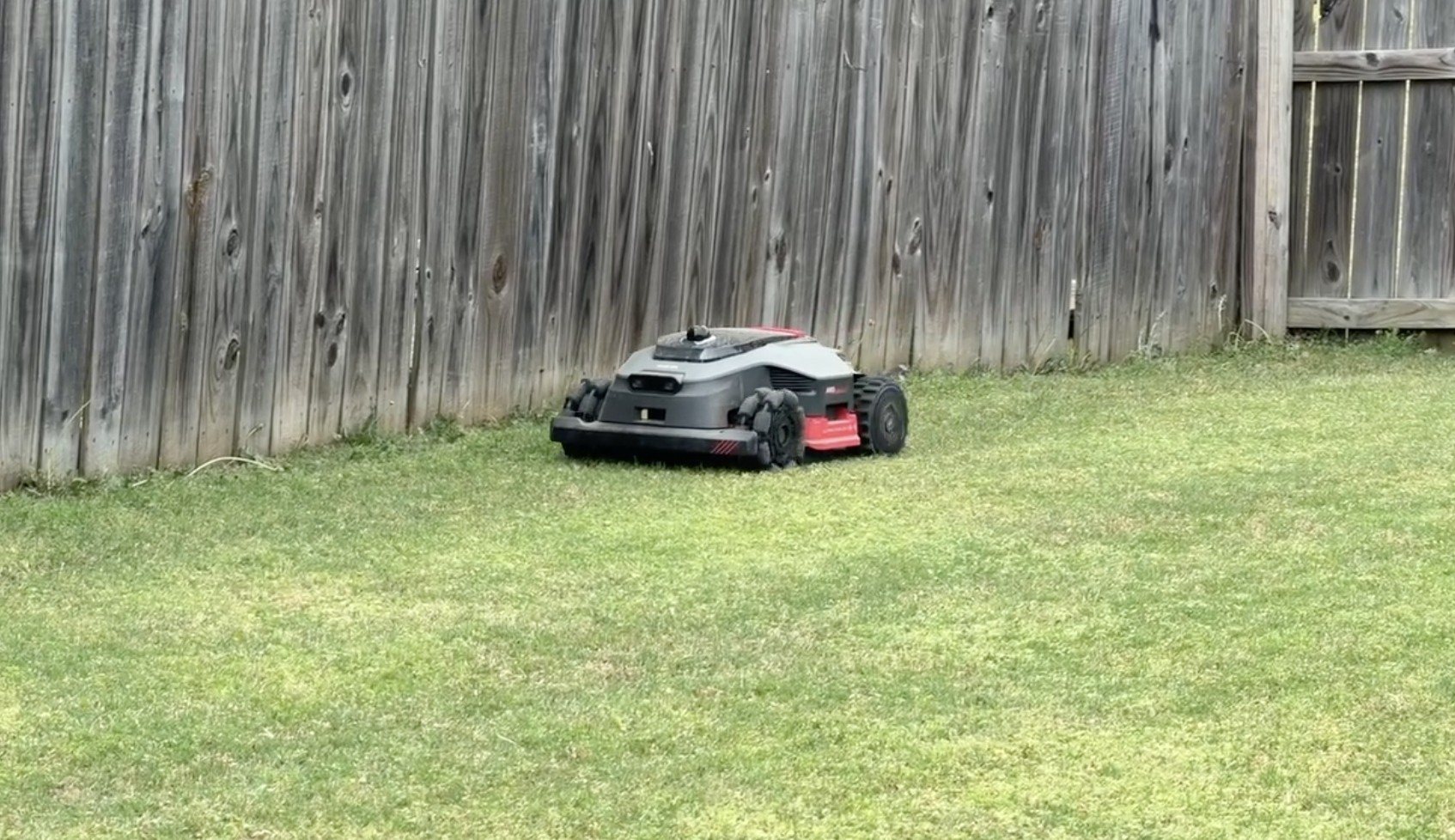
To prevent future mishaps, I divided my front and back lawn into multiple zones. This allows the 3000 to avoid those soft, slow-draining areas—such as around my fence line—and only mow known safe areas after a heavy rain.
My personal lawn is mostly flat and open with few natural obstacles. So, I took the 3000 to a family member’s complex, rugged lawn that is filled with steep slopes, multiple tree roots and half-buried rocks.
The 3000 had no trouble traversing this rough terrain. However, the blades occasionally did skim both the tree roots and rocks before stopping.
(See Video Link Above)
As the manual warns, do not rely on the 3000 to automatically recognize cliffs, edges or other areas of concern that could damage your blade discs or mower deck.
Set up virtual boundaries before you begin your first mow to be safe. You can always remove them later.
Performance & Cut Quality
My lawn consists of roughly 9,500 square feet of Bermuda grass with some crab grass, dandelions and thistle mixed in (despite my best efforts). We recently went through about two weeks of afternoon storms, and the lawn grew to a height of more than 4.5 inches between mowings.
Once the ground was dry enough, the 3000 chopped through the sticky, damp Bermuda with no issue. I have yet to have the unit clog, despite Bermuda twigs constantly getting stuck between the blade disc and the razor blades.
The 3000 features UltraTrim 2.0, which allows the mower to shift its outer blade to mow up to 1.2-inches from the lawn edge.
Unfortunately, just like on the 2000, this feature is locked at a fixed height of 1.2 inches. That could be well below the typical mowing height for grasses like Kentucky Bluegrass, Tall Fescue or St. Augustine.
Even with Bermuda, I turned UltraTrim off because I maintain my lawn at 2 inches. Dropping down to 1.2 inches along the perimeter creates a jarring, visibly scalped border that stands out for the wrong reasons.
Obstacle Avoidance
Like the 1000 and 2000, the 3000 uses both 360-degree 3D LiDAR and AI-powered dual vision for navigation and obstacle avoidance. MOVA claims the 3000 can detect up to 300 objects. However, obstacle avoidance is limited to objects with a height of 2-inches or higher. You can customize this setting in the app depending on your lawn and grass height.
Even with the latest firmware (4.3.6_0269), I’ve found the 3000 still misidentifies some weeds, like dandelions, as animals and will mow around them.
You can mitigate this issue by turning off obstacle avoidance for animals, manually controlling the unit or creating a "must-mow" zone in those weed-prone areas.
This appears to be an area MOVA is working hard to improve. The 3000 has received multiple firmware updates since I received it addressing navigation, obstacle avoidance and edge-mowing behavior.
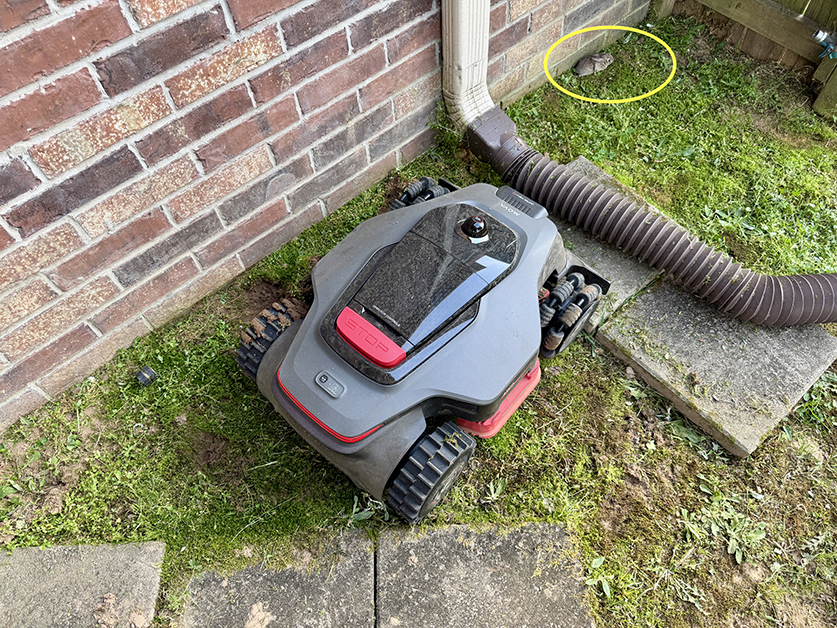
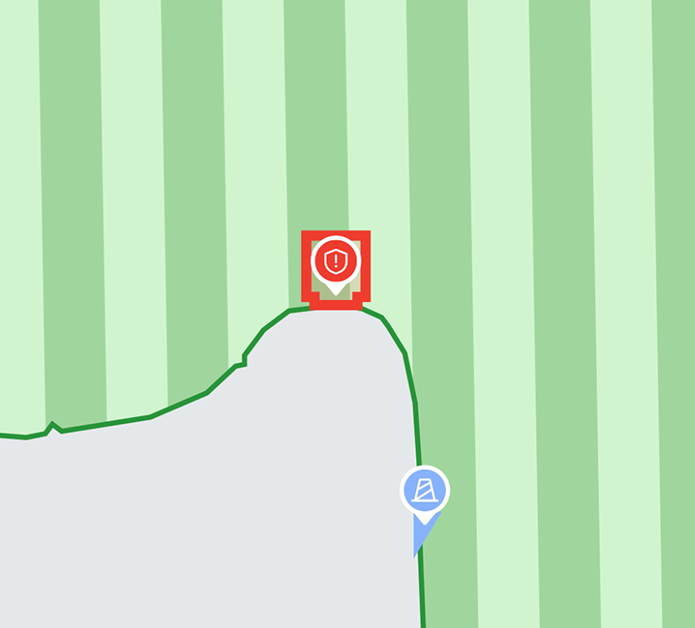
As of the latest firmware update, I’ve been able to remove all the no-go zones I initially set weeks ago except one and the 3000 now detects gutter downspouts and automatically recommends a no-go zone creation. (Thank you, firmware team for your hard work.)
Battery Life
The battery life is an absolute standout.
MOVA claims that with its 7.5-amp-hour battery capacity, the 3000 can mow up to 0.25 acres and run up to 170 minutes on a single charge. Based on my experience, this is more than accurate. I can easily finish both my front and back lawn (roughly 0.33 acres) on a single charge with plenty of juice to spare.
Recharging time is around 60 minutes to go from a 15 percent battery level to a mostly full charge (90 percent or above).
The 3000 uses a beefier, 5-amp charging station and is not compatible with charging stations from the 1000 or 2000. Additional 5-amp charging stations are not currently available for purchase on MOVA’s website.
Setup & Mapping
Setup and mapping are identical to previous models. You connect to the unit via Bluetooth, configure your Wi-Fi connection, create a PIN, and, barring any immediate firmware update, you can begin mapping right away.
The 3000 can create two separate maps of up to 0.75 acres each. Within each map, you can create up to 150 zones.
However, unless you have a specific reason, you don’t need to map your front and back lawns separately. Pathways can be created to connect both lawns, even if they pass through a fence opening or cross dirt, gravel, tile or concrete.
Creating two separate maps not only uses up your map storage but also interferes with the scheduling feature, as you currently cannot set a single schedule across multiple maps.
Automatic AI-assisted mapping may work fine for smaller lawns or those with enclosed fencing. However, I found it to be highly insufficient for lawns with undefined edges, heavy obstacles or rough terrain like steep hills.
If you want the most accurate map possible for edge mowing, a manual map of your lawn is required.
Customizable App & Mowing Directions
The MOVAhome app is advanced, offering multiple mowing modes—including all-area, zone-only, edge, spot and manual—along with the ability to adjust the mowing height between 1.2 and 3.9 inches. No manual blade adjustment is required.
Unlike with other brands, you can split and combine zones virtually within the app and set virtual no-go zones without having to manually drive the mower.
Additionally, it supports the same mowing direction customization as the rest of the lineup, including automatic checkerboard and crisscross patterns.
The app is the most full-featured robotic mower app I’ve used so far.
What’s Included (and What’s Not)
In the box, you get the 3000, a charging station, lawn stakes, a power supply, a cleaning brush, a screwdriver, a lint-free cloth, a quick-start guide, the manual and 36 spare blades with matching screws.
You do not get the protective mower garage (#MMGM20) included. It’s available separately for $229 from MOVA’s website.
Warranty, Maintenance & Support
The 3000 includes a three-year warranty. In the event of warranty service, you will be required to ship the unit back to a service center because there is no local dealer network available.
I recommend saving the original packaging material to make that process easier if needed.
Regular blade replacement is crucial. That’s why MOVA includes 36 extra blades (with screws) in the box.
Personally, I found it much easier (and safer) to change the 12 blades by removing the two blade discs from the underside of the mower entirely.
Removing the discs regularly allows you to clean out packed debris, wipe down the deck, and check for wear and tear on the blade discs.
Unfortunately, on my unit, the mounting screws for the blade discs were covered in hardened, blue thread-locking adhesive (Loctite) and overtightened at the factory to the point where I found them incredibly difficult to remove.
I ended up stripping two of the six mounting screws while removing.
MOVA customer service, while friendly, has been unable to assist because the screws are not currently available as a shippable part. They could only offer a complete unit replacement.
This is unacceptable. Robotic lawnmowers are going to be outside in humid, dirty and rugged environments. Parts are going to need to be replaced periodically. MOVA Support should have a supply of something as simple as a mounting screw to send to customers as needed.
Based on trial and error, the three mounting screws securing each individual blade disc to the mower are M4x14mm SEMS screws. MOVA customer service insisted they are 8mm. That’s incorrect. SEMS screws come with a permanently attached split lock washer to prevent accidental removal from vibration and are not readily available at most hardware stores. I sourced mine from an online bolt and screw supplier.
MOVA does sell a replacement blade disc on their website for $79.99 that includes blades. However, only the set of six blade-to-disc mounting screws are included, not the three disc-to-mower mounting screws.
Pro Tip: When reassembling the blade discs, I used purple thread-locking adhesive (Loctite) instead of blue. It holds the screws in place just as well for this application but is significantly easier to break loose later.
The 36-volt battery is user replaceable. However, it’s not yet available to purchase on MOVA’s website. Only the 1000/2000 battery is currently available.
Final Thoughts
In my last review, I called this a hot product category. That was an understatement. The sheer volume of robotic mowers that have flooded the market this summer is extraordinary.
Having previously owned three other smart robotic mowers, I can confidently say the MOVA LiDAX Ultra 3000 AWD is an absolute beast.
It is purpose-built for hilly, rugged, and highly complex landscapes.
If your lawn is flat and uniform, this machine is likely overkill—unless you're a power user, like me, and you want the sheer battery capacity to knock out both your front and backyard on a single charge.
But for anyone dealing with demanding terrain, the 3000’s combination of dual six-blade cutting discs, high-traction all-wheel drive, tank-like build quality and stellar app makes it a worthy contender in its price range.
The MOVA LiDAX Ultra 3000 AWD retails for $2,999 and is available on MOVA’s website, Amazon and various resellers.
I purchased my unit directly from MOVA on sale for $2,499 with substantial promotions. Check all available retail outlets including MOVA's weekly livestream to score the best pricing.
|


 US
US


 550
550