QI344626

[Lidax Ultra 2000] New user. Border programming questions

Is there away to easily reprogram a single border without remapping the entire yard? Also is it possible to edit the driveway and road edge to have the close cut but none of the other borders where lawn scalping would be an issue?
You need to log in to reply. Login | Register

6 Comment

There is! Just edit the map and select a zone edit and manually drive the unit to the zone you want to edit. From there you can expand the zone and the changes will fuse to the existing zone!

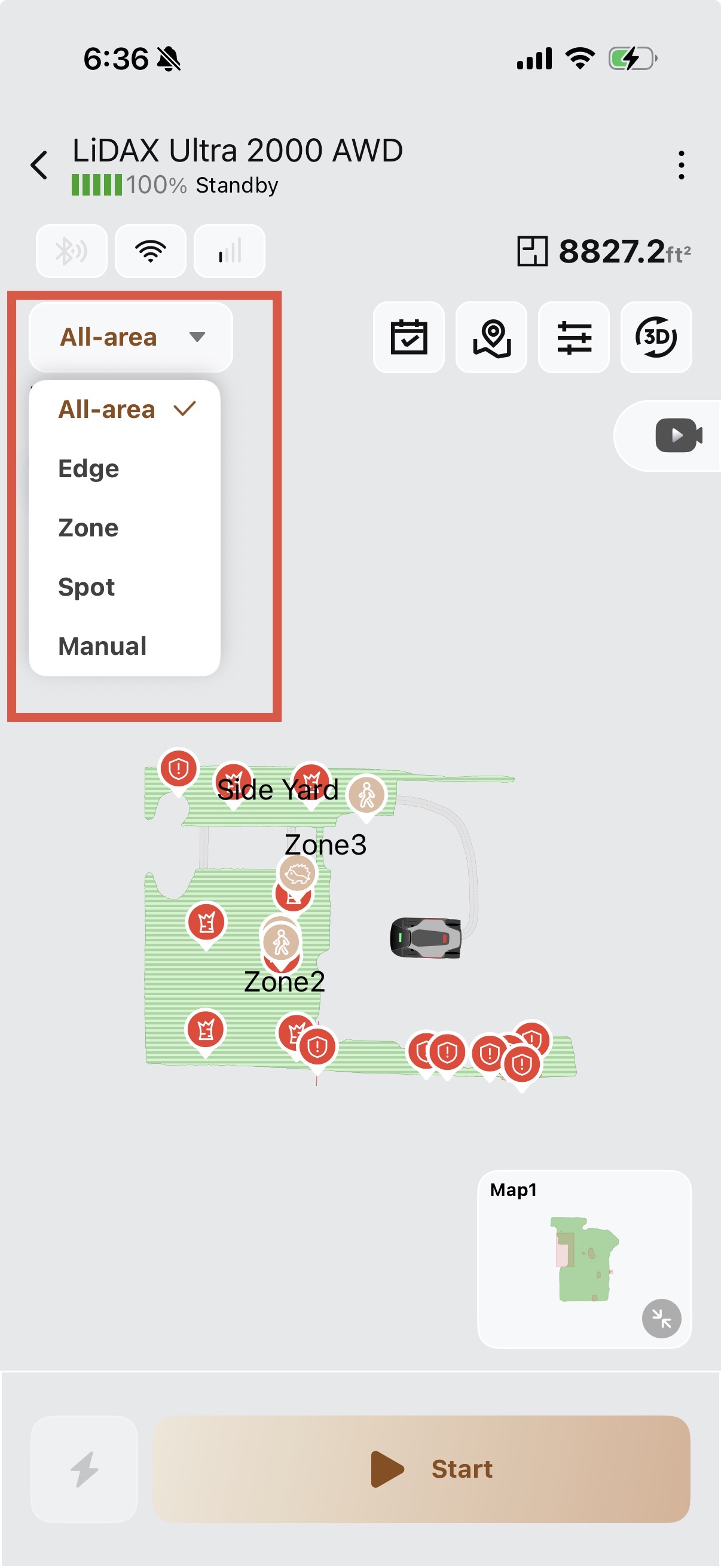
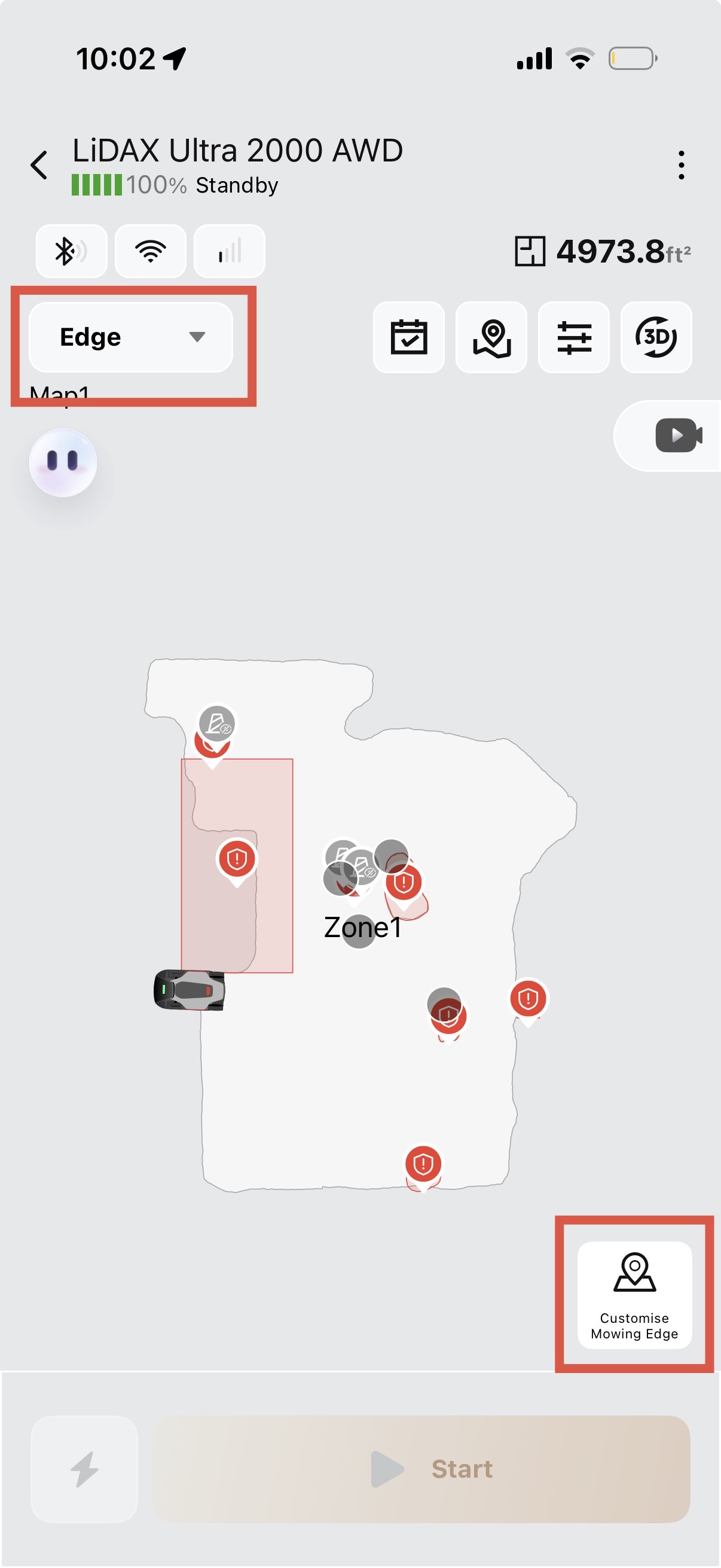
For edges, if you change from all-area mowing to edge mowing, you can select the edges you want it to mow!
2026-7-11 06:36:09 US Translate

Your answer tp extend the edges was extremely clear and helpful and it worked and it was indeed different than the mova support us answer which is not at all clear. I am not sure that I understand how I can cut just the driveway and road with the edge trim and not other borders that would be a problem? I don't see an option to just cut those lengths with the edge trim.
 
IMG_6348.jpeg
Here’s the navigation for edge mowing:
2026-7-11 06:37:12 US Translate

Hello, the map editor supports deleting zones (note that if a large zone is split into several smaller sub-zones, those small sub-zones cannot be deleted). It also allows splitting zones and expanding zone boundaries. However, shifting or modifying the overall outline of a zone is not supported.
2026-7-11 17:59:09 US Translate

IMG_6464.jpeg
Do you have this feature on your edge mowing yet? I know it is something they are still working on and testing but this may help answer some questions too..
2026-7-13 10:05:37 US Translate

Yes, I have that and I use it but my boundary along the driveway and the road I want to cut with the edge mowing down to 1.2 in, and it does that, the problem is that the other boundaries are with my neighbors yard and it scalps the grass there so I don't want to use the edge trimming
 
UID:QI344626
  • 4Posts
  • 0Friends

© 2026 MOVA Forum All Rights Reserved | Support by Discuz! X5.0 Font by MiSans

Quick Reply Back to Top Return to List