LN604446

[P50 Pro Ultra] No puedo conectar wifi

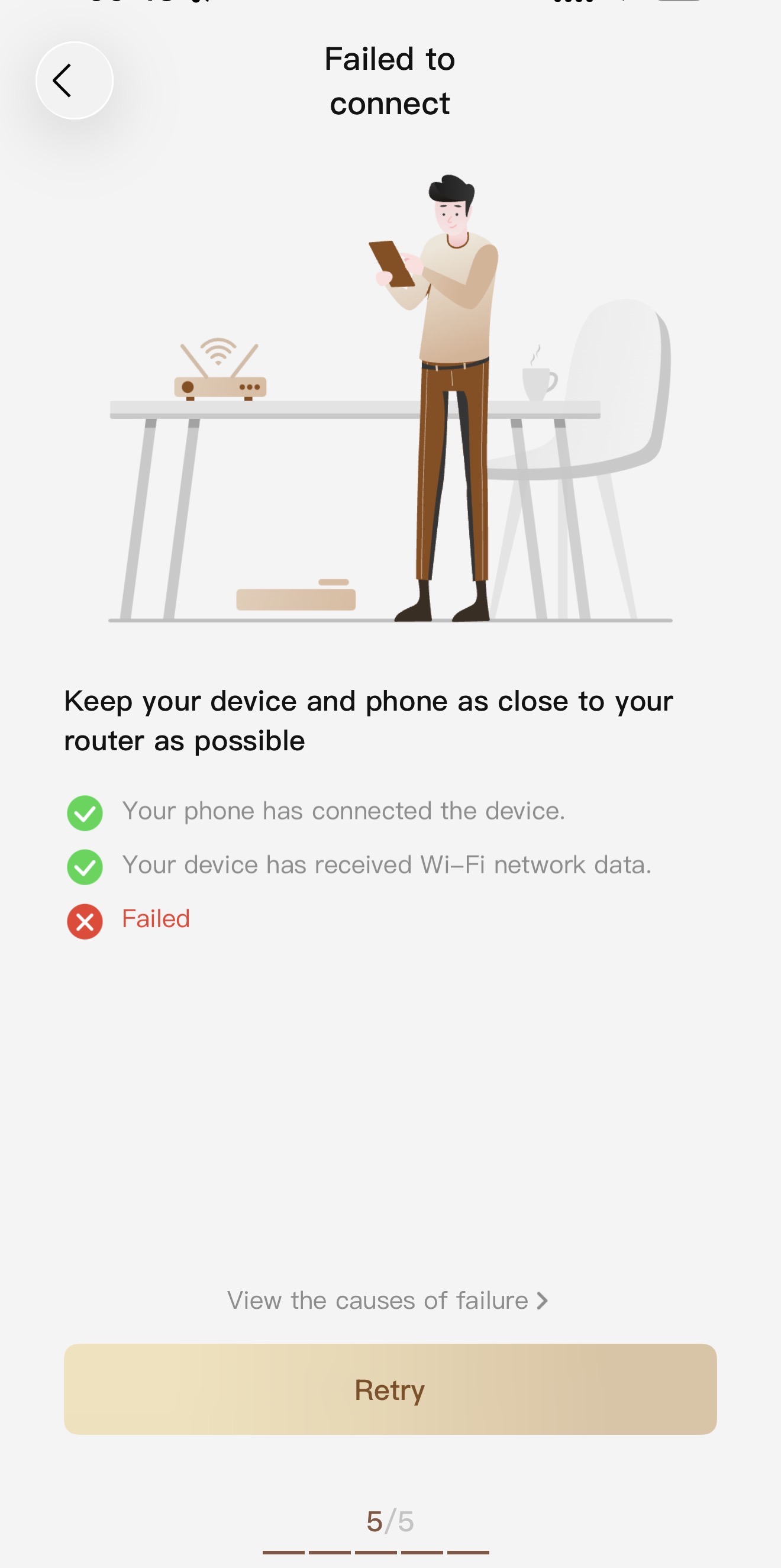
Intento conectarme al wifi, pongo la contraseña y me sale error, estoy en la red 2.4, no puedo usar mi robot
Translate
You need to log in to reply. Login | Register

4 Comment

You may be entering the wrong password
2026-1-10 13:29:20 Translate

Thanks! but I already tried with my phone and my girlfriend’s. The password is not the issue. It fails at the end, I don’t know why.
 
Hello,

We sincerely apologize for any inconvenience caused by the connection issues. Here are some suggested steps that might help you resolve the problem:

Proximity to Router: Ensure that the robot and your phone are close to the router to maintain a strong Wi-Fi signal. Before configuring the network, make sure to enable the location permission of the app and the Bluetooth function on your phone, as failure to do so may lead to network configuration issues.

Connecting to the Hotspot: When connecting to the hotspot released by the robot, listen for the voice prompt from the robot, then return to the app and wait for the network configuration result.

Wi-Fi Name and Password Settings: It is advisable to set your home Wi-Fi name and password using English letters or numbers and avoid special characters.

Check Router Settings: Verify if the router is set with Mac address filtering or a whitelist, try resetting the router and restarting the robot, and then attempt the connection again.

Cross Verification of Network Configuration: If the above methods do not work, try using one phone to release a hotspot as a Wi-Fi network and another phone to connect to this hotspot for network configuration, to cross-verify.

Try Using a Different Phone: Connection failure might also be related to the phone model. You can try using different models of phones to reconnect.

If the problem persists, please send the following information to our after-sales team for further assistance:

The SN code of the robot (you will find the SN label at the bottom of the robot).
Your app account ID (found in the app under "Me" > "Account ID").
A video showing the entire connection process (you can record a video on your phone screen).

Thank you for your patience and understanding.

Customer Care:
+1 (888) 308-6159
(Mon. to Sun. 9:00–18:00 EST)
support@mova-tech.com
na.official.site@mova-tech.com


2026-1-12 19:03:08 US Translate

Hola,

Nos disculpamos sinceramente por cualquier inconveniente causado por los problemas de conexión. Aquí hay algunos pasos sugeridos que podrían ayudarle a resolver el problema:

Proximidad al Router: Asegúrese de que el robot y su teléfono estén cerca del router para mantener una señal Wi-Fi fuerte. Antes de configurar la red, asegúrese de habilitar el permiso de ubicación de la aplicación y la función Bluetooth en su teléfono, ya que no hacerlo puede provocar problemas de configuración de red.

Conexión al Hotspot: Al conectarse al hotspot emitido por el robot, escuche la indicación de voz del robot, luego regrese a la aplicación y espere el resultado de la configuración de la red.

Configuración del Nombre y Contraseña de Wi-Fi: Es recomendable establecer el nombre y la contraseña de su Wi-Fi doméstico utilizando letras en inglés o números y evitar caracteres especiales.

Verificación de la Configuración del Router: Verifique si el router está configurado con filtrado de direcciones Mac o una lista blanca, intente reiniciar el router y el robot, y luego intente conectar nuevamente.

Verificación Cruzada de la Configuración de la Red: Si los métodos anteriores no funcionan, intente usar un teléfono para liberar un hotspot como red Wi-Fi y otro teléfono para conectarse a este hotspot para la configuración de la red, para verificar de manera cruzada.

Intentar con un Teléfono Diferente: La falla de conexión también podría estar relacionada con el modelo de teléfono. Puede intentar usar diferentes modelos de teléfonos para reconectar.

Si el problema persiste, por favor envíe la siguiente información a nuestro equipo de postventa para obtener más ayuda:

El código SN del robot (encontrará la etiqueta SN en la parte inferior del robot).
Su ID de cuenta de la aplicación (se encuentra en la aplicación en "Yo" > "ID de Cuenta").
Un video que muestre todo el proceso de conexión (puede grabar un video en la pantalla de su teléfono).

Gracias por su paciencia y comprensión.
2026-1-12 19:03:47 US Translate

UID:LN604446
  • 3Posts
  • 0Friends
Privacy Policy|Terms &Conditions|Archiver|Mobile|DarkRoom|Software License and Service Agreement

© 2026 MOVA Forum All Rights Reserved | Support by Discuz! X5.0 Font by MiSans

Quick Reply Back to Top Return to List