|
During the initial mapping process, the robot needs to explore and learn your indoor environment, so it will take winding paths to scan more areas. Once the map is saved successfully, cleaning routes will return to normal in subsequent runs.
From your description, this issue occurs during regular cleaning. If your robot navigates erratically in daily use, please check the points below:
1. Before cleaning: Tidy loose items on the floor such as power strips, toys and slippers. Frequent collisions during cleaning may cause messy navigation paths.
2. During cleaning: Check the bottom driving wheels. Remove stuck debris, dust or grease in time to prevent abnormal movement.
3. During cleaning: If the robot collides many times, it may follow the edge temporarily before resuming the zigzag cleaning pattern.
4. If the problem happens frequently: Upgrade the robot firmware to the latest version, reset the old map and rebuild the map again.
5. For models with obstacle avoidance: Gently wipe the sensor lens.
Hope these steps help. If the issue still exists, please send your SN code and purchase invoice via private message, upload the problem log by tapping **Me → Help & Feedback → Upload Problem Log**, and share your device with us.
Device sharing steps: **Settings → Device Sharing → Add Contact → Enter ID HA069213 → Next**.
We will arrange technicians to remotely check your device. As we are on holiday, replies may be delayed. Thank you for your patience. | 



 160
160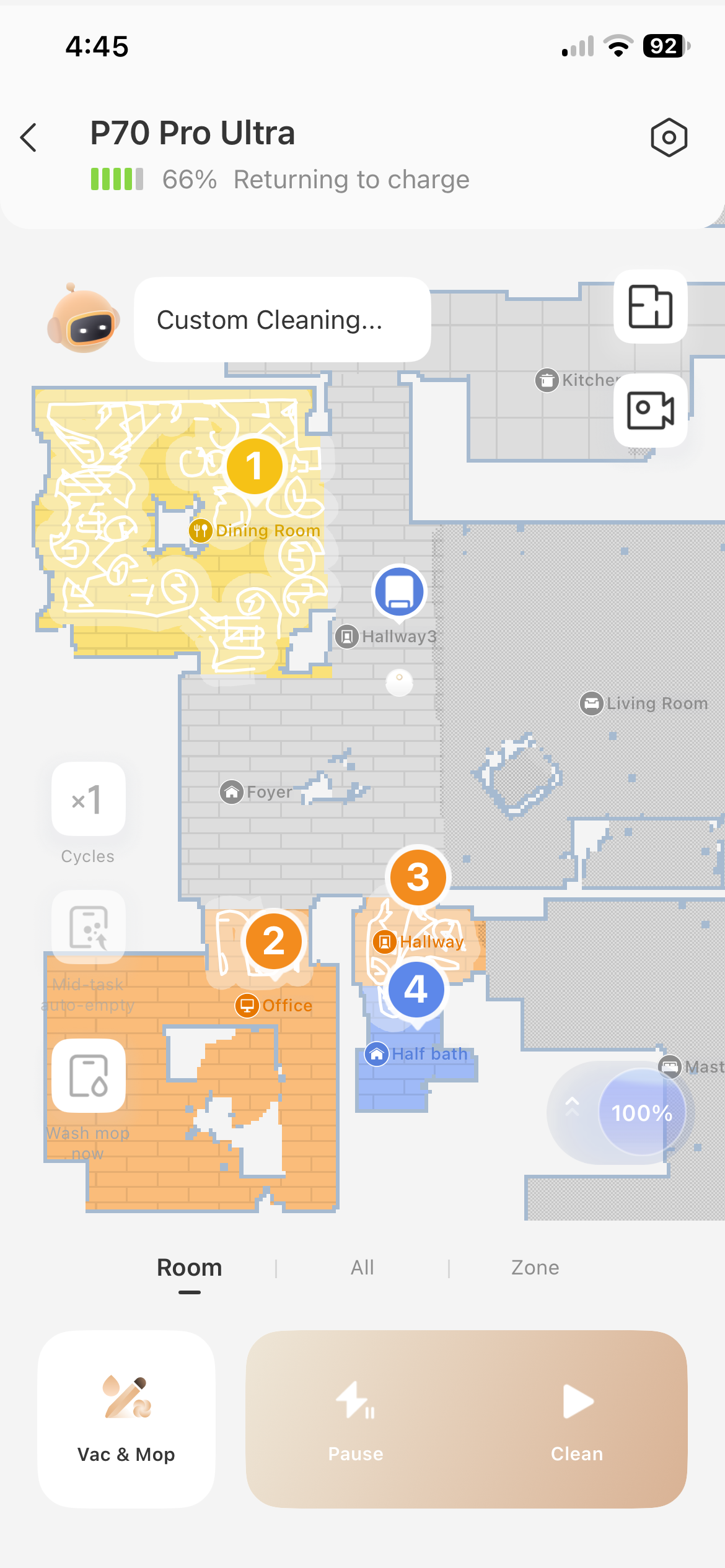


 US
US






