PA829743

[E40 Ultra] How to extend mop

Hi support. In custom mode. When i select the vacuum to just mop and select which rooms. I noticed it is leaving about a 2-3 inch gap along the wall that is not being mopped.  What setting can i adjust so the vacuum can extend its mop along the wall?  I've turned on the AI setting and the one that says extend mop, but its not doing anything.
Translate
You need to log in to reply. Login | Register

4 Comment

screenshot-20260120-180134.png
Hello,

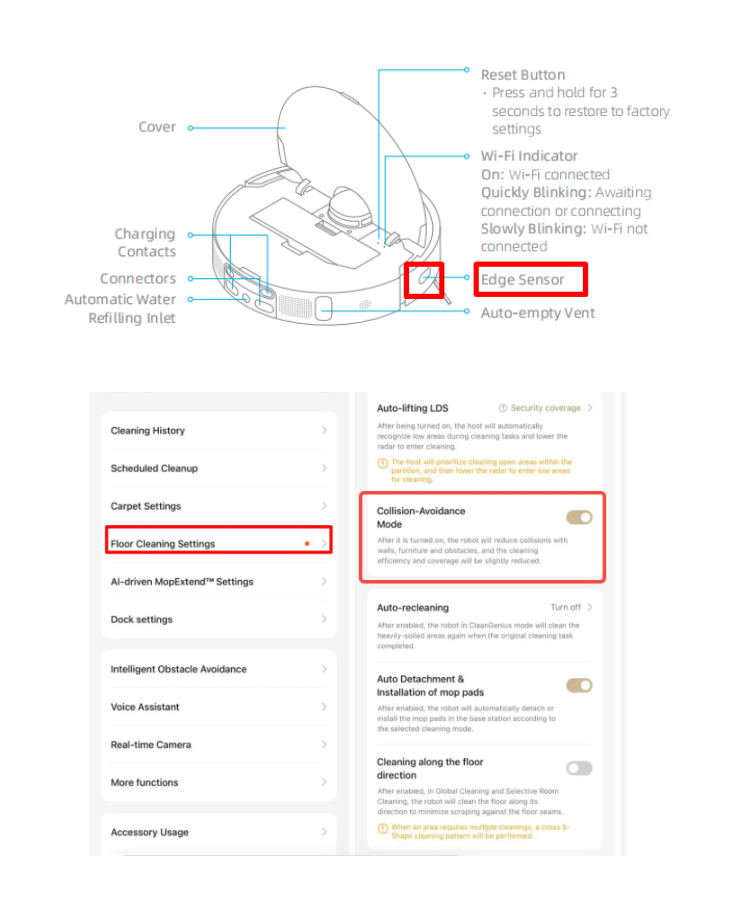
Regarding this issue, please wipe the edge sensor on the right side of the robot with a soft, dry cloth. Ensure the edge sensor is not obstructed by any obstacles/objects.

Then, turn off the Collision-avoidance mode to see if the situation improves.

Three dots in the upper right corner —— Floor Cleaning Settings —— Collision-avoidance mode

If the device still cannot clean along the edges, please contact our after-sales department for further assistance.
2026-1-20 18:02:30 US Translate

Mova will not return to base after first mapping
2026-1-21 05:39:54 Translate

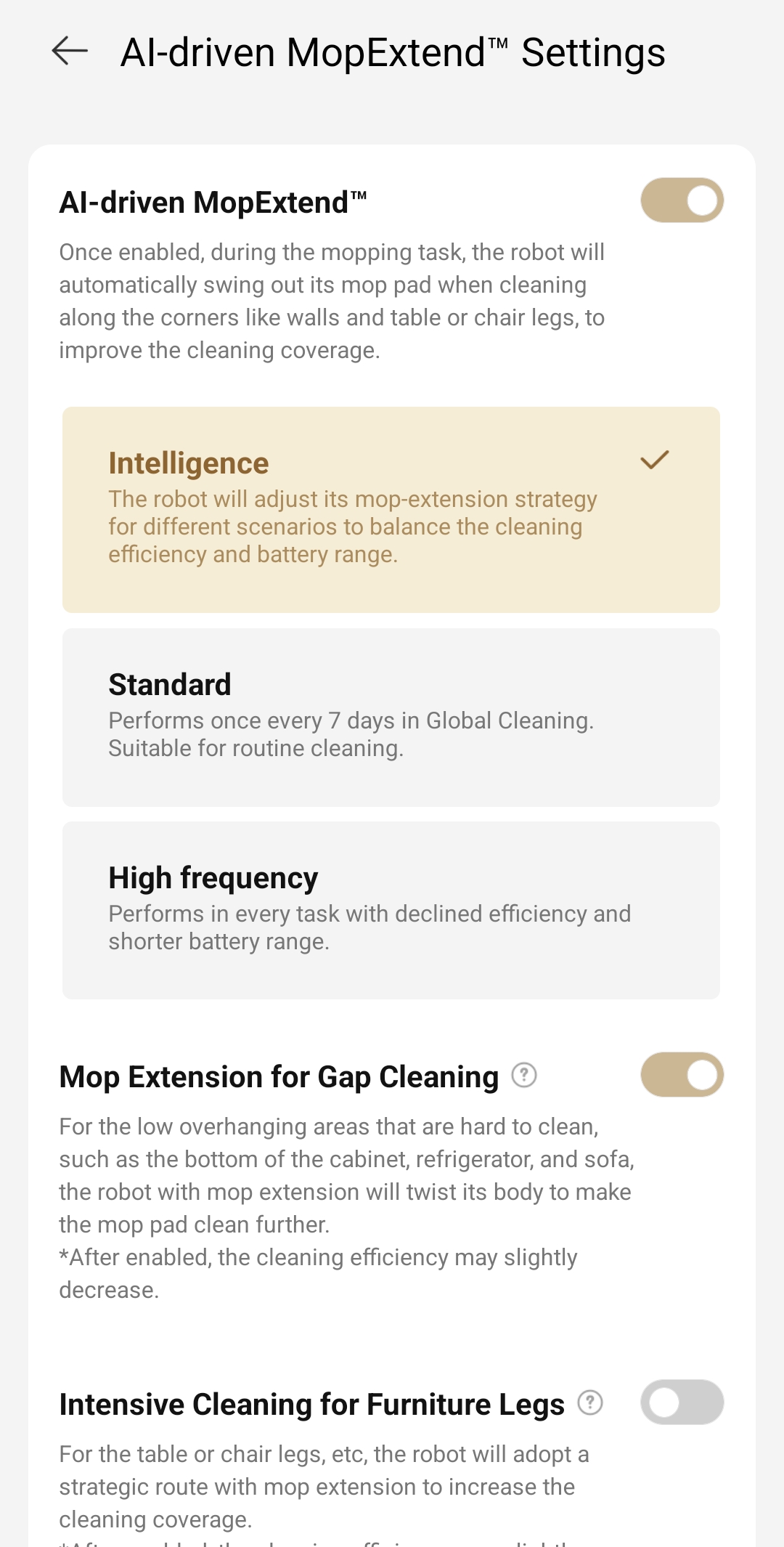
Thank you. i figured out what it was. In AI extended mop settings. I had it set to intelligence and this option allows the robot to decide when to extend. I noticed that the mop does not extend no mat
 
PA829743Thread Starter
1000385806.jpg
Thank you. i figured out what it was. In AI extended mop settings. I had it set to intelligence and this option allows the robot to decide when to extend. I noticed that the mop does not extend no matter how many times the robot mops. I changed it to high frequency and this worked. Who knows when the robot will extend on the intelligence mode and when it decides it needs to do it. Doesn't seem to useful. But thank you. I got it working on a different setting
2026-1-21 06:41:59 Translate

UID:PA829743
  • 6Posts
  • 0Friends
Privacy Policy|Terms &Conditions|Archiver|Mobile|DarkRoom|Software License and Service Agreement

© 2026 MOVA Forum All Rights Reserved | Support by Discuz! X5.0 Font by MiSans

Quick Reply Back to Top Return to List