Last edited by QT825163 on 2026-3-10 02:40
Disclosure: I received this Z60 through MOVA's Get & Create program at no cost in exchange for honest feedback. Everything here is my real experience with our house, kids and pets!
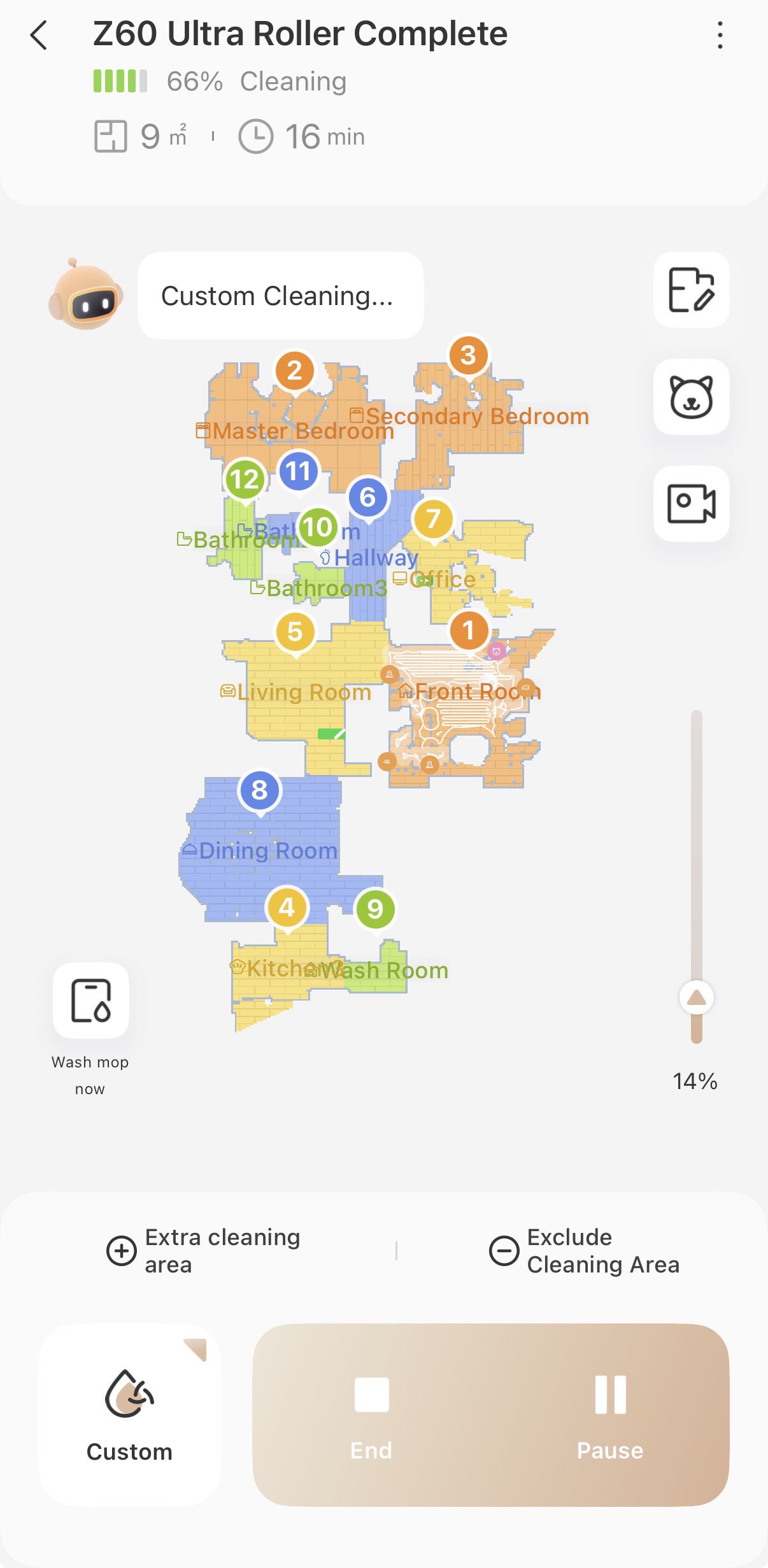
I recently set up the Mova Z60 Ultra Robot Vacuum, and my first experience with its mapping and cleaning features has been very positive overall. Right after getting everything unboxed and connected, I decided to start with the fast mapping option to quickly create the initial layout of my home. The process itself was incredibly simple—once the vacuum was connected and ready to go, I launched the fast mapping mode through the app and let the Z60 explore the house.
What surprised me the most was how fast and accurate the mapping process was. Within a relatively short amount of time, the Z60 had already created a clear layout of the main areas of my home. Watching the map develop in the app as the robot moved from room to room was pretty impressive. The initial fast map captured the general layout well, including walls, open areas, and transitions between rooms. It gave me a good baseline map without having to wait for a full cleaning cycle.
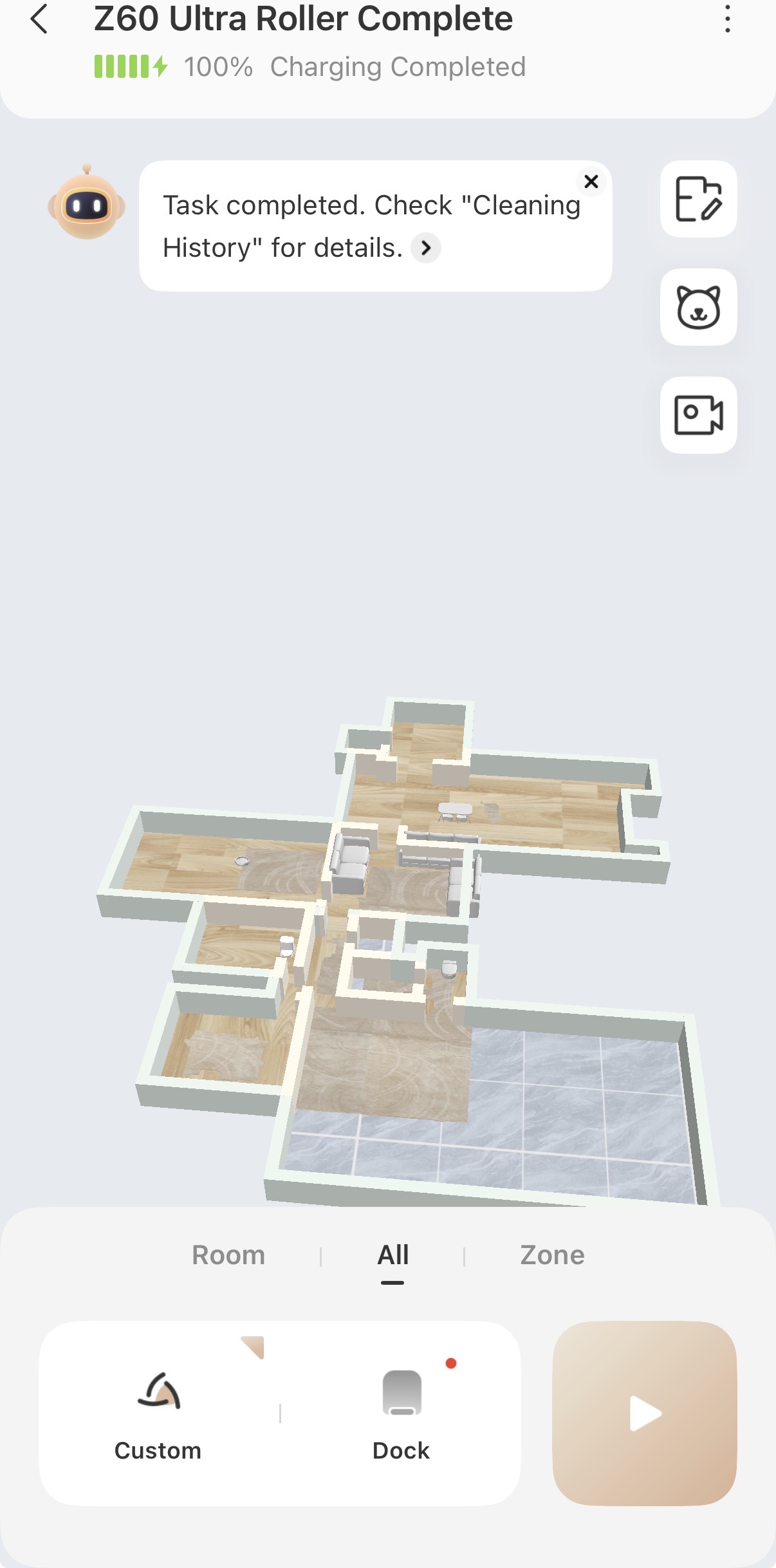
After the fast mapping finished, I decided to run a complete cleaning cycle so the vacuum could refine the map and start learning the space in more detail. This is where things got even more interesting. During the full cleaning run, the Z60 updated the map with additional details like furniture placement and more precise room boundaries. By the end of the cycle, I could see beds, couches, and other larger objects reflected on the map, which really helped make the layout feel accurate and useful.
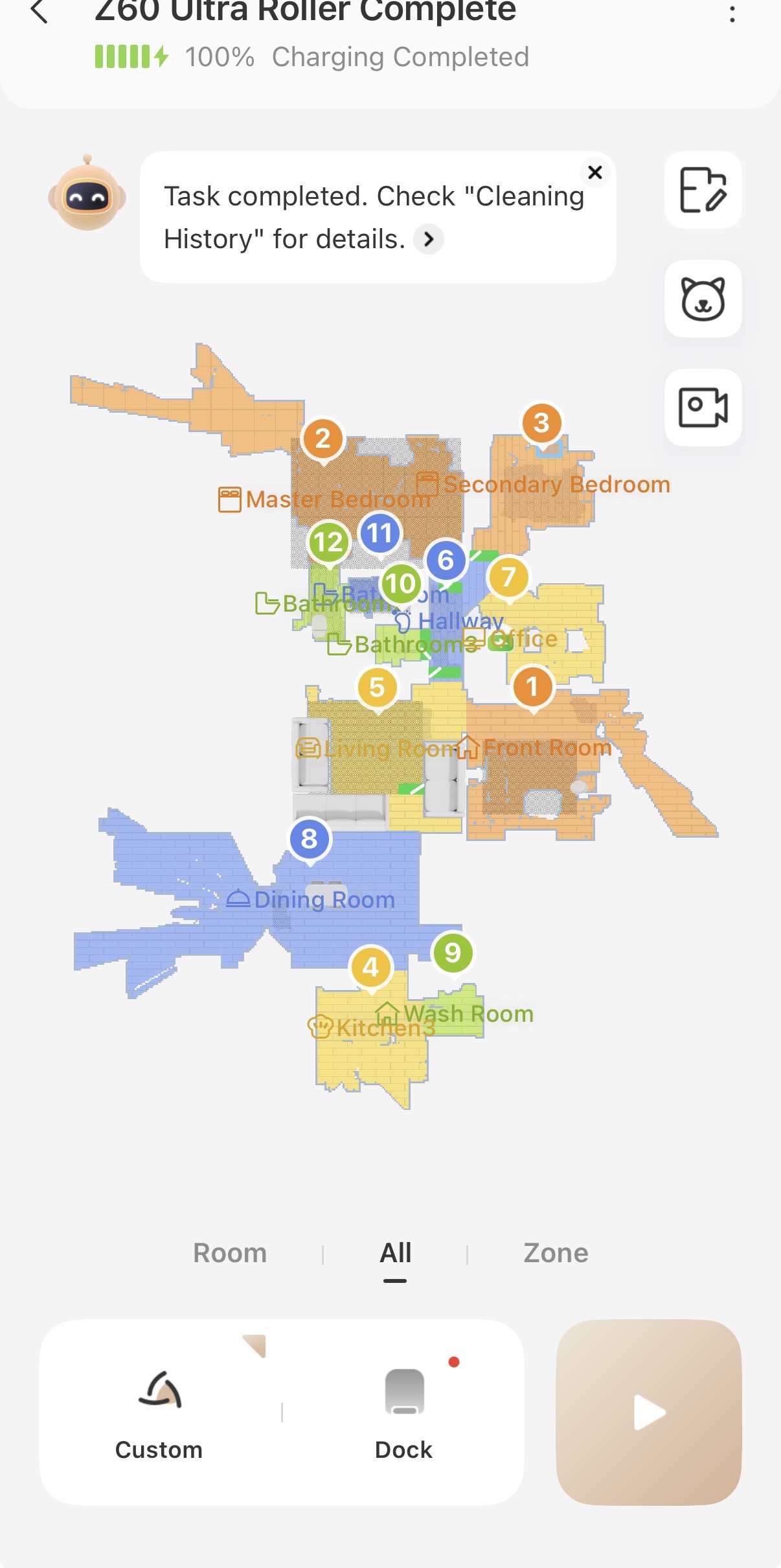
There was one issue I noticed, though, and it’s something I’ve seen mentioned with other robot vacuums as well. After the full cleaning cycle, the map started showing additional space beyond some of the walls, which I believe is happening because of windows and a mirror in the room. Since reflective surfaces can sometimes confuse the sensors, the vacuum seems to think there’s extra space where there really isn’t any.
It’s not a major problem, but it does mean I’ll likely need to jump into the app and manually adjust or resize the affected room boundaries. So I’m hoping that once I correct it, the map will stay consistent. My only concern is whether the vacuum might continue trying to expand the map again whenever it encounters the mirror or window reflections during future cleanings.
Even with that small hiccup, the overall experience so far has been very smooth and encouraging. The setup process was quick, the fast mapping feature worked exactly as intended, and the first full cleaning run helped refine the map significantly. The Z60 clearly does a good job of navigating the home and recognizing obstacles and furniture early on.
#GetYourZ60 #Z60URC #sponsored
|