PH085042

Mova app is great!

Hi all, if you’ve seen any of my previous posts you know that I’m currently testing the Mova Z60 via the #GetYourZ60 campaign. Today I want to talk about the Mova app, because I think it’s one of the best parts of owning a Mova vacuum.

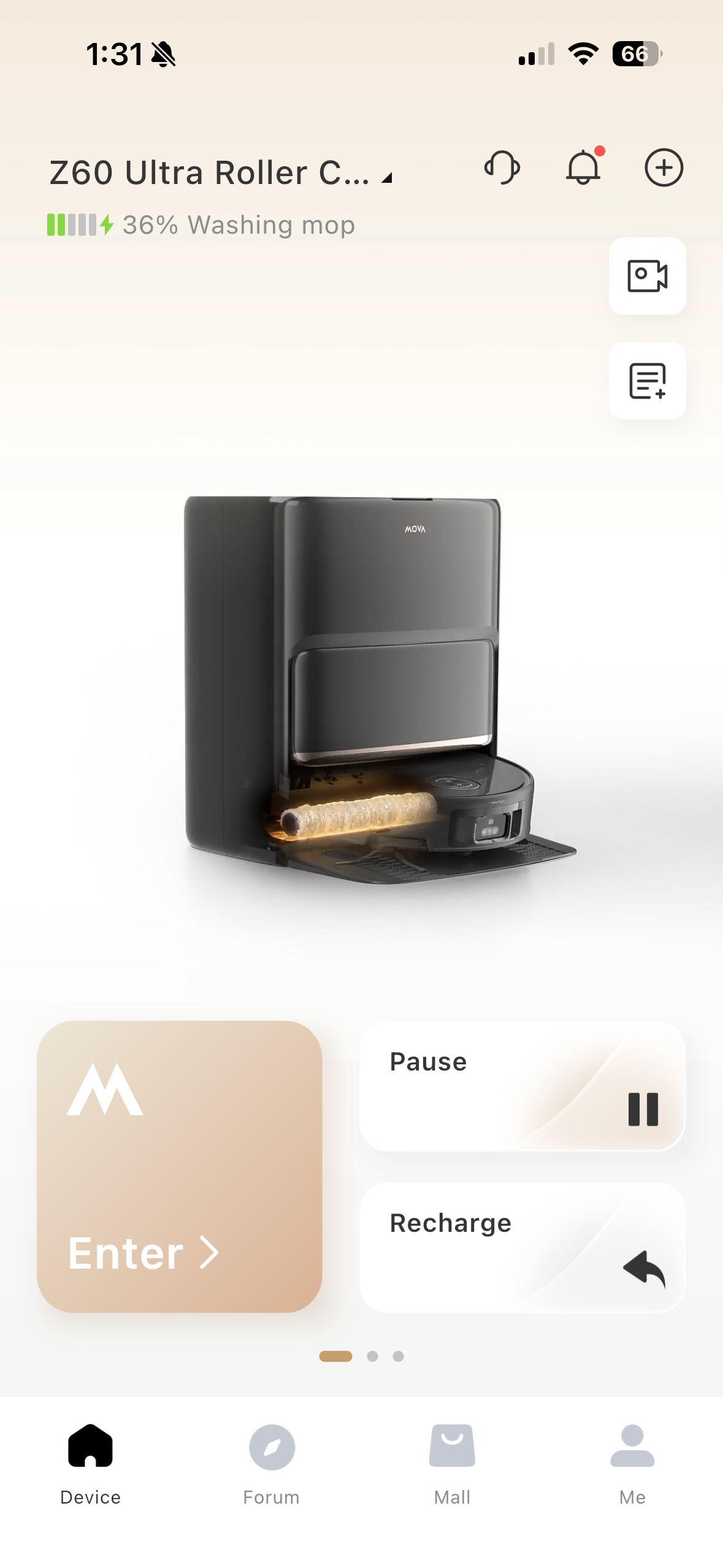
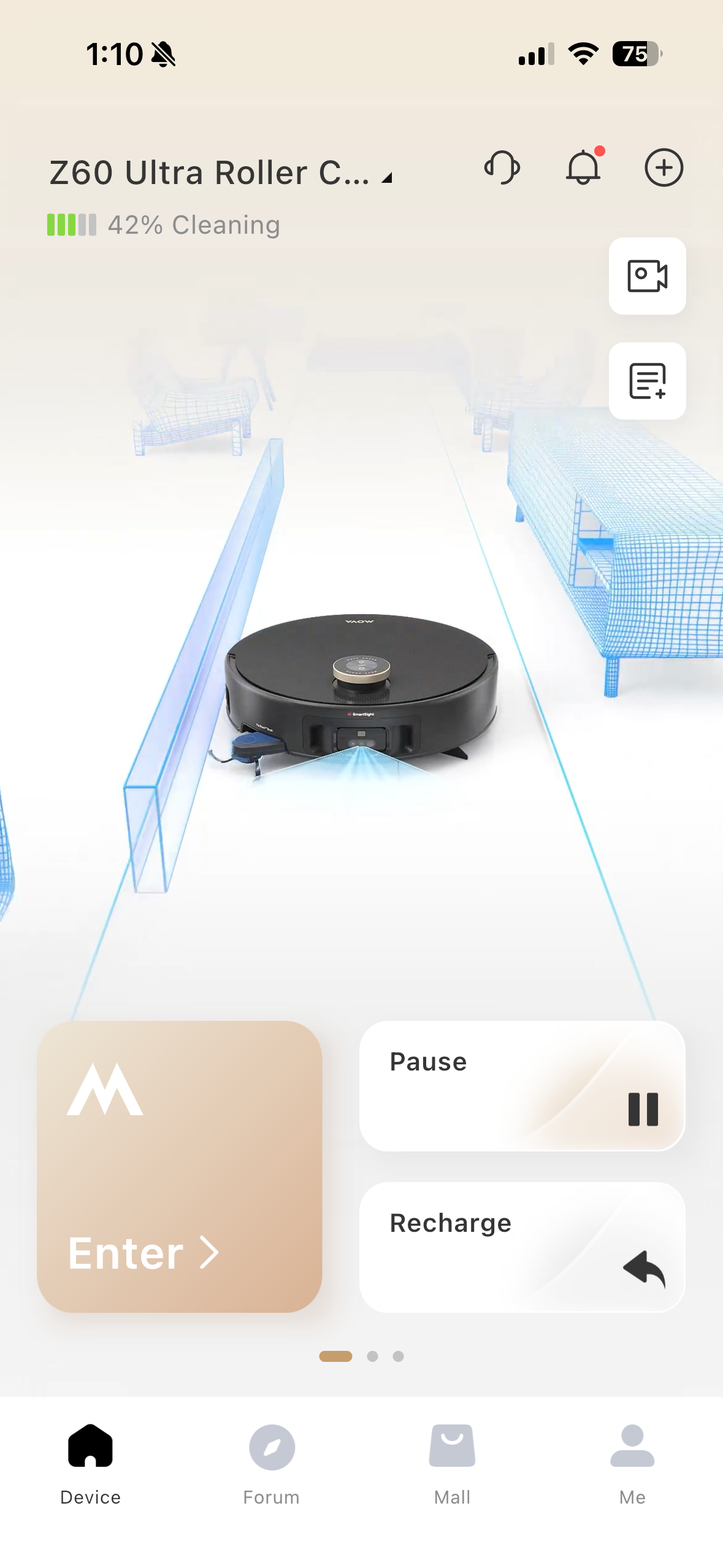
The Mova app is very rich in features and extremely customizable. Not everyone has the same home, so not everyone should necessarily be using the exact same settings on their vacuum either! While the Z60 works great out of the box, there’s also a lot of features that you can adjust or toggle on if you want, so I wanted to talk about a few of the adjustments I’ve made that have been most helpful for me. I also love the little animations that it does to show what the vacuum is doing at any given time.

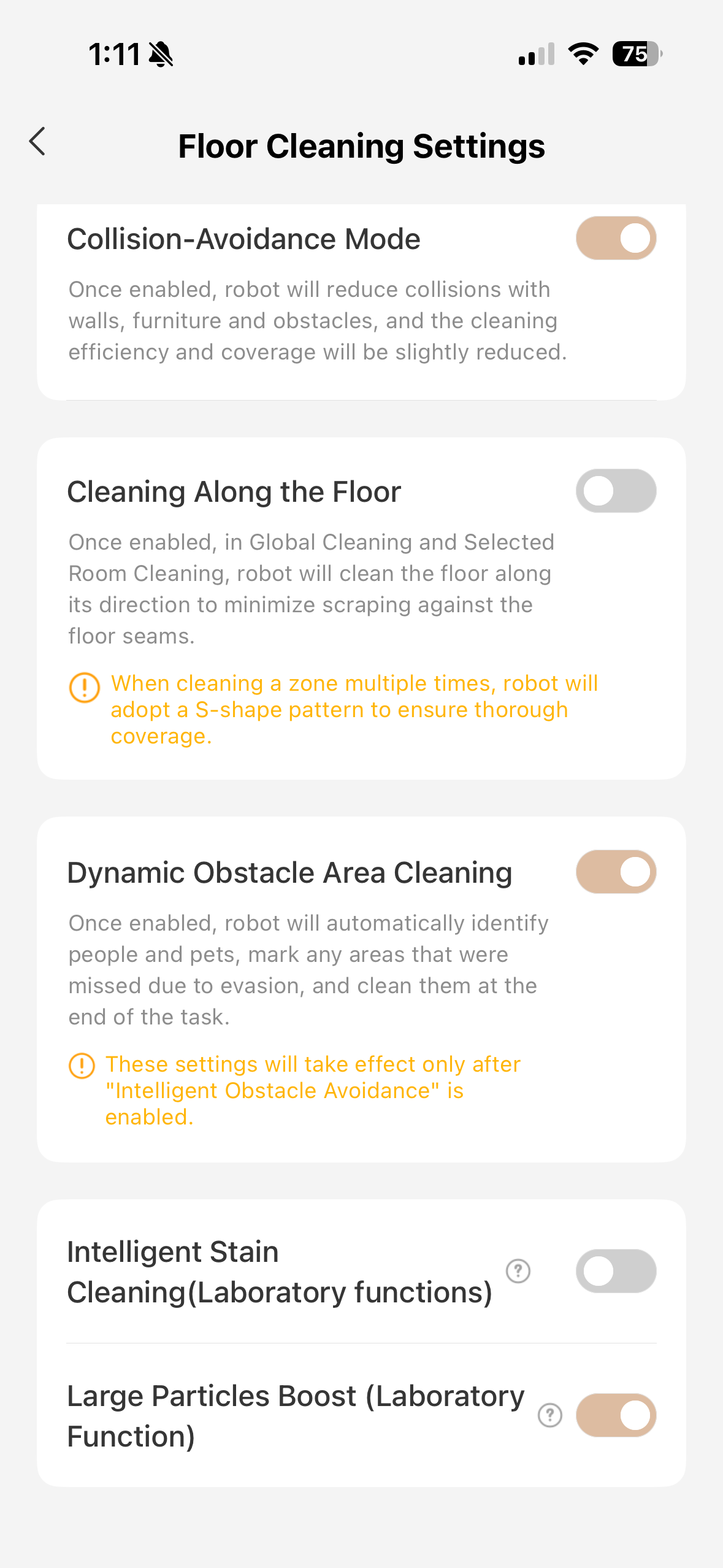
1. Dynamic Obstacle Area Cleaning (Floor Cleaning settings) - I don’t believe this is toggled on out of the box but I could be wrong. This feature is great because with it turned on, if the vacuum encounters an obstacle during cleaning that prevents it from getting to a certain area, instead of just skipping that area it’ll come back to it at the end of the task and try again. This has been great for me because I have my vacuum scheduled to clean every day but sometimes I’ll forget to open a door or something. This way, I can open the door and know the vacuum will come back to that area, instead of me having to manually send the vacuum back out to clean the missed area.

2. Large Particles Boost (Floor Cleaning Settings) - this is turned off out of the box but I definitely recommend turning it on. Similar to how the vacuum will automatically boost suction on carpets, if it recognizes large particles such as dog food in its path, it’ll boost suction to ensure it picks everything up.
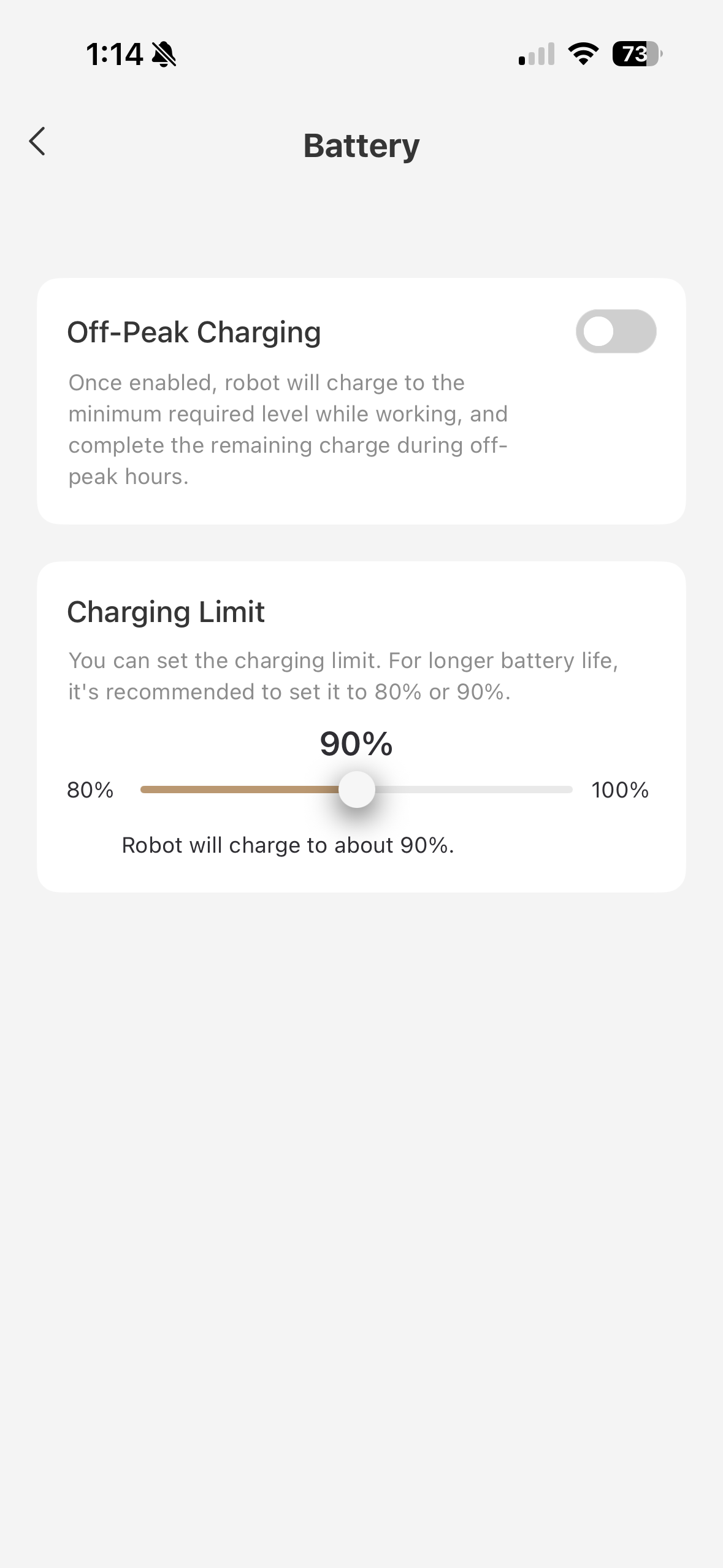
3. Charging limit (Battery settings) - this allows you to prevent the battery from charging beyond 80 or 90 percent. I’ve seen this feature on my phone so it’s cool that Mova has it too. The batteries used in devices like phones and robot vacuums can wear out quicker if they are always charged to 100%, so limiting the charge level slightly helps the battery and the vacuum last longer.
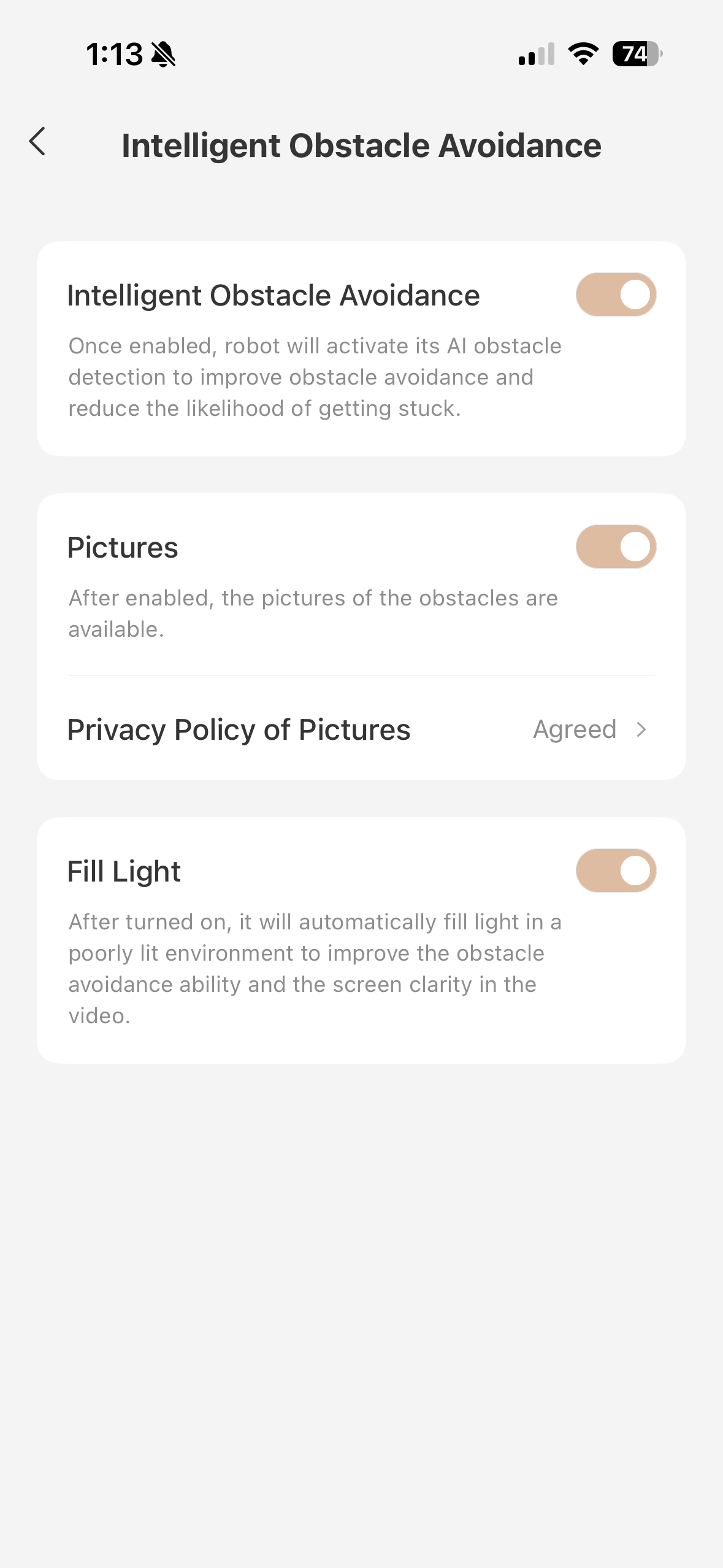
4. Obstacle Pictures (Intelligent Obstacle Avoidance) - with this enabled, when you click on one of the little obstacle icons on the map, you can actually see exactly what it was that got in the vacuums way, instead of just having to guess. This makes it a lot easier to fix any issues.
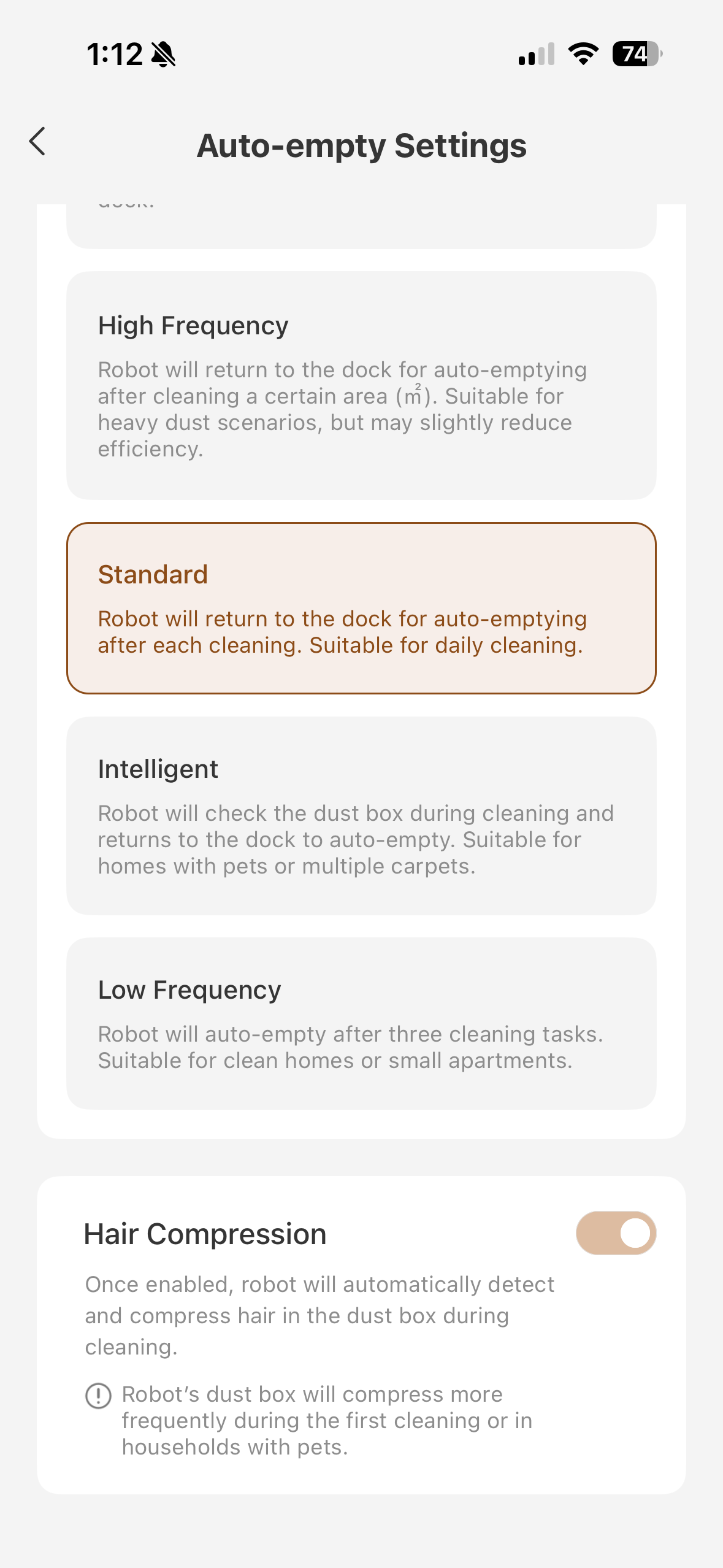
5. Hair compression (auto-empty settings) - this feature helps the vacuum recognize and compress hair in the dust box, freeing up more space for other debris. I can see this being especially great for homes with pets. I don’t have a pet, but I do get hair on the floor from my roommate and I, so this feature is very helpful. I also noticed the “intelligent auto empty” setting — I don’t have it turned on since like I said, I don’t have a pet, but this seems like a really smart innovation to ensure the dust box doesn’t get overfilled and isn’t able to pick things up for households that do get a lot of hair and stuff on their floors.

All in all, if you get a new robot from Mova, I definitely recommend taking a look through the settings to customize it for your needs like I have!

No comments yet,

Grab the first review

You need to log in to reply. Login | Register
UID:PH085042
  • 9Posts
  • 0Friends
Privacy Policy|Terms of Use|Archiver|Mobile|DarkRoom|Software License and Service Agreement

© 2026 MOVA Forum All Rights Reserved | Support by Discuz! X5.0 Font by MiSans

Quick Reply Back to Top Return to List