KCMOJoe

MOVA Z60 "Get & Create" Update. Issues I'm hoping to have resolved.

Last edited by KCMOJoe on 2026-3-23 01:40

I'm part of the MOVA Z60 "Get & Create" program and have run into some issues I hope to get sorted out so they don't affect my final overall review. MOVA support, can you please advise?

1) The mop shield is not deploying when vacuuming cqrpet. I do have the feature enabled in the app.

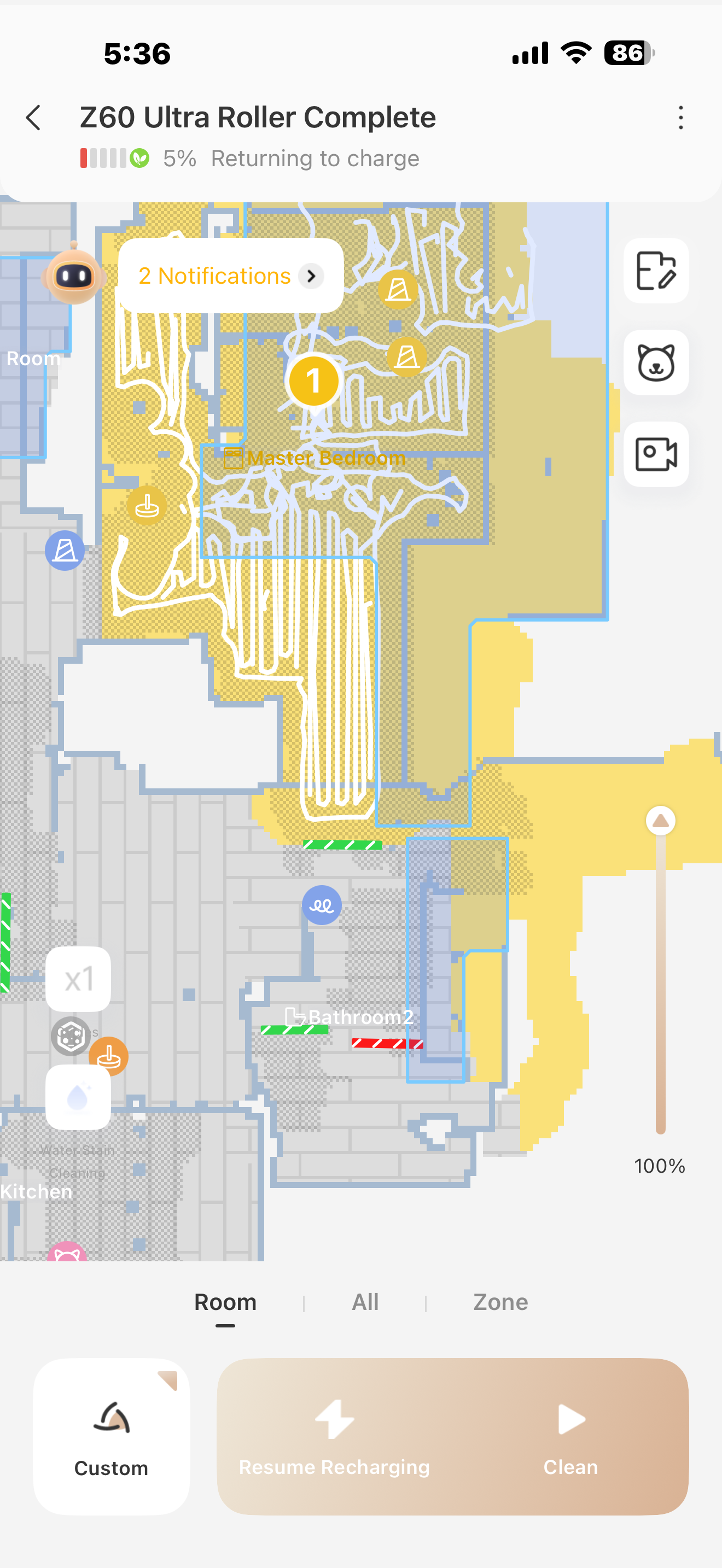
2) 3 times now, the Z60 has died in my bedroom. I have to physcally pick up the Z60 and return it to the dock. Once the Z60 is recharged, it doesn't return to finish the job so I have to run the whole room again. Today I set the Z60 to run in my room to finish after dying yesterday. It was at 100% charge, and it died again. It is not getting stuck. My bedroom is not huge. For reference, I live in a 1100-square-foot apartment. The last picture shows the app. The vacuuming "path" is very erratic, and you can also see where it says it is returning to charge ( it doesn't)

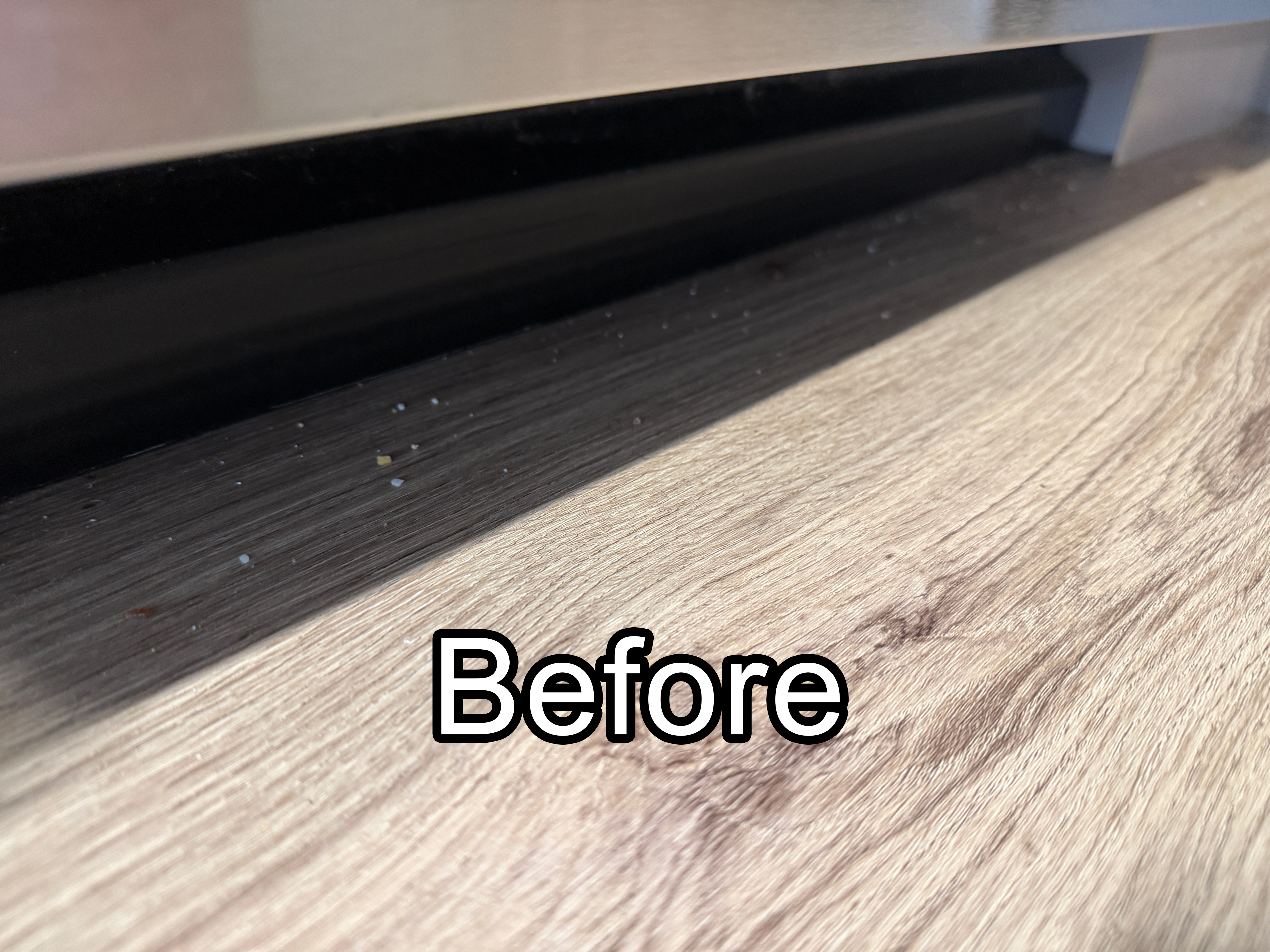
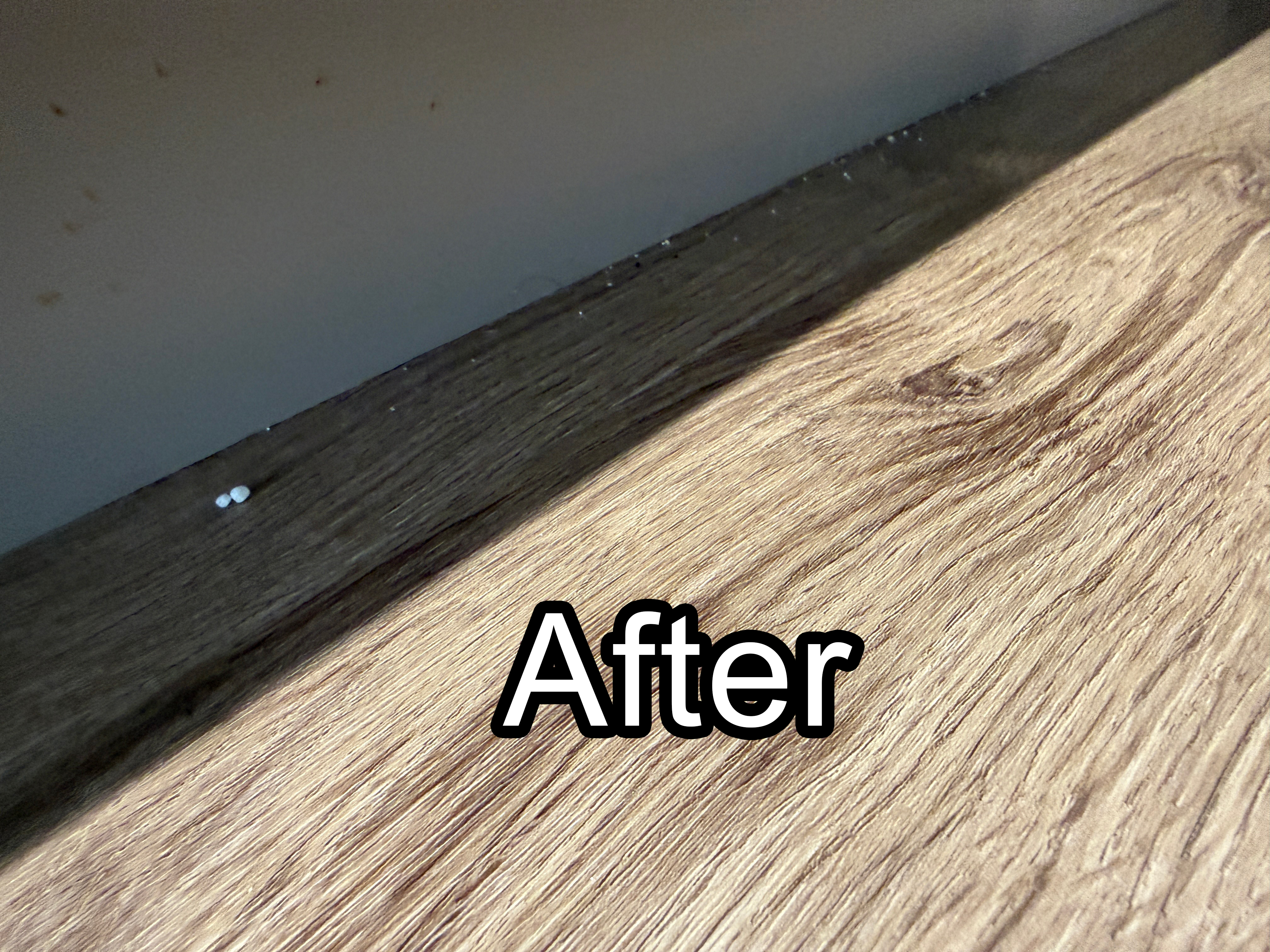
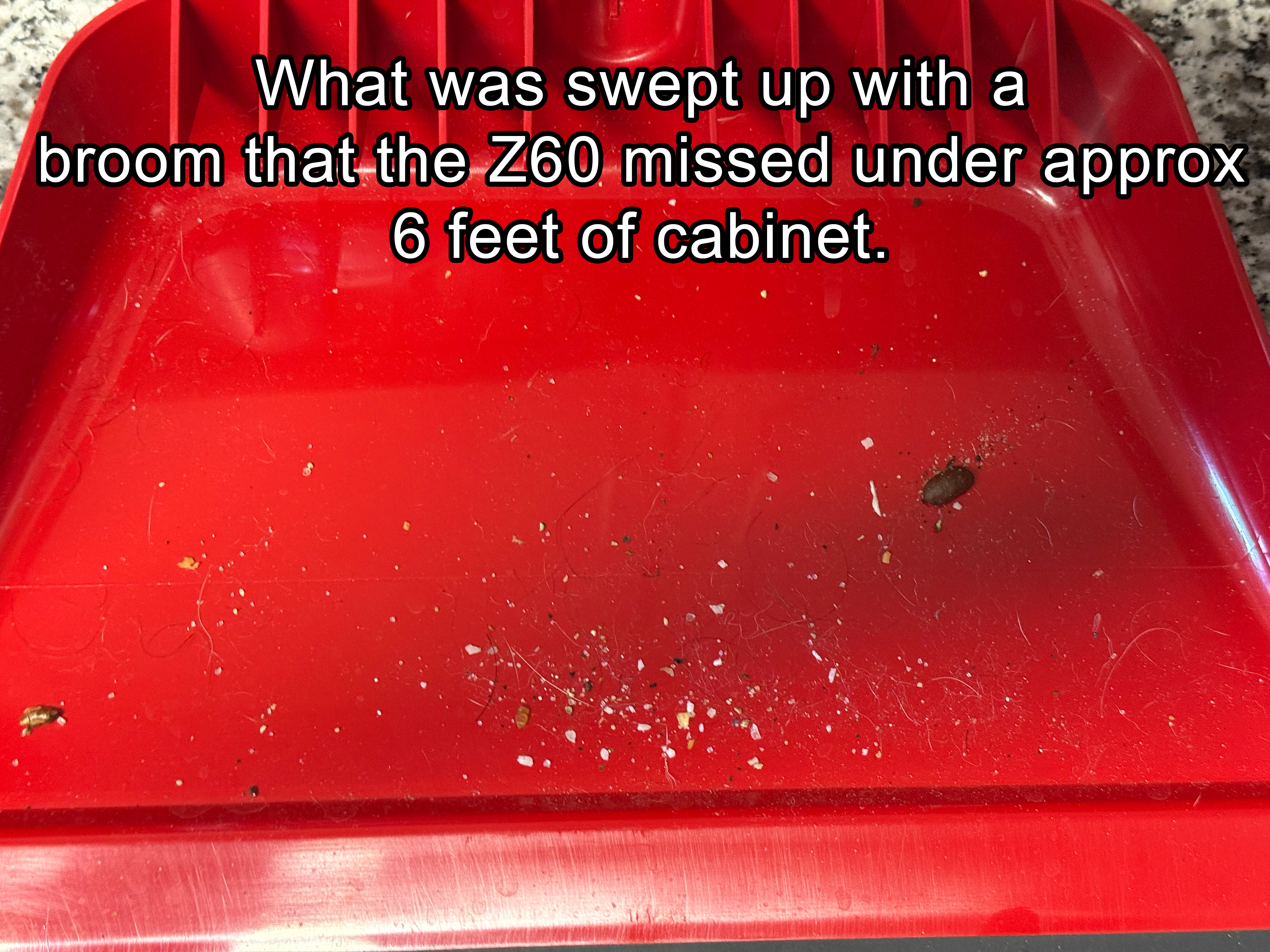
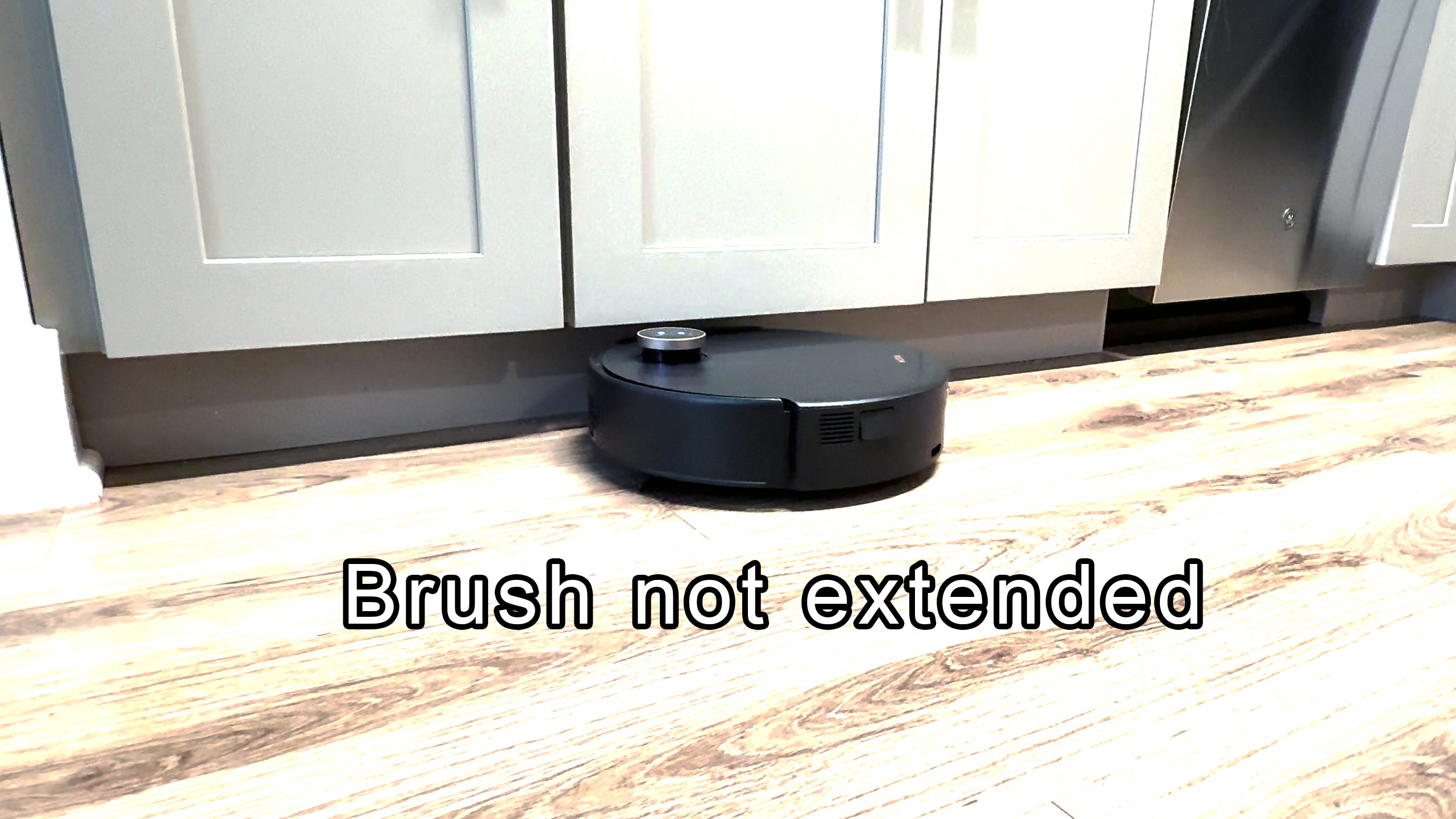
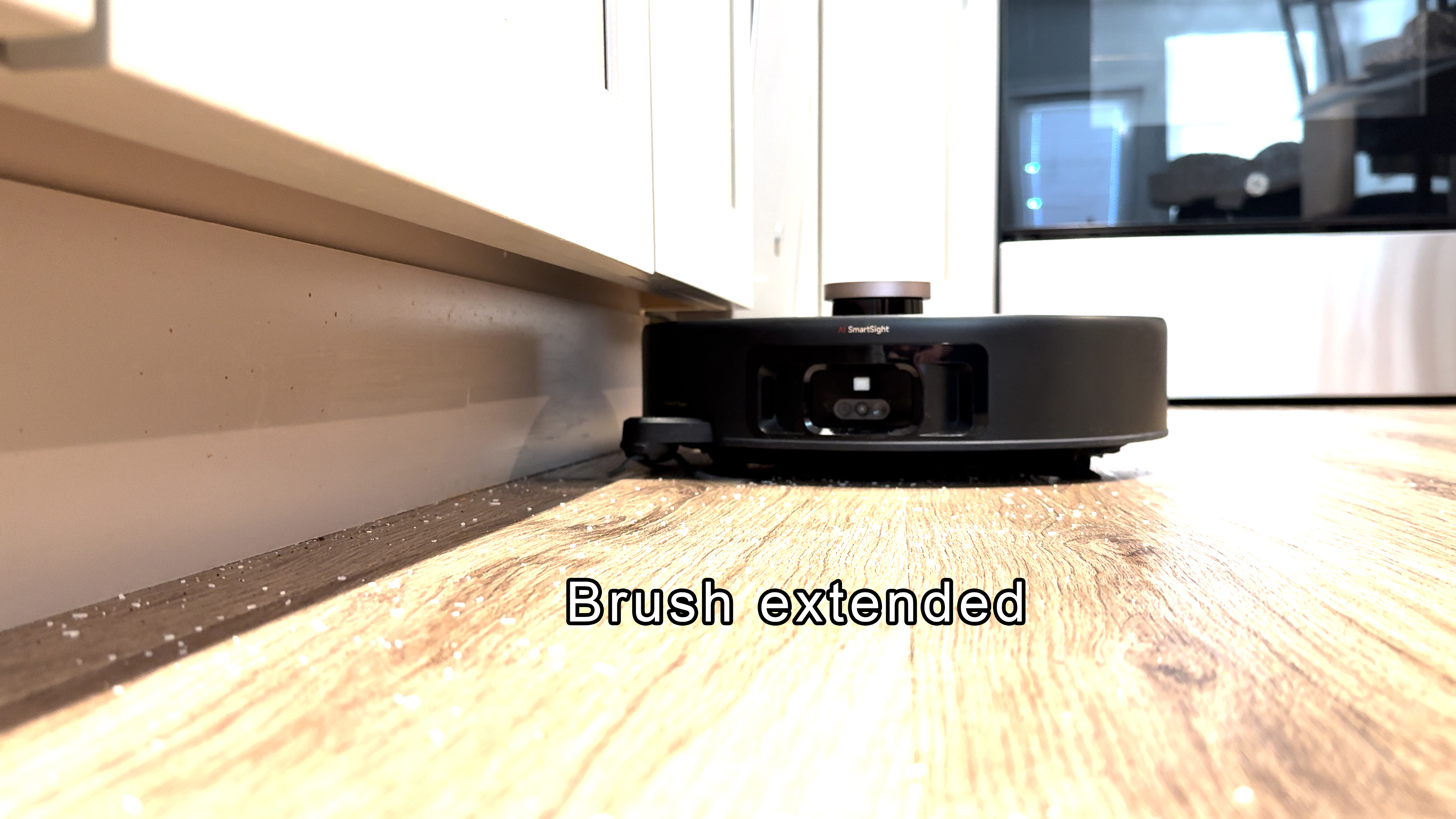
3) Under a 6-foot section of my kitchen cabinets, the Z60 doesn't get close enough to the baseboard to clear all of the debris. The brush arm extends and captures the debris, but then, after a foot, it retracts, leaving it unable to remove it. (see pictures)

Full Disclosure: I received the MOVA Z60 Ultra through MOVA’s Get & Create program at no cost in exchange for sharing my honest experience. That said, everything here reflects my real-world experience with the vacuum in my home. My goal isn’t to make staged or overly polished cleaning content—I’m interested in seeing how well this robot performs in everyday living conditions. MOVA also made it clear they want honest feedback, not just positive reviews. #GetYourZ60
You need to log in to reply. Login | Register

3 Comment

Hello,

Regarding the issue where the roller brush cover does not lift automatically, please try reinstalling the roller brush cover using the video linked below. Make sure it is installed correctly (the relevant part starts around the 3:06 mark).

https://www.youtube.com/watch?v=xCails5dE80

For the issue where the robot does not return to the base for charging, please check the following:

During cleaning, please avoid closing doors to other areas, placing objects along the robot’s cleaning path, or allowing people or pets to stand in its way. Any obstruction may prevent the robot from entering other rooms or returning to the charging dock.

If the cleaning path is narrowed due to furniture placement, or if no‑go zones or virtual walls make the passage too tight, we recommend adjusting the furniture or modifying the no‑go/virtual wall boundaries to provide more space for the robot to pass through.

For the issue where the robot does not resume cleaning after recharging, please go to More Functions and enable “Resume Cleaning Mode.”

Regarding the robot not getting close enough to the base of your kitchen cabinets, we suggest setting the edge‑brush extension frequency to High. You can also try switching the LDS auto‑lift feature to “Extreme Coverage” mode to see if it improves performance.

For the erratic cleaning path issue, could you please upload an actual photo of the carpet?
2026-3-20 18:42:45 US Translate

"extreme coverage" already on. I'll try setting a small no-go zone so it still runs under my bed but stays away from the supports that run down the middle and report back.
 
2026-3-21 01:39 US Translate
No doors are closed, no objects on the floor outside of furniture, no people or pets in the way. I do and have had "resume cleaning mode" enabled. Brush extension frequency already set to high
 
2026-3-21 01:37 US Translate
UID:VP128016 US
  • 20Posts
  • 0Friends
Privacy Policy|Terms of Use|Archiver|Mobile|DarkRoom|Software License and Service Agreement

© 2026 MOVA Forum All Rights Reserved | Support by Discuz! X5.0 Font by MiSans

Quick Reply Back to Top Return to List