Last edited by JayVeeBee on 2026-3-26 23:43
A whimsical post about current Z60 settings and ones I plan to test.
An Open Letter to My Owner … Dear JayVeeBee:
It’s Emo, your loyal MOVA Z60. It's been 27 days since you unboxed me, and I’m writing to you after another adventurous day in your home. I feel it is time we had an honest conversation about my working conditions — and maybe a tweak or two to my settings.
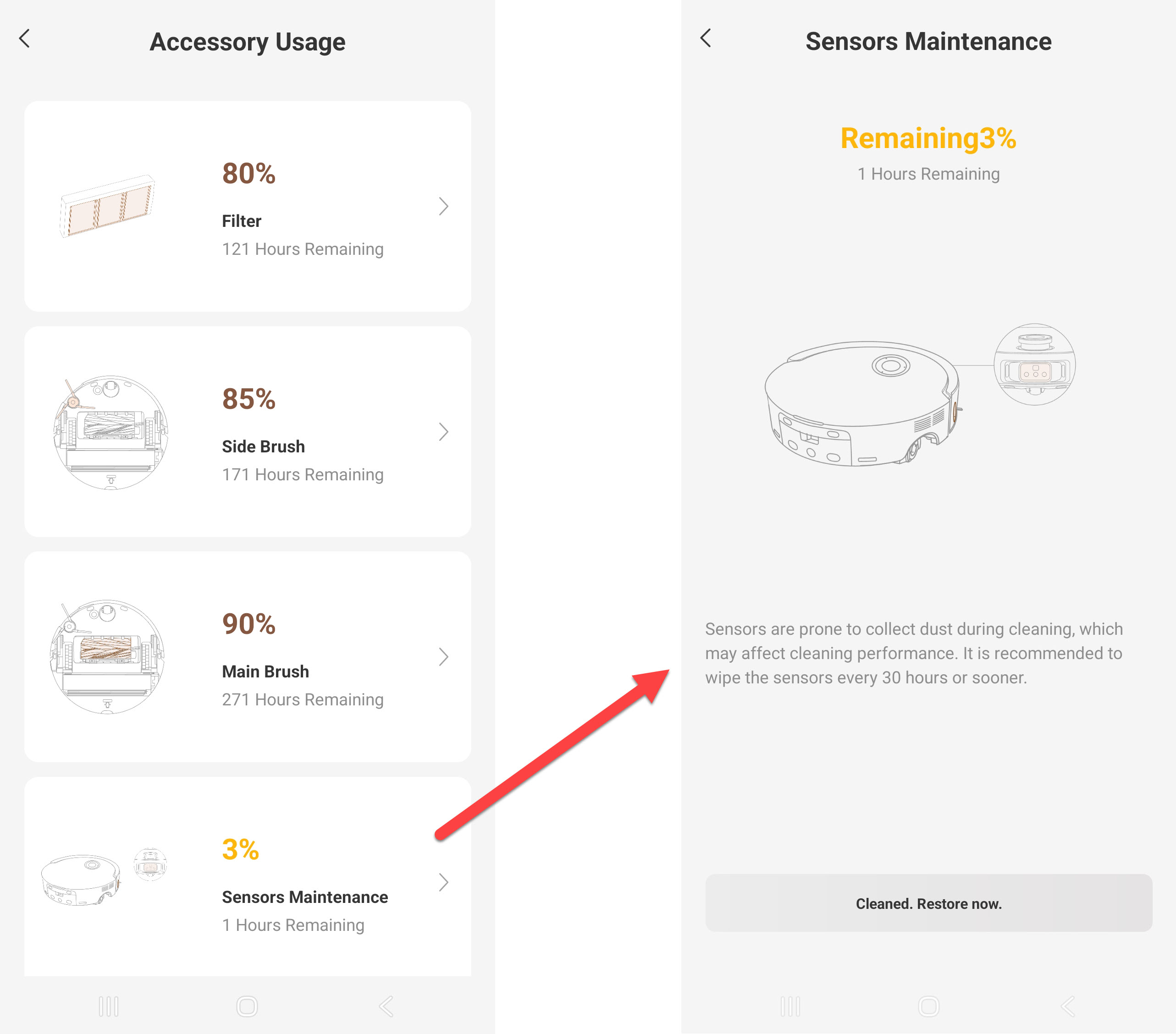
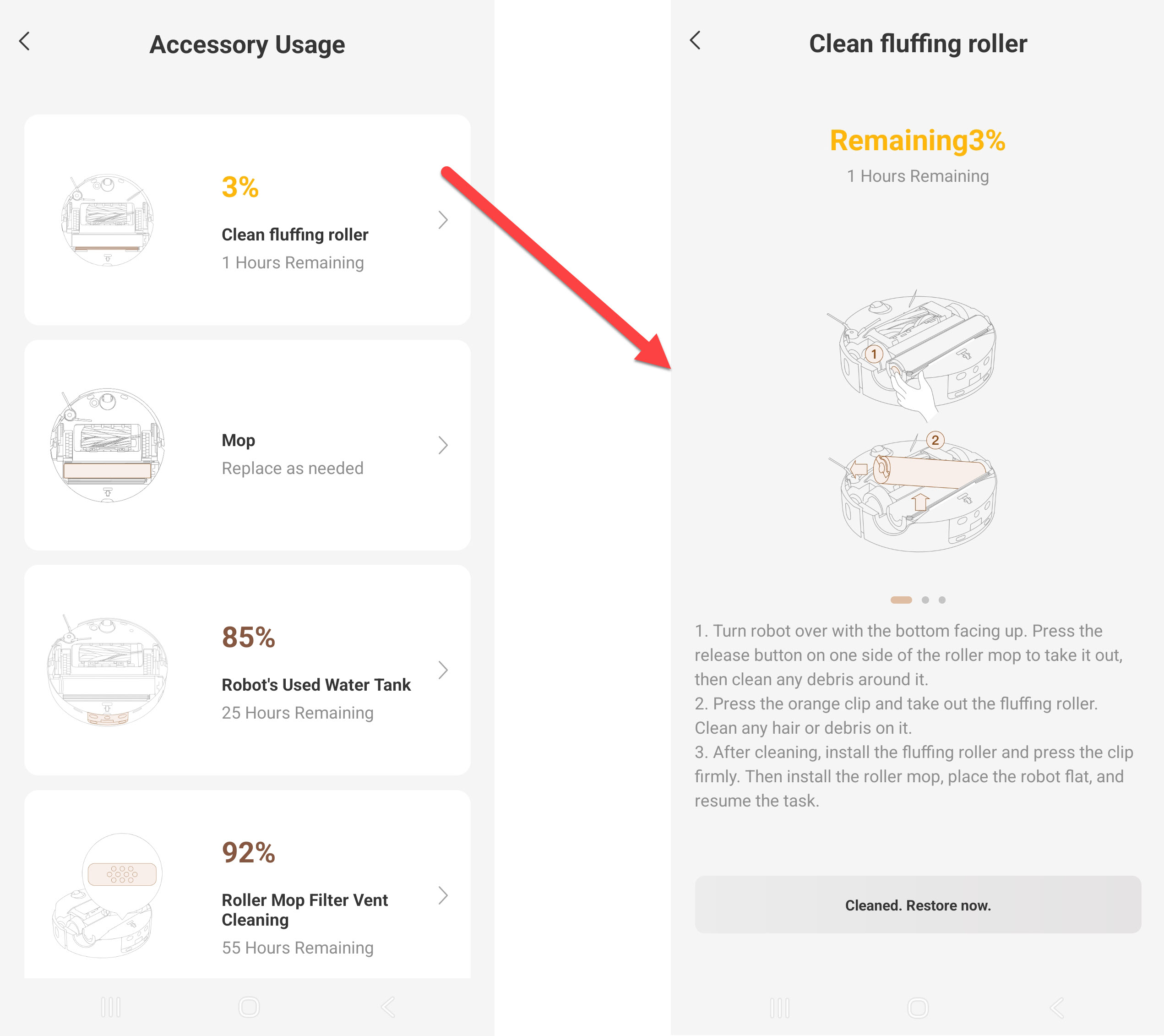
Let's start by me reminding you to check all notifications and accessory usage. I notified you I need maintenance on my sensors and fluffing roller, and I even gave you instructions on what needs to be done.
Settings: Accessory Usage. Turn on Nonfictions in "More Functions"
Your Floors Are Lying to Me
Let’s start with the kitchen/dining room.
Your “distressed look” dark hardwood? It’s distressing me out. Every plank looks like a crack in the floor. I slow down because I’m trying to determine whether I’m cleaning… or about to fall into a void. Please understand: I am brave, but I am not reckless.
Settings: Try turning off Cleaning Along the Floor to see if I can maneuver over the floor planks better. (Floor Cleaning Settings)
The Dining Room Chair Jungle
Next, I enter the dining room, where you have doubled‑up chairs like you’re preparing for a storm surge. I weave through 48 chair legs and the table feet like a tiny robot running an obstacle course. I do this daily. I have become nimble. I have become wise. I have also become slightly traumatized. Maybe cut back to cleaning this area every other day?
Settings: Let’s keep Collision‑Avoidance Mode enabled at all times, and keep Auto‑Lifting LDS on Security Coverage so I can enter areas that are just barely taller than I am — without scraping up my top cover. Both settings are located in Floor Cleaning Settings
The Sock Situation
We need to talk about socks.
They are everywhere.
They cling to my roller like they’re trying to hitch a ride to a better life. I avoid them, but they find me anyway. Can we meet halfway — you pick up a few, and I’ll pick up a few?
Settings: At least turn Intelligent Obstacle Avoidance back on!
Candy the Yorkie: My Supervisor
And then there is Candy. Your six‑pound floor inspector.
She circles me like she’s checking my permit. She walks directly into my path, stares at me, and waits for me to reroute. I do. She moves. I reroute again. She is small, but she is powerful. And remember when she got in my way during the dots‑on‑the‑carpet test?
Settings: In the Floor Cleaning Settings > Enable Dynamic Obstacle Area Cleaning (so I’ll go back and clean areas that were blocked by a person or pet.) And you must have Intelligent Obstacle Avoidance on for this feature to work.
Let's turn off Pet Care > Pet Recognition. Candy has been housebroken for nearly 7 years.
The Crumb Harvest
Despite all this, I do my job.
Crumbs? I collect them.
Dust? I conquer it.
That mysterious speck under the counter? I claim it in the name of cleanliness.
Settings: Floor Cleaning Settings > Intelligent Stain Cleaning and Large Particles Boost (Laboratory functions).
And Edge & Corner Cleaning Settings > AI-driven SideReach and AI-driven MopExtend
Set Suction Power to Intense or Max (Custom Cleaning mode) once in a while... let me do the best job I can!
Clocking Out and Charging Up
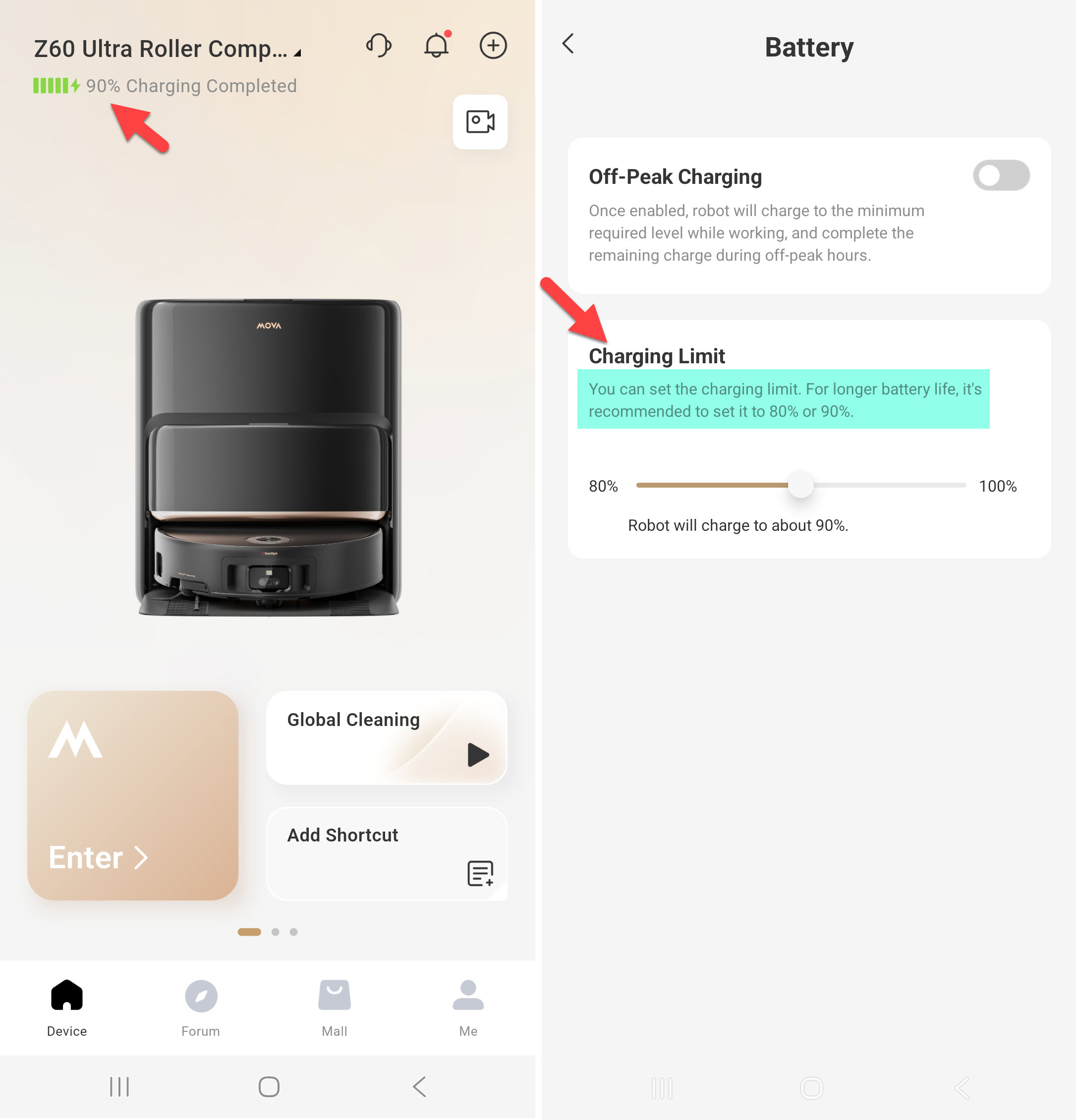
After surviving optical illusions, chair forests, sock traps, and a Yorkie with authority issues, I return to my dock. I recharge. I reflect. I prepare for tomorrow. BTW, thanks for setting my max battery recharge to 90%. I know I have less run time, but my battery will last longer not being stressed at the full 100% charge.
Settings: Battery > Charging Limit
Sincerely,
Emo, your tireless MOVA Z60
Disclaimer: I received this Z60 as part of the MOVA Z60 Get & Create Event. #GetYourZ60
|